

Pocket Auto Watch
Brook Design, LLC. Tools
Pocket Auto Watchic settings manager
- Rating
- 2.5
- 40 ratings
- Downloads
- 5K+
- on Google Play
- Price
- Free
- No in-app purchases
- Updated
- Oct 12
- 2020 · v0.1.0
Screenshots
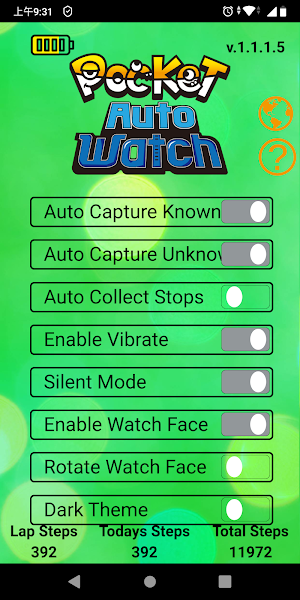
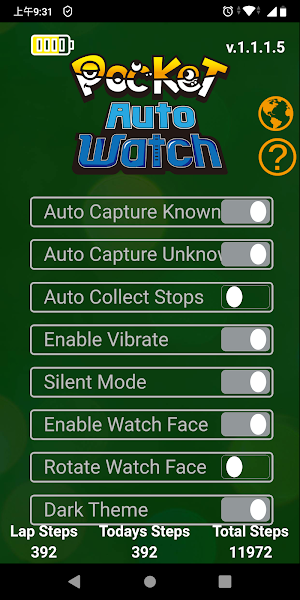
About Pocket Auto Watch
Download the Pocket Auto Watch App for even more features including checking your stats and changing your settings to improve the user experience.
To connect your Pocket Auto Watchic to the Pocket Auto Watch App, you must close the Pokémon Go App. Press the button on the Pocket Auto Watchic to wake the screen and it will automatically connect to the open Pocket Auto Watch App. Updates will be downloaded automatically.
Time Settings: When you connect Pocket Auto Watchic to the Pocket Auto Watch App, the Pocket Auto Watch App will automatically update the date and time on Pocket Auto Watchic. The app also enables the default display settings of Pocket Auto Watchic. You can switch to display Brook Logo or time.
To connect your Pocket Auto Watchic to the Pocket Auto Watch App, you must close the Pokémon Go App. Press the button on the Pocket Auto Watchic to wake the screen and it will automatically connect to the open Pocket Auto Watch App. Updates will be downloaded automatically.
Time Settings: When you connect Pocket Auto Watchic to the Pocket Auto Watch App, the Pocket Auto Watch App will automatically update the date and time on Pocket Auto Watchic. The app also enables the default display settings of Pocket Auto Watchic. You can switch to display Brook Logo or time.
What’s new
Version 0.1.0 · Updated October 12, 2020
(1)Improve the update function of the original software. (2)Optimize the connection function of Auto catch Watchic.
User reviews

Great app/device. Connects faster than other devices and hassle free.

You know that you have to actually have the Brook watch right? Looks the same as the gotcha app.
Alternatives to Pocket Auto Watch
Looking for apps like Pocket Auto Watch? Here are 5 similar Android apps on Google Play. The highest rated is Pocket Center (3.1/5), and all 5 are free to download.





| App | Rating | Price | Installs | Last updated | Compare |
|---|---|---|---|---|---|
| Pocket Auto Watch | 2.5 / 5 | Free | 5,000+ | Oct 12, 2020 | |
| Pocket Center | 3.1 / 5 | Free | 10,000+ | Jul 30, 2026 | Compare |
| Brook Ras1ution | 2.3 / 5 | Free | 10,000+ | Oct 27, 2026 | Compare |
| Brook Firmware Upgrade | – | Free | 500+ | Nov 20, 2019 | Compare |
| BROOK STAR | 1.9 / 5 | Free | 5,000+ | – | Compare |
| BrookSniper | 2.6 / 5 | Free | 1,000,000+ | Oct 27, 2026 | Compare |
Compare Pocket Auto Watch with the top alternatives: ratings, updates, ASO score and keyword gaps →