
ScanLook PDF
Productivity Contains ads
ScanLook PDF - Your Smart PDF Document Hub
- Downloads
- 8.8K+
- on Google Play
- Price
- Free
- No in-app purchases
- Updated
- May 11
- 2026 · v1.0
Screenshots
About ScanLook PDF
ScanLook PDF - Your Smart PDF Document Hub
Say goodbye to cumbersome paper and scattered files. ScanLook PDF focuses on digitizing, organizing, and sharing your documents, offering a streamlined and efficient PDF solution for your mobile device.
Key Features:
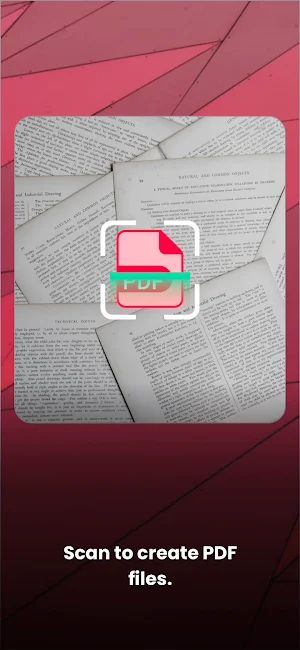
Scan to PDF: Quickly scan paper documents, notes, or whiteboards using your phone's camera. The app intelligently processes the image, automatically crops, enhances contrast, and instantly generates a clear, high-quality PDF—making digitizing your materials effortless.
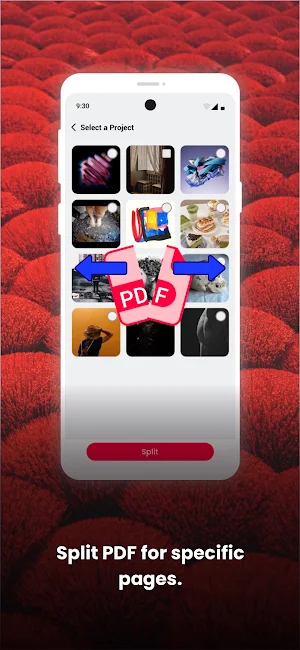
Split PDF: Easily split a large PDF file into multiple smaller, independent files by specifying page ranges. Whether you need to submit a single chapter of a report or share only specific pages from a contract, this feature makes document sharing and management more flexible and efficient.
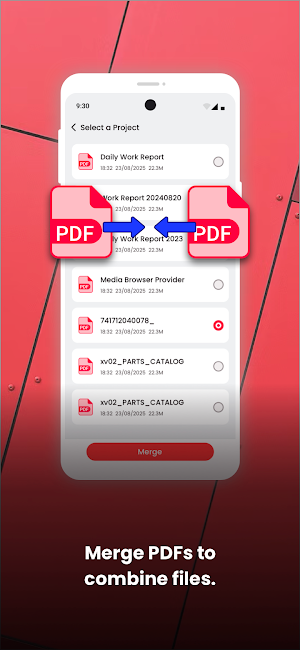
Merge PDF: Combine multiple scattered PDF documents (like scans, reports, images) into one well-organized, single PDF file. Perfect for compiling project materials, gathering study notes, or creating a complete presentation document—keeping all related information at your fingertips.
Why Choose ScanLook PDF?
We focus on simplifying the creation and management of PDF documents. From instantly transforming paper into digital PDFs to effortlessly splitting and merging your files, ScanLook PDF is dedicated to meeting the core daily needs of students, professionals, and anyone who handles documents through a smooth and intuitive experience. We avoid feature bloat, providing you with only the essential tools for true efficiency.
Download now and experience a streamlined workflow for document organization and creation!
Say goodbye to cumbersome paper and scattered files. ScanLook PDF focuses on digitizing, organizing, and sharing your documents, offering a streamlined and efficient PDF solution for your mobile device.
Key Features:
Scan to PDF: Quickly scan paper documents, notes, or whiteboards using your phone's camera. The app intelligently processes the image, automatically crops, enhances contrast, and instantly generates a clear, high-quality PDF—making digitizing your materials effortless.
Split PDF: Easily split a large PDF file into multiple smaller, independent files by specifying page ranges. Whether you need to submit a single chapter of a report or share only specific pages from a contract, this feature makes document sharing and management more flexible and efficient.
Merge PDF: Combine multiple scattered PDF documents (like scans, reports, images) into one well-organized, single PDF file. Perfect for compiling project materials, gathering study notes, or creating a complete presentation document—keeping all related information at your fingertips.
Why Choose ScanLook PDF?
We focus on simplifying the creation and management of PDF documents. From instantly transforming paper into digital PDFs to effortlessly splitting and merging your files, ScanLook PDF is dedicated to meeting the core daily needs of students, professionals, and anyone who handles documents through a smooth and intuitive experience. We avoid feature bloat, providing you with only the essential tools for true efficiency.
Download now and experience a streamlined workflow for document organization and creation!
What’s new
Version 1.0 · Updated May 11, 2026
1st version.
Alternatives to ScanLook PDF
Looking for apps like ScanLook PDF? Here are 4 similar Android apps on Google Play. The highest rated is PDF Reader Zone (4.0/5), and 2 of the 4 are free to download.
| App | Rating | Price | Installs | Last updated | Compare |
|---|---|---|---|---|---|
| ScanLook PDF | – | Free | 5,000+ | May 11, 2026 | |
| PDF Reader Zone | 4.0 / 5 | Free | 10,000,000+ | Sep 11, 2026 | Compare |
| PDF Reader(KDAN PDF): Edit PDF | 3.8 / 5 | Free | 10,000,000+ | – | Compare |
| Typr — Voice to PDF | – | – | – | Apr 12, 2026 | Compare |
| Nexa PDF Reader | – | – | 10,000+ | – | Compare |
Compare ScanLook PDF with the top alternatives: ratings, updates, ASO score and keyword gaps →