

Bluetooth Finder & Security
MengKe Tools
A useful tool to effortlessly locate misplaced smart devices using signals
- Downloads
- 10+
- on Google Play
- Price
- Free
- No in-app purchases
- Updated
- Nov 28
- 2024 · v1.0
Screenshots
About Bluetooth Finder & Security
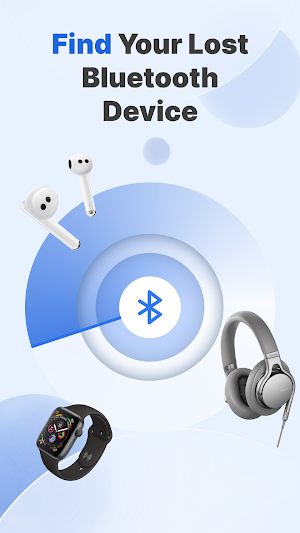
Bluetooth Finder & Security is a powerful tool designed to help you quickly and easily locate and retrieve lost Bluetooth devices. Whether it's your Bluetooth headphones,smartwatch, or any other compatible device, this application will assist you in finding their last known location. Simply activate the Bluetooth scanning feature and let the application detect nearby devices. With Bluetooth Finder & Security by your side, you no longer need to worry about losing your gadgets!
Key Features:
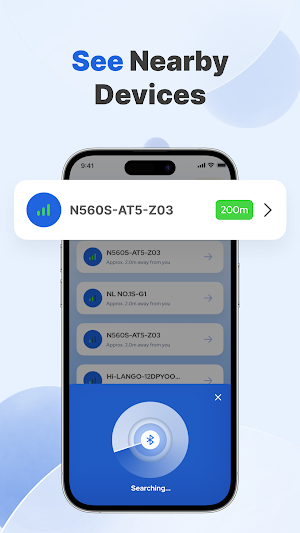
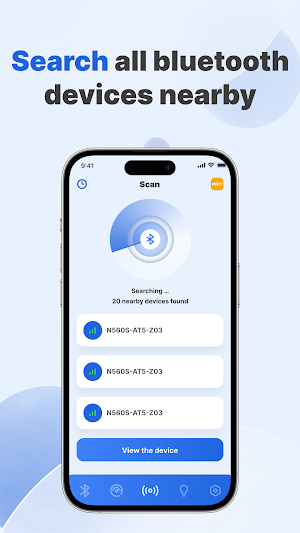
- Bluetooth Device Detection: Scan nearby Bluetooth devices to quickly locate lost items.
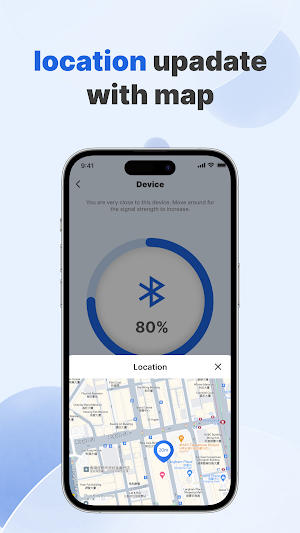
- Bluetooth Signal Strength: Determine distance based on Bluetooth signal strength.
- Device Location: Pinpoint the approximate location where the device was last connected.
- Network Speed Test: Accurately measure download speed, upload speed, and latency.
- Suspicious Device Detection: Scan for the number of nearby unknown devices.
How to Use:
1. Enable Bluetooth: If Bluetooth is not already enabled on your device, turn it on in the settings.
2. Start Scanning: Tap the "Scan" button within the application to start scanning nearby Bluetooth devices.
3. Select Your Device: Choose your device from the list of detected Bluetooth devices to begin.
4. Track and Retrieve Your Device: Follow the on-screen instructions provided by the application. You can use signal strength indicators or sound alerts to track and retrieve your device.
Download Bluetooth Finder & Security now and regain control over your valuable Bluetooth devices!
Key Features:
- Bluetooth Device Detection: Scan nearby Bluetooth devices to quickly locate lost items.
- Bluetooth Signal Strength: Determine distance based on Bluetooth signal strength.
- Device Location: Pinpoint the approximate location where the device was last connected.
- Network Speed Test: Accurately measure download speed, upload speed, and latency.
- Suspicious Device Detection: Scan for the number of nearby unknown devices.
How to Use:
1. Enable Bluetooth: If Bluetooth is not already enabled on your device, turn it on in the settings.
2. Start Scanning: Tap the "Scan" button within the application to start scanning nearby Bluetooth devices.
3. Select Your Device: Choose your device from the list of detected Bluetooth devices to begin.
4. Track and Retrieve Your Device: Follow the on-screen instructions provided by the application. You can use signal strength indicators or sound alerts to track and retrieve your device.
Download Bluetooth Finder & Security now and regain control over your valuable Bluetooth devices!
Alternatives to Bluetooth Finder & Security
Looking for apps like Bluetooth Finder & Security? Here are 3 similar Android apps on Google Play. The highest rated is Speed Check Light 5G/4G/WiFi (4.9/5), and all 3 are free to download.


| App | Rating | Price | Installs | Last updated | Compare |
|---|---|---|---|---|---|
| Bluetooth Finder & Security | – | Free | 10+ | Nov 28, 2024 | |
| Duratec MobileApp | 4.0 / 5 | Free | 5,000+ | Jan 28, 2026 | Compare |
| Pulsd | 4.8 / 5 | Free | 10,000+ | Aug 12, 2026 | Compare |
| Speed Check Light 5G/4G/WiFi | 4.9 / 5 | Free | 1,000,000+ | Jul 28, 2026 | Compare |