

The Old Republic™ Security Key
Entertainment
Keep your STAR WARS™: The Old Republic™ account protected with this Key app
- Rating
- 4.1
- 4.7K ratings
- Downloads
- 500K+
- on Google Play
- Price
- Free
- No in-app purchases
- Updated
- Jun 12
- 2015 · v1.0.1
Screenshots
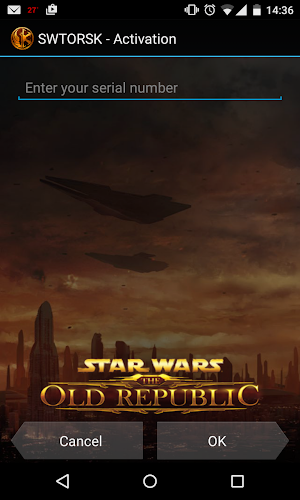
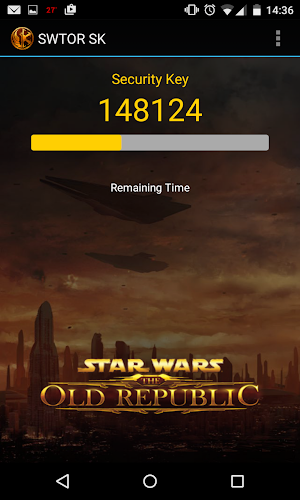
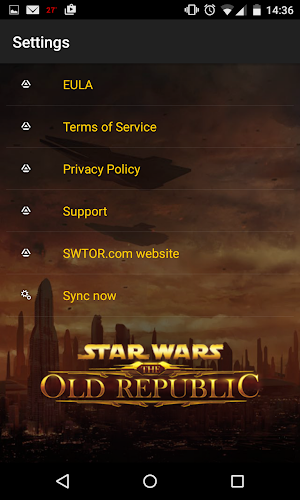
About The Old Republic™ Security Key
Keep your STAR WARS™: The Old Republic™ account protected with the official Star Wars: The Old Republic Mobile Security Key app for your Android device!
The Star Wars: The Old Republic Mobile Security Key app is an optional program that will allow you to apply an additional layer of protection to your Star Wars: The Old Republic account by generating a unique, one-time passcode that you can use in addition to your regular password. By using the Star Wars: The Old Republic Mobile Security Key app your account is now more secure from hackers, Trojans and other unauthorized users.
How To Use: Once you have installed the app on your android device you’ll need to visit www.StarWarsTheOldRepublic.com to associate the Mobile Security Key with your account. Log in to the Star Wars: The Old Republic web site and go to the My Account page (link on the upper right of the page). From the menu on the right side of the page choose Security Key and then follow the instructions to set up your Mobile Security Key.
Airtime or Wi-Fi connection required for use.
For more information on how to register the Star Wars: The Old Republic Mobile Security Key app to your Star Wars: The Old Republic account, please visit www.swtor.com/support.
Requires acceptance of EA’s Privacy & Cookie Policy and User Agreement.
The Star Wars: The Old Republic Mobile Security Key app is an optional program that will allow you to apply an additional layer of protection to your Star Wars: The Old Republic account by generating a unique, one-time passcode that you can use in addition to your regular password. By using the Star Wars: The Old Republic Mobile Security Key app your account is now more secure from hackers, Trojans and other unauthorized users.
How To Use: Once you have installed the app on your android device you’ll need to visit www.StarWarsTheOldRepublic.com to associate the Mobile Security Key with your account. Log in to the Star Wars: The Old Republic web site and go to the My Account page (link on the upper right of the page). From the menu on the right side of the page choose Security Key and then follow the instructions to set up your Mobile Security Key.
Airtime or Wi-Fi connection required for use.
For more information on how to register the Star Wars: The Old Republic Mobile Security Key app to your Star Wars: The Old Republic account, please visit www.swtor.com/support.
Requires acceptance of EA’s Privacy & Cookie Policy and User Agreement.
What’s new
Version 1.0.1 · Updated June 12, 2015
We have added additional support for more devices with this new update. Please enjoy!
User reviews

Works as intended

Love this game

Works perfectly. Had an old account of mine with a key on my old phone able to be unlocked for me, and then right away activate a new key for my existing account. Still works great in 2020!

It serves its purpose, reliable and good.

Good

I mean... it works.
Frequently asked questions
What is the purpose of the Star Wars: The Old Republic Mobile Security Key app?
The app provides an additional layer of protection to your Star Wars: The Old Republic account by generating a unique, one-time passcode.
How does the Star Wars: The Old Republic Mobile Security Key app enhance account security?
By using the app, your account becomes more secure from hackers, Trojans, and other unauthorized users.
How can I associate the Mobile Security Key with my account?
After installing the app on your android device, you need to visit www.StarWarsTheOldRepublic.com and log in to your account. From the My Account page, select Security Key from the right-side menu and follow the instructions to set up your Mobile Security Key.
Does the Star Wars: The Old Republic Mobile Security Key app require an internet connection?
Yes, an Airtime or Wi-Fi connection is required for its use.
Where can I find more information on registering the Mobile Security Key app to my account?
For more information, please visit www.swtor.com/support and refer to the instructions provided.
Are there any requirements or agreements associated with the use of the app?
Yes, the app requires acceptance of EA's Privacy & Cookie Policy and User Agreement.
Alternatives to The Old Republic™ Security Key
Looking for apps like The Old Republic™ Security Key? Here are 3 similar Android apps on Google Play. The highest rated is Star Wars (4.5/5), and all 3 are free to download.


| App | Rating | Price | Installs | Last updated | Compare |
|---|---|---|---|---|---|
| The Old Republic™ Security Key | 4.1 / 5 | Free | 500,000+ | Jun 12, 2015 | |
| Star Wars | 4.5 / 5 | Free | 1,000,000+ | Jun 30, 2026 | Compare |
| LockerRoom: Combat Sports news | – | Free | 500+ | May 9, 2021 | Compare |
| Enjoy Kotor | – | Free | 1,000+ | Mar 18, 2017 | Compare |