

MB-mobile
MUNICIPAL BANK AD Finance
Mobile banking for Municipal Bank customers
- Downloads
- 31.4K+
- on Google Play
- Price
- Free
- No in-app purchases
- Updated
- Sep 8
- 2026 · v1.7.1
Screenshots
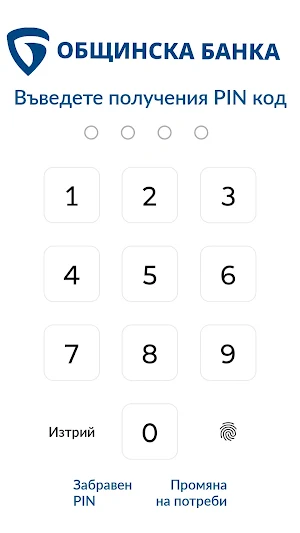
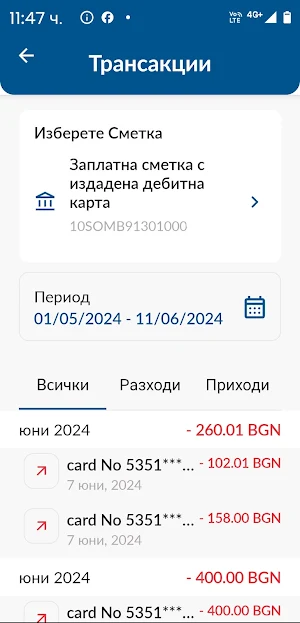
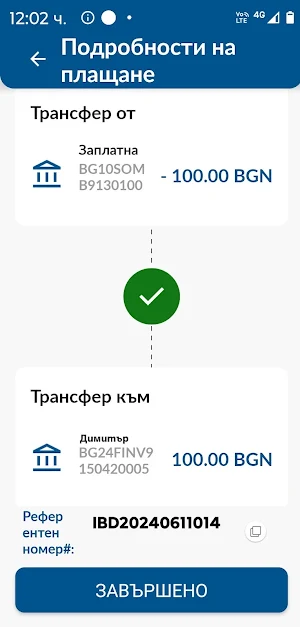
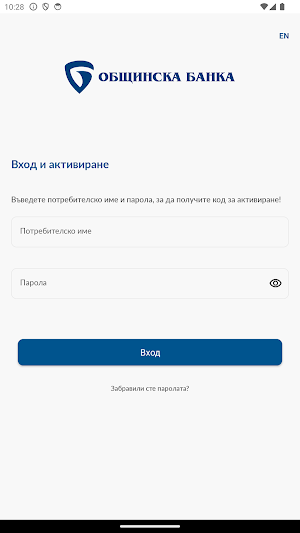


About MB-mobile
We at Municipal Bank created MB-mobile to make managing your finances easier, safer and more convenient. Regardless of whether you are on the road, at home, in the office or somewhere on vacation, with MB-mobile you have full control directly from your smartphone over your funds and banking services, as well as those for which you are not the holder, but you have disposal rights granted (documentally authenticated in a branch of the Bank by means of a power of attorney from the holder).
Key features and benefits:
• You have easy access to information about your funds and those provided to you for management With MB-mobile, you have quick access to information on availability and the latest movements on your accounts and those provided to you for management. You see all transactions and monitor your financial situation in real time.
• You make transfers between your own or entrusted accounts You can quickly and conveniently transfer funds between your accounts without having to visit a bank branch. And you can also transfer funds between accounts entrusted to you for management.
• You make transfers to third parties You can make money transfers to third parties - partners, suppliers and others. It's quick and easy - you enter the recipient's details and the desired amount and the transfer will be made.
• Order transfers to the budget Conveniently and without wasting time pay taxes, fees, insurance fines, and others.
• Transfer funds to a savings account With MB-mobile, you can also easily transfer funds to your savings account in Municipal Bank. Organize your finances with ease.
• Change limits and block cards With MB-mobile you also have control over your debit and credit cards. If necessary, you can temporarily block a card or change transaction limits. This provides you with additional protection and peace of mind.
Why Choose MB-mobile?
• Intuitive interface: We created MB-mobile with you and your convenience in mind. We tried to make the design as intuitive and user-friendly as possible.
• Security: MB-mobile uses some of the latest data protection technologies.
• 24/7 Access: You can manage your finances from anywhere, anytime.
• Save time: With MB-mobile, all banking services are at your disposal, directly from your smartphone.
How to Get Started?
• Download MB-mobile to your phone: Download the app for free.
• Register: Enter the required details and create your profile in minutes.
• Activate your account: To activate your MB-mobile, you need to visit a Municipal Bank branch. Immediately after, you will be able to take advantage of all the functions and advantages of MB-mobile.
Key features and benefits:
• You have easy access to information about your funds and those provided to you for management With MB-mobile, you have quick access to information on availability and the latest movements on your accounts and those provided to you for management. You see all transactions and monitor your financial situation in real time.
• You make transfers between your own or entrusted accounts You can quickly and conveniently transfer funds between your accounts without having to visit a bank branch. And you can also transfer funds between accounts entrusted to you for management.
• You make transfers to third parties You can make money transfers to third parties - partners, suppliers and others. It's quick and easy - you enter the recipient's details and the desired amount and the transfer will be made.
• Order transfers to the budget Conveniently and without wasting time pay taxes, fees, insurance fines, and others.
• Transfer funds to a savings account With MB-mobile, you can also easily transfer funds to your savings account in Municipal Bank. Organize your finances with ease.
• Change limits and block cards With MB-mobile you also have control over your debit and credit cards. If necessary, you can temporarily block a card or change transaction limits. This provides you with additional protection and peace of mind.
Why Choose MB-mobile?
• Intuitive interface: We created MB-mobile with you and your convenience in mind. We tried to make the design as intuitive and user-friendly as possible.
• Security: MB-mobile uses some of the latest data protection technologies.
• 24/7 Access: You can manage your finances from anywhere, anytime.
• Save time: With MB-mobile, all banking services are at your disposal, directly from your smartphone.
How to Get Started?
• Download MB-mobile to your phone: Download the app for free.
• Register: Enter the required details and create your profile in minutes.
• Activate your account: To activate your MB-mobile, you need to visit a Municipal Bank branch. Immediately after, you will be able to take advantage of all the functions and advantages of MB-mobile.
What’s new
Version 1.7.1 · Updated September 8, 2026
Мобилно банкиране за клиенти на Общинска банка
Alternatives to MB-mobile
Looking for apps like MB-mobile? Here are 6 similar Android apps on Google Play. The highest rated is AtlantaSanad (5.0/5), and all 6 are free to download.






| App | Rating | Price | Installs | Last updated | Compare |
|---|---|---|---|---|---|
| MB-mobile | – | Free | 10,000+ | Sep 8, 2026 | |
| LELUEMI: Emi calculator | – | Free | 1,000+ | Jun 3, 2024 | Compare |
| Cofinco | – | Free | 10+ | Jun 23, 2024 | Compare |
| Portal Controller CNT | – | Free | 1+ | Jun 3, 2024 | Compare |
| RogaPay | – | Free | 100+ | Jun 20, 2023 | Compare |
| AtlantaSanad | 5.0 / 5 | Free | 100,000+ | Jul 10, 2024 | Compare |
| AzaSend | 4.8 / 5 | Free | 100,000+ | Nov 3, 2025 | Compare |
Compare MB-mobile with the top alternatives: ratings, updates, ASO score and keyword gaps →
Similar apps on Google Play
- LELUEMI: Emi calculator
- Cofinco
- Portal Controller CNT
- RogaPay
- AtlantaSanad
- AzaSend
- LoanBee - Loan EMI Calculator
- SendIn
- Small Business Accounting App
- Fast Data Pay
- Kickex Lite
- IndSMART IndianBank Mobile App
- ActivBank
- Yeloan Delivers Instant loans
- Next Capital
- Trabajos en Venezuela
- Таксопарк Твой город
- Easy EMI Calculator
- WBSCB MOBILE BANKING
- NCC Always
- Moja Groupama
- Portal ControllUp
- Tarjetas Fácil
- Hmd สินเชื่อส่วนบุคคลด่วน
- Get Robux Counters - Robux Pro