Photo Recovery: Restore Files
Photo recovery and file recovery for photos, videos, audio, and more
About Photo Recovery: Restore Files
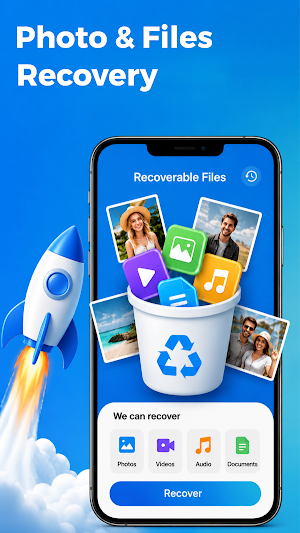
Photo Recovery: Restore Files helps you scan your device for photos, videos, audio, and other files that may still be recoverable. Use Photo Recovery: Restore Files when a file was removed by mistake and you want a simple way to review available scan results. The built-in file recovery flow organizes items by type so you can find what matters faster.
📥SCAN FOR RECOVERABLE FILES
Start a file recovery scan to look for items that may still be available on your device. Photo Recovery groups results into Photos, Videos, Audio, and Other files. The file recovery process lets you review supported items before choosing what to restore.
🏜RECOVER PHOTOS
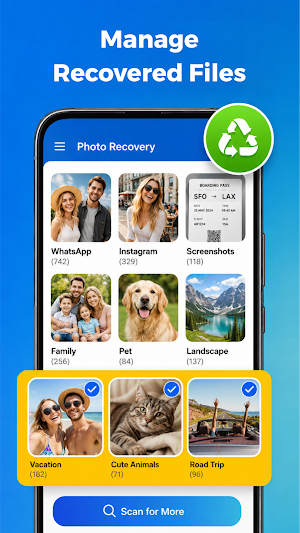
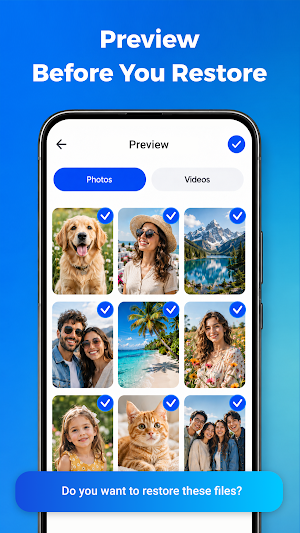
Use Photo Recovery to browse images found during a scan. Preview supported photos, select the items you need, and save them to a recovered files section. Photo Recovery makes deleted photo recovery easier to understand while keeping the final choice in your control. The photo recovery screen helps you focus on images instead of unrelated file types.
📹RECOVER VIDEOS, AUDIO, AND OTHER FILES
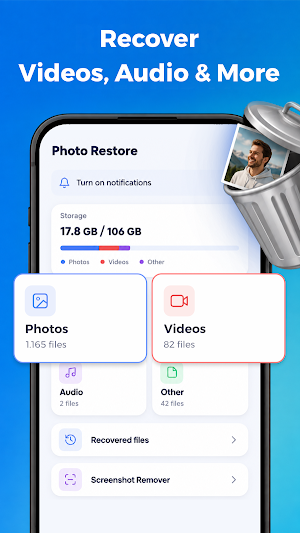
The file recovery tools can also display recoverable videos, audio files, and supported documents or other file types. Filter by category to reduce clutter and focus on the content you need. Video recovery, audio recovery, and file restore options are available from one clear file recovery home screen. This file recovery layout helps you move between categories without restarting the scan.
📂MANAGE RECOVERED FILES
After restoration, Photo Recovery keeps recovered items together for easier access. Open the Recovered Files area to review, manage, or remove content restored through file recovery. This file recovery history helps you avoid repeating the same scan. Photo Recovery also separates recovered content from screenshot cleanup.
📱REMOVE UNWANTED SCREENSHOTS
Use Screenshot Remover to find screenshots you no longer need after a file recovery scan. Review them before deletion and free up storage without mixing cleanup actions with Photo Recovery results. This cleanup tool is separate from the file recovery flow.
✅CHECK STORAGE AT A GLANCE
See a storage overview for photos, videos, and other files. This makes file recovery and cleanup easier to plan before you start a new scan. Photo Recovery shows the main categories in one dashboard.
💥KEY FEATURES
• Scan to find recoverable files
• Photo Recovery with preview and selection
• File recovery for videos, audio, and other supported files
• Deleted photo recovery workflow
• Video recovery and audio recovery categories
• Recovered files management
• Screenshot remover
• Storage overview
• Optional notifications
⚠️IMPORTANT
File recovery results depend on the device, storage type, file condition, and whether data has been overwritten. Photo Recovery: Restore Files cannot guarantee that every deleted file will be found or restored. Review file recovery scan results carefully before recovery or deletion. Use Photo Recovery: Restore Files only for files you own or are authorized to manage.
Similar Apps

AI Mirroring: TV Screen Mirror
Cast to TV with fast screen mirroring, video cast, and TV remote.

Weather Forecast: Weather App
Hourly forecasts, radar, AQI, UV, storm alerts and weather widgets.

BIC Chat
A secondary app contained in the Beincom platform ecosystem

BIC Group: Web3 Community Hub
Build & grow your Web3 community with ownership, smart tools, and real value
