About Chetak
Install Chetak app to connect with your vehicle. Once downloaded, turn on the vehicle, connect to vehicle bluetooth and pair. Once Connected, enjoy the handsfree experience with chetak scooter. You can see incoming SMS directly on Chetak dashboard without opening your phone.
Accept/Reject calls directly from Scooter handlerbar without opening your phone.
Once connected, you can use -
a.CALL CONTROL: Manage your calls without compromising your safety, keeping you connected througout your journy.
b.REJECT CALL WITH SMS: Tell your friends that you are riding.Reject incoming call and send sms to incoming caller number.
c.MUSIC CONTROL: Listen to your Favorite tracks and control them without looking at your phone.
d.Turn By Turn NAVIGATION: Ensuring you're always on the right track to your destination without looking at your phone.
e.SMS AND WHATSAPP ALERT: Get Notified for Incoming sms and whatsApp alerts.
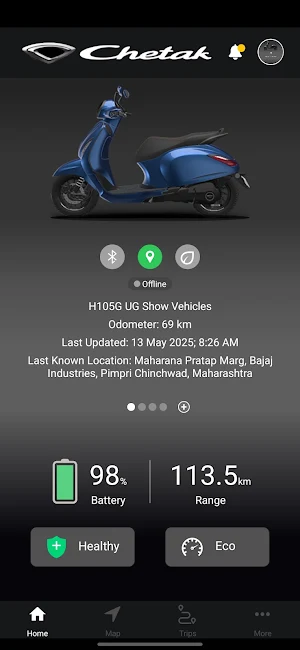
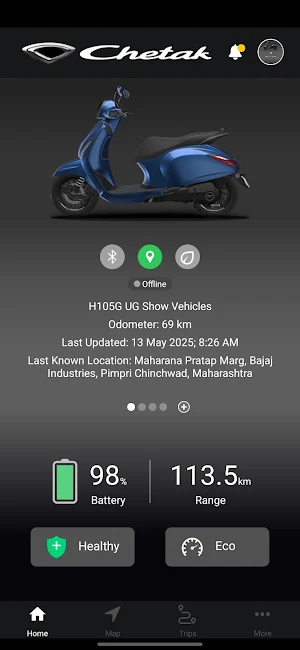
f. Check the battery charging status of your Chetak
g. Check the range of the vehicle
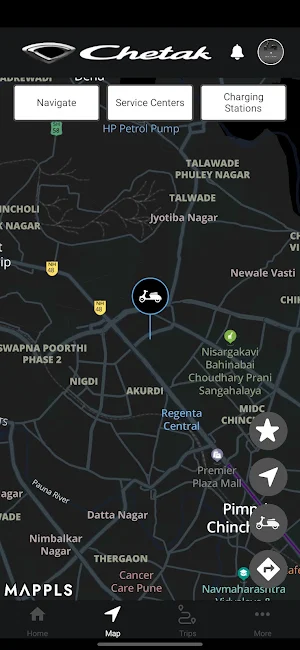
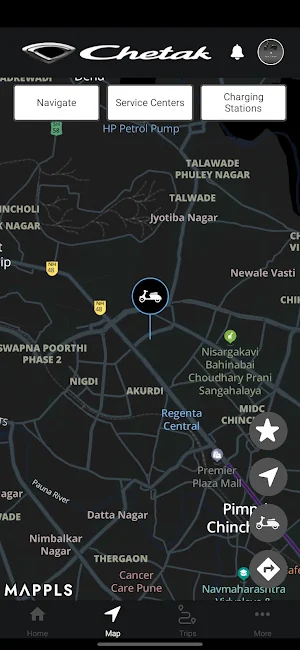
h. Use navigation function to locate your vehicle and get directions to reach vehicle
i. Add emergency contact, who can also install My chetak app and use the features
j. Access trip history information
k. Access Owners manual
Similar Apps

BOLD
BOLD is Bajaj Online Learning and Discovery Platform

Bajaj Genuine parts - Global
Bajaj Genuine Parts App is a simple way to authenticate the spare parts.

Bajaj BMS
On the Go Learning & Assessment app

Talent Bridge
Listing application for Job, internship, OJT and Aprenticeship

Rupa Rahul Bajaj Scholarship
The Rupa Rahul Bajaj Scholarship for Women in Engineering

My BOLT
My BOLT is Bajaj Auto Ltd's Learning Experience Platform.
