
Blip AI
AyushLabs Productivity
Voice-to-text AI that works in all apps
- Rating
- 4.0
- 26 ratings
- Downloads
- 1K+
- on Google Play
- Price
- Free
- No in-app purchases
- Updated
- Jul 17
- 2026 · v1.2.8
Screenshots
About Blip AI
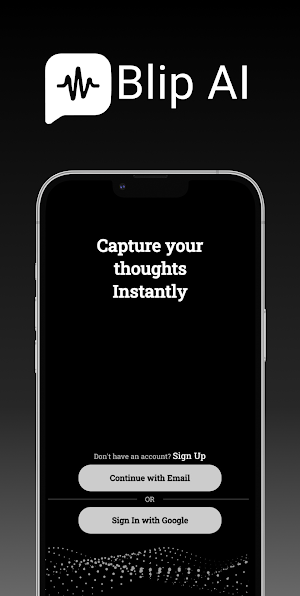
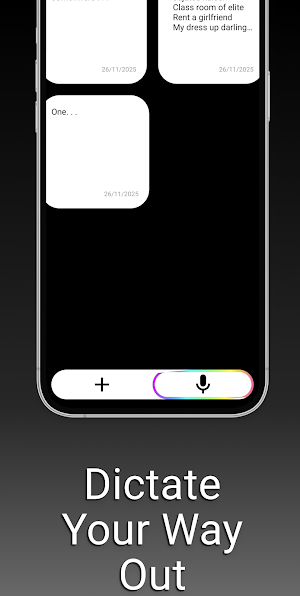
Blip AI works across your favourite apps like WhatsApp, Google Docs, Gmail, Slack, Telegram, ChatGPT, Chrome, and more. Whenever your keyboard is open, Blip AI lets you speak naturally and turn your voice-to-text in seconds in 99+ languages.
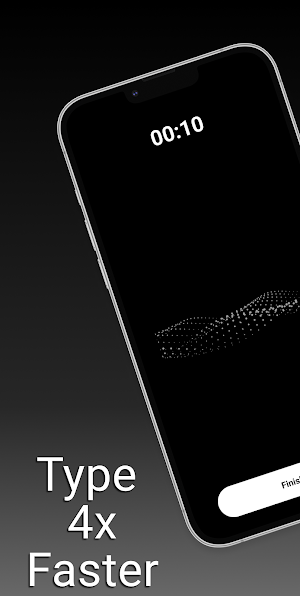
Blip lets you save 4+ hours of weekly typing on your mobile.Perfect for students, professionals, creators, journalists, teams, and anyone who wants faster, smarter texting using voice typing.
- Effortless Audio Recording: Capture high-quality audio with a single tap, perfect for texting on messangers, writing notes.
- Sync With Web: BlipAI automatically sync your notes taken in app to be reused on your web.
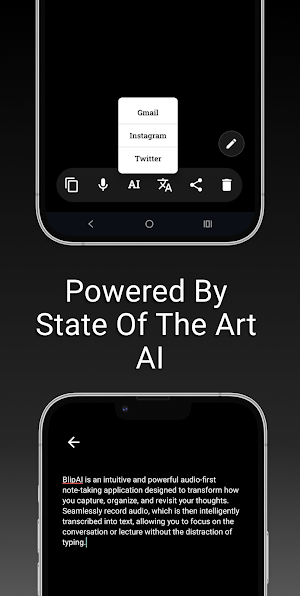
- Action Mode: Say "Hey Blip" - so your voice can take actions. For example: Hey Blip, Write an thank you email to my client.
Whether you're a student, professional, or just someone who loves to keep track of ideas, Blip AI streamlines your note-taking process, turning fleeting thoughts into actionable insights.
Use of the Accessibility Service
Blip AI uses Android's AccessibilityService API solely to power its optional floating microphone, which lets you dictate
voice-to-text into the focused text field of any other app (WhatsApp, Gmail, Chrome, etc.). When — and only when — you tap
the floating Blip mic, the service reads the position of the focused text field, the package name of the foreground app, and
the existing text in that field, so Blip can insert your transcription in the right place.
Blip does not log keystrokes, does not read unfocused fields, does not capture the screen, does not record calls, and does
not upload any accessibility data — it stays on your device. Before enabling the service, Blip shows an in-app disclosure
with two clear choices ("Decline" or "I Agree & Continue"), and you can revoke the permission at any time from Android
Settings → Accessibility → Blip AI. The floating microphone is optional — all other Blip features work without it.
Blip lets you save 4+ hours of weekly typing on your mobile.Perfect for students, professionals, creators, journalists, teams, and anyone who wants faster, smarter texting using voice typing.
- Effortless Audio Recording: Capture high-quality audio with a single tap, perfect for texting on messangers, writing notes.
- Sync With Web: BlipAI automatically sync your notes taken in app to be reused on your web.
- Action Mode: Say "Hey Blip" - so your voice can take actions. For example: Hey Blip, Write an thank you email to my client.
Whether you're a student, professional, or just someone who loves to keep track of ideas, Blip AI streamlines your note-taking process, turning fleeting thoughts into actionable insights.
Use of the Accessibility Service
Blip AI uses Android's AccessibilityService API solely to power its optional floating microphone, which lets you dictate
voice-to-text into the focused text field of any other app (WhatsApp, Gmail, Chrome, etc.). When — and only when — you tap
the floating Blip mic, the service reads the position of the focused text field, the package name of the foreground app, and
the existing text in that field, so Blip can insert your transcription in the right place.
Blip does not log keystrokes, does not read unfocused fields, does not capture the screen, does not record calls, and does
not upload any accessibility data — it stays on your device. Before enabling the service, Blip shows an in-app disclosure
with two clear choices ("Decline" or "I Agree & Continue"), and you can revoke the permission at any time from Android
Settings → Accessibility → Blip AI. The floating microphone is optional — all other Blip features work without it.
User reviews

great app, works well. just needs a little to snooze it when it pops up and you don't need it. drag to bottom to snooze is how other apps do this.

Very good accuracy.

I like it better than voicedash, at least I don't have to re-enable the overlay feature every time I restart or shut off my phone. Please, if you come up with any update, watch out for that because, for an Android user like me, that's a deal-breaker. If I have to re-enable the settings every time I restart the devic...
Alternatives to Blip AI
Looking for apps like Blip AI? Here are 5 similar Android apps on Google Play. The highest rated is GoCarma (4.4/5), and 1 of the 5 are free to download.





| App | Rating | Price | Installs | Last updated | Compare |
|---|---|---|---|---|---|
| Blip AI | 4.0 / 5 | Free | 1,000+ | Jul 17, 2026 | |
| TimeRespect | – | – | 1,000+ | Jul 26, 2026 | Compare |
| Polytribe: African Languages | – | – | – | Apr 7, 2026 | Compare |
| GoCarma | 4.4 / 5 | Free | 10,000+ | – | Compare |
| Open Keep | – | – | 5,000+ | – | Compare |
| eaZSt | – | – | 100+ | Sep 12, 2026 | Compare |
Compare Blip AI with the top alternatives: ratings, updates, ASO score and keyword gaps →