Video To Clips, Reels & Shorts
Split videos into clips, reels & shorts by count, duration & split points
About Video To Clips, Reels & Shorts
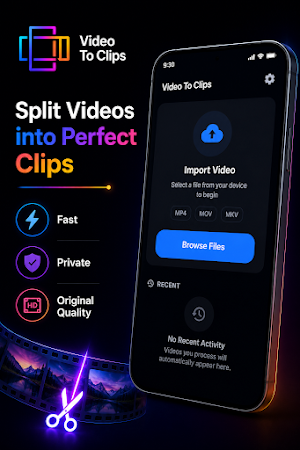
Split your videos into perfectly sized clips in seconds with Video to Clips. Whether you're creating content for YouTube Shorts, Instagram Reels, TikTok, WhatsApp Status, Facebook Stories, or simply need to divide a long video into smaller parts, Video to Clips provides a fast, accurate, and easy solution.
The app is designed with a simple, clean interface so anyone can split videos without complicated editing tools. Everything is processed directly on your device, giving you a fast experience while keeping your videos private.
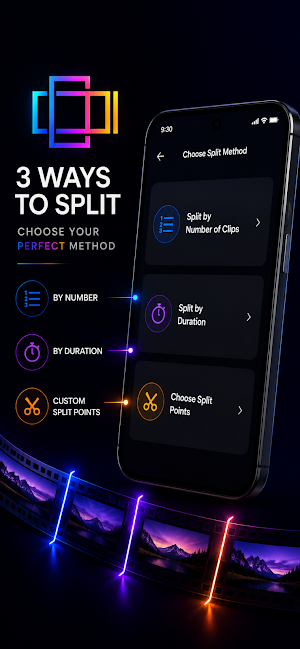
Choose the splitting method that fits your needs:
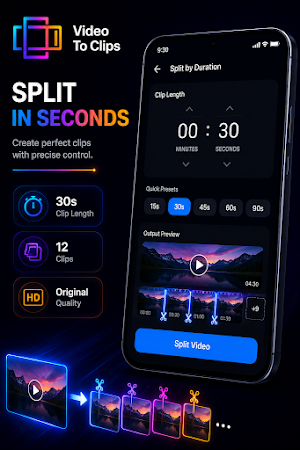
1. Split by Duration
Select the length of each clip, such as 15 seconds, 30 seconds, 60 seconds, or any custom duration. The app automatically creates clips with the selected length.
2. Split by Number of Clips
Choose how many equal clips you want, and the app will divide your video evenly. Perfect when you want to split a long video into a fixed number of parts.
3. Split by choosing Split Points
Need complete control? Simply tap the timeline to place split points exactly where you want them. This is ideal for cutting videos at specific scenes or moments.
Key Features
• Split videos without losing quality
• Export videos in original quality
• Fast video processing
• Works completely offline
• No internet required
• No account or sign-in needed
• No video uploads
• Easy-to-use Material Design interface
• Preview video details before splitting
• Select export quality
• Smooth and accurate timeline
• Supports large video files
• Quick processing with optimized performance
• Lightweight and easy to use
Perfect For
• YouTube Shorts creators
• Instagram Reels
• TikTok videos
• WhatsApp Status
• Facebook Stories
• Telegram video sharing
• Splitting lectures and classes
• Dividing podcasts and interviews
• Sharing long videos in smaller parts
• Organizing personal videos
• Creating multiple clips from one recording
Privacy First
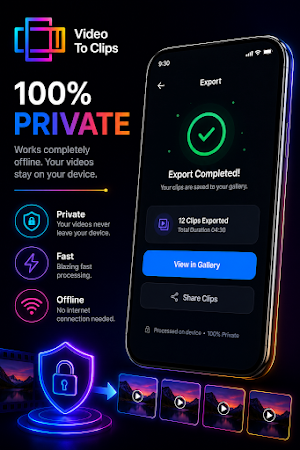
Your privacy matters. Video to Clips processes everything locally on your device. Your videos are never uploaded to any server, allowing you to split videos securely even without an internet connection.
Designed for Speed
The app focuses on one thing—splitting videos quickly and accurately. There are no unnecessary editing tools or complicated menus. Simply select your video, choose how you want to split it, preview the result, and export your clips.
Whether you're a content creator, student, professional, or someone who frequently shares videos with friends and family, Video to Clips makes splitting videos simple, reliable, and efficient.
If you're looking for a fast video splitter that works offline, preserves quality, and offers precise control over your clips, Video to Clips is the perfect choice. Download now and split your videos by duration, number of clips, or custom split points with just a few taps.
Similar Apps

MAX Prompts - AI Image & Video
AI image & video prompts for ChatGPT, Gemini, Kling, Heygen, Runway, Flow & more
Ncrypt: Secure Cloud Vault
Secure your cloud data and local files with powerful end to end encryption.

Lord Shiva Wallpapers Live 4K
Lord Shiva, Mahadev, Bholenath, Mahakal Hindu God HD 4K 8K Live 3D Wallpapers.

Lord Krishna Wallpaper Live 4K
Lord Krishna, Radha Krishna, Hindu God Full HD 4K 3D live wallpapers photo app

Lord Hanuman Wallpaper Live 4K
Lord Hanuman, Bajrangbali, Hindu God Live HD 4k 8K Wallpapers App for your phone

Lord Ganesha Wallpaper Live 4K
Divine Ganesh Ji Hindu God 4K HD Live Wallpapers for your device.
