
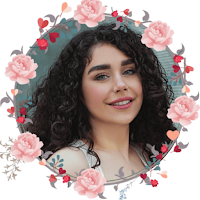
Profile Picture - Photo editor
PeterWang9740 Photography Contains ads
Add colorful frames to make your profile picture, a profile photo frame editor
- Downloads
- 10K+
- on Google Play
- Price
- Free
- No in-app purchases
- Updated
- May 10
- 2024
Screenshots


About Profile Picture - Photo editor
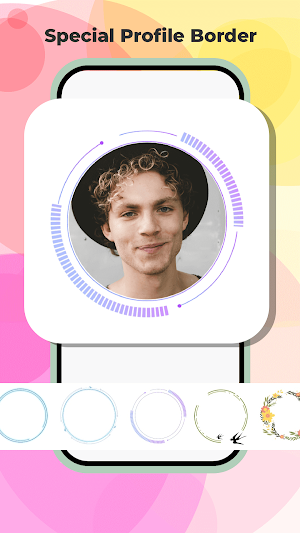
Profile Picture provide beautiful borders for photo. variety of profile border templates, aims to offer users to make personalize profiles. Whether it's adding a touch of glow, nature-inspired motifs like leaves and flowers, or other stylish designs, Profile Picture provides a great experience to edit their photos.
Key Features:
1. Border templates:
Profile Picture allows users to choose their preferred borders for photos. With a diverse range of options available, users can easily find the perfect border to complement their images.
2. Rich Selection of Border Templates:
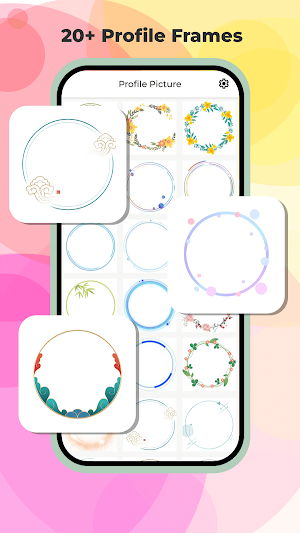
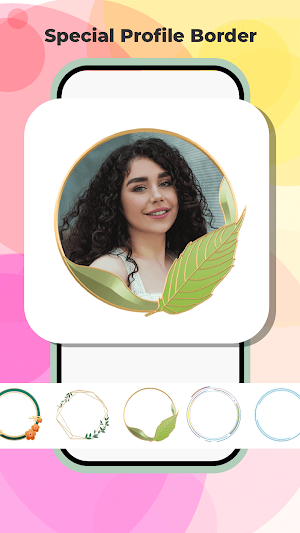
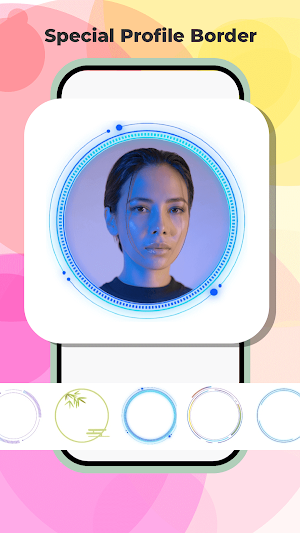
The app offers different border templates for users to choose from. These templates cover a variety of themes, which includes categories like neon glow, leaves, and flowers. Each template is thoughtfully crafted to add flair and personality to users' photos.
3. Easy Photo Selection:
Users can seamlessly select their desired border template by clicking on the preview images displayed on the homepage. Upon selecting a template, users are prompted to choose a photo from their device's gallery. Once the photo is selected, users are directed to the photo editing interface to apply the chosen border template.
4. Intuitive Interface:
The homepage of Profile Picture provides an intuitive interface, making it easy for users to browse and preview all available border templates. Users can quickly scroll through the options and select their preferred template with just a few taps.
5. Save to gallery:
After customizing their photos with the chosen border template, users have the option to save the edited images directly to their device's photo album.
Key Features:
1. Border templates:
Profile Picture allows users to choose their preferred borders for photos. With a diverse range of options available, users can easily find the perfect border to complement their images.
2. Rich Selection of Border Templates:
The app offers different border templates for users to choose from. These templates cover a variety of themes, which includes categories like neon glow, leaves, and flowers. Each template is thoughtfully crafted to add flair and personality to users' photos.
3. Easy Photo Selection:
Users can seamlessly select their desired border template by clicking on the preview images displayed on the homepage. Upon selecting a template, users are prompted to choose a photo from their device's gallery. Once the photo is selected, users are directed to the photo editing interface to apply the chosen border template.
4. Intuitive Interface:
The homepage of Profile Picture provides an intuitive interface, making it easy for users to browse and preview all available border templates. Users can quickly scroll through the options and select their preferred template with just a few taps.
5. Save to gallery:
After customizing their photos with the chosen border template, users have the option to save the edited images directly to their device's photo album.
Alternatives to Profile Picture - Photo editor
Looking for apps like Profile Picture - Photo editor? Here are 4 similar Android apps on Google Play. The highest rated is Animal Sounds - enjoy sounds (4.3/5), and all 4 are free to download.
-
Math Brain - Puzzle App
-
Animal Sounds - enjoy sounds 4.3
-
Ramadan Frames - pic editor
-
Blend Lab - Photo blend editor
| App | Rating | Price | Installs | Last updated | Compare |
|---|---|---|---|---|---|
| Profile Picture - Photo editor | – | Free | 10,000+ | May 10, 2024 | |
| Math Brain - Puzzle App | – | Free | 10,000+ | Sep 3, 2024 | Compare |
| Animal Sounds - enjoy sounds | 4.3 / 5 | Free | 5,000+ | Apr 10, 2024 | Compare |
| Ramadan Frames - pic editor | – | Free | 10,000+ | Sep 3, 2024 | Compare |
| Blend Lab - Photo blend editor | – | Free | 1,000+ | Aug 28, 2024 | Compare |