

Auto clicker Auto tap
Wolf Lab Tools Contains ads
Auto Clicker Auto Tap is your ultimate solution for automating repetitive taps.
- Downloads
- 1.6K+
- on Google Play
- Price
- Free
- No in-app purchases
- Updated
- Mar 26
- 2024 · v1.2
Screenshots
About Auto clicker Auto tap
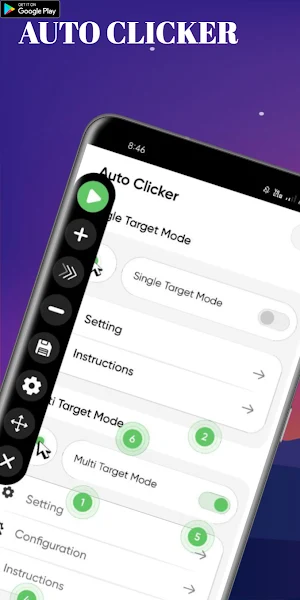
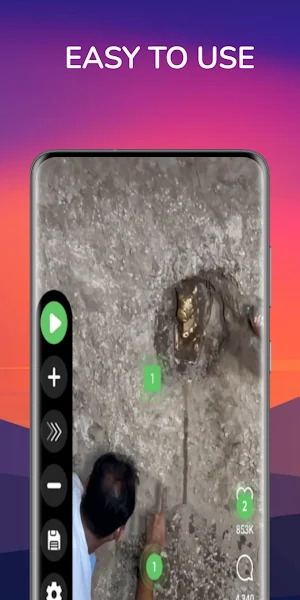
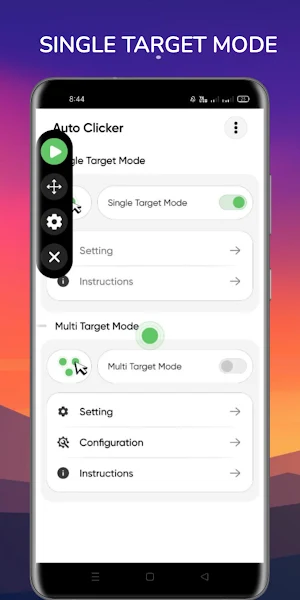
Introducing Auto Clicker, your ultimate solution for automating repetitive taps at any location with customizable intervals, all without requiring root access. With its intuitive floating control panel, you can effortlessly start and stop automatic taps, making it perfect for optimizing your performance in click-based games.
With its intuitive and user-friendly interface, Auto Clicker empowers you to effortlessly set up and execute automated taps at any location on your screen, all without the need for root access. Its floating control panel provides easy access to start and stop automated taps, ensuring seamless integration into your gaming or work environment.
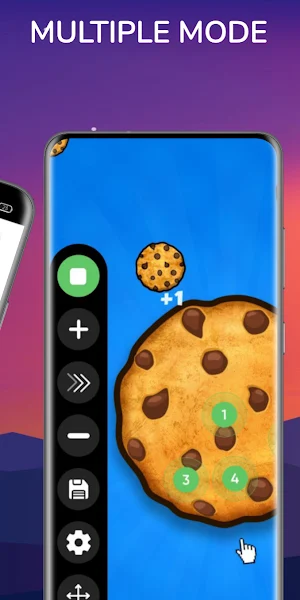
But the functionality of Auto Clicker doesn't stop there. With support for multiple click points and swipes, you can tailor your automation to suit your specific needs, whether it's performing complex actions in your favorite game or automating repetitive tasks in your daily workflow.
Key Features:
•User-friendly interface designed for seamless navigation and ease of use.
•Support for multiple click points and swipes, allowing you to automate various actions with precision.
•Global timer functionality enables you to run automated tasks for specific durations, enhancing flexibility and efficiency.
•Import and export functionality for automatic scripts, empowering you to customize and share your automation setups with ease.
Experience the convenience and power of Auto Clicker as you elevate your gaming experience to new heights with effortless automation and precision control.
Important Note:
The core functionality of Auto clicker Auto tap is based on the AccessibilityService API.
1. What does AccessibilityService API do?
- AccessibilityService API service is used to implement core functions such as automatic clicking, sliding, synchronous clicking, and long pressing.
2. Is there a collection of personal information?
- Using the API interface of the AccessibilityService, we will not collect any private information.
3. Only supports Android 7.0 and higher
- It requires the accessibility service permission to perform gestures such as tapping, swiping, pinching, and other gestures.
- Our use of this service does not involve the collection of any personal information.
Auto Clicker
Automatic taps
Automated clicking
Click automation
Tap automation
Auto tapping
Clicker tool
Clicking software
tap assistant
Click automation tool
Auto-click software
Tapping automation
Tap simulator
Auto-clicker app
Clicker utility
Tap automation tool
Clickstream optimizer
With its intuitive and user-friendly interface, Auto Clicker empowers you to effortlessly set up and execute automated taps at any location on your screen, all without the need for root access. Its floating control panel provides easy access to start and stop automated taps, ensuring seamless integration into your gaming or work environment.
But the functionality of Auto Clicker doesn't stop there. With support for multiple click points and swipes, you can tailor your automation to suit your specific needs, whether it's performing complex actions in your favorite game or automating repetitive tasks in your daily workflow.
Key Features:
•User-friendly interface designed for seamless navigation and ease of use.
•Support for multiple click points and swipes, allowing you to automate various actions with precision.
•Global timer functionality enables you to run automated tasks for specific durations, enhancing flexibility and efficiency.
•Import and export functionality for automatic scripts, empowering you to customize and share your automation setups with ease.
Experience the convenience and power of Auto Clicker as you elevate your gaming experience to new heights with effortless automation and precision control.
Important Note:
The core functionality of Auto clicker Auto tap is based on the AccessibilityService API.
1. What does AccessibilityService API do?
- AccessibilityService API service is used to implement core functions such as automatic clicking, sliding, synchronous clicking, and long pressing.
2. Is there a collection of personal information?
- Using the API interface of the AccessibilityService, we will not collect any private information.
3. Only supports Android 7.0 and higher
- It requires the accessibility service permission to perform gestures such as tapping, swiping, pinching, and other gestures.
- Our use of this service does not involve the collection of any personal information.
Auto Clicker
Automatic taps
Automated clicking
Click automation
Tap automation
Auto tapping
Clicker tool
Clicking software
tap assistant
Click automation tool
Auto-click software
Tapping automation
Tap simulator
Auto-clicker app
Clicker utility
Tap automation tool
Clickstream optimizer
What’s new
Version 1.2 · Updated March 26, 2024
Release
User reviews

It's working ✨😊👍 Good app l recommend you this app

This auto clickes is very simple and very useful its auto click without any errors /glicthes/freezing/lag

Very good app it help me so much you have to try one time

This app is very much good and I love this app very much.I recemond this app.Thankyou for replying me

Very helpful app to auto click of any message. Try once i sure you find it better then other auto clicker app 🙂🙂

This app is good . Bcz I am using this app easily।
Alternatives to Auto clicker Auto tap
Looking for apps like Auto clicker Auto tap? Here are 3 similar Android apps on Google Play. All of them are free to download.



| App | Rating | Price | Installs | Last updated | Compare |
|---|---|---|---|---|---|
| Auto clicker Auto tap | – | Free | 1,000+ | Mar 26, 2024 | |
| Rbx Clothes Maker: Skin Editor | – | Free | 1,000+ | May 6, 2026 | Compare |
| indian car simulator pro | – | Free | 100+ | Jan 11, 2024 | Compare |
| Car Simulator Pro | – | Free | 100+ | – | Compare |