About ToteTracker: Home Inventory
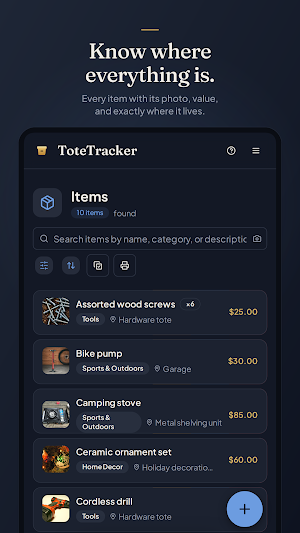
Know where everything is.
ToteTracker keeps a searchable inventory of your whole home — names, categories, values, and locations, all in one place. Catalog a room in minutes, and when you need something later it's a search, not an excavation.
Adding things
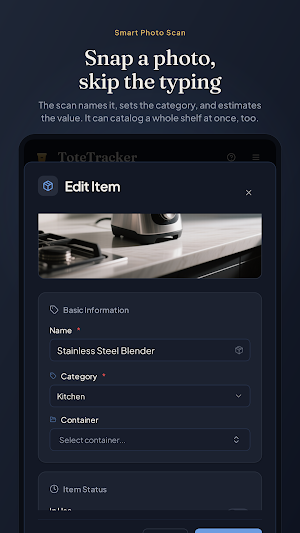
• Smart Photo Scan — photograph an item and review what the scan found: name, category, and an estimated value. Confirm it or correct it.
• Smart Multi-Item Scan — one photo of a full shelf, each item cataloged on its own.
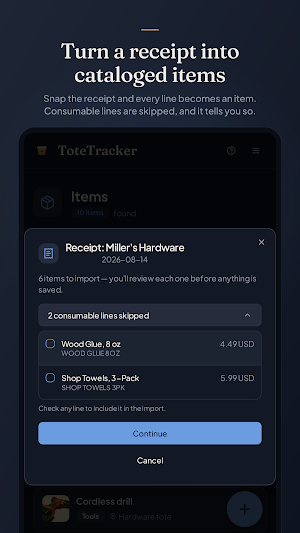
• Import Receipt — photograph a paper receipt, or pick a screenshot or PDF of an order confirmation, and each product line becomes a draft you review. Groceries and other consumables are skipped and listed, so you can still include one if you want it.
• Barcode lookup — point the camera at a product barcode and pull details from a database of millions of products.
• Product Lookup — scan any barcode for product details on the spot, without adding it to your inventory.
• Iris, the voice assistant — tell Iris what you're putting away and keep your hands free.
Finding things again
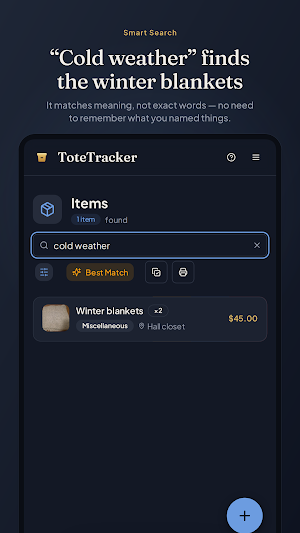
• Smart Search matches meaning, not exact words. Search "winter gear" and find the jacket and the gloves, even if you never typed those words.
• Search with the camera, too — snap a photo and Smart Search finds the items that look like it.
• Organize items into nested containers (rooms, shelves, totes, boxes) so every item has a place — and mark an item as in use when it leaves its spot.
• Container labels — print QR labels for your containers, or blank labels you claim as you pack, and stick them on. Scanning one with ToteTracker or any camera app opens that box's contents. Labels your boxes already carry can be linked and scanned the same way.
• Duplicate detection checks your inventory daily, flags items that look logged twice, and merges the ones you confirm. Scan a barcode you already logged and ToteTracker offers to open that item instead of adding it again.
Made for Android
• Home-screen widget — scan, search, add, or open a labeled box from your home screen in one tap. Choose which buttons it shows in Settings.
• App lock — switch it on and ToteTracker asks for your fingerprint, face, or screen lock before it opens.
• Push notifications — an alert when you're invited to a shared inventory, when someone joins yours, or when your trial is about to end.
Share with your household
Invite your partner, family, or roommates by email and everyone sees and edits the same inventory. Each member is on their own plan.
On every device, online or off
Your inventory syncs across your devices and stays readable offline, so you can look things up in a basement or a storage unit with no signal. Encrypted in transit and at rest. Row-level security means only you and the people you invite to a shared inventory can read it. Export your data anytime.
Getting started
Start with a 7-day free trial, no credit card required. After the trial, subscribe in the app through Google Play — monthly, 6-month, or annual. Every plan includes up to 2,000 items, 500 containers, and 100 Smart Actions a month, with one-time packs when you need more. A ToteTracker account is required.
Similar Apps
Pocket Prep Nursing School
Prep for 6 nursing school exams with 10k+ practice questions and mock tests.

ConstructionOnline
The complete power of ConstructionOnline, with you wherever you go.

Dext: Receipt Tracker
Scan receipts and invoices, track expenses, and automate your bookkeeping.

