
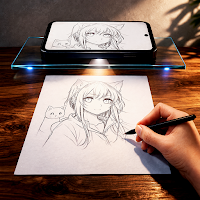
AR Draw Sketch – Trace & Draw
WEB TECH SOLUTIONS Art & Design
AR Sketch helps you trace images and improve your drawing skills fast
- Downloads
- 626+
- on Google Play
- Price
- Free
- No in-app purchases
- Updated
- Apr 9
- 2026 · v1.0.3
Screenshots


About AR Draw Sketch – Trace & Draw
AR Sketch App has made it easier to trace, sketch, and draw images on your mobile device. Download the application, mirror the image on a paper, and start drawing like a pro.
What is the AR Drawing App?
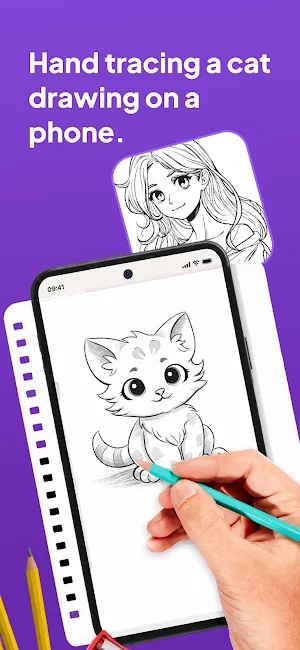
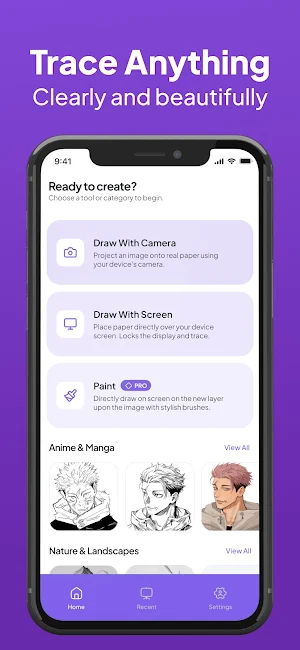
The AR sketch drawing App lets you draw images with the help of easy tracing by using Augmented Reality technology. It mirrors the pictures through your mobile’s camera so that you can trace them easily on real paper.
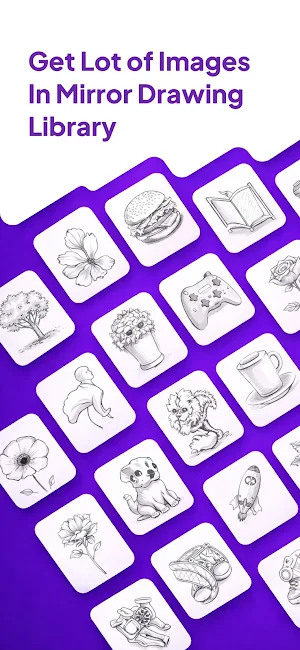
It has a large library of pictures of cars, animals, and anime that you can draw. Besides this, this application has an online drawing feature where you can get new images from the Internet and sketch them in the app easily.
What is the Functionality of the AR Tracing app Online?
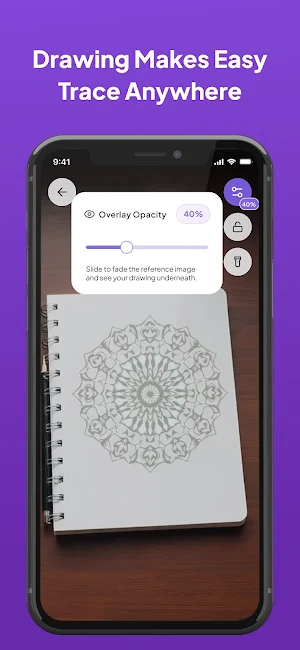
The AR Trace App uses Augmented Reality to help users trace images on real paper. It creates a transparent overlay through your mobile phone’s camera that works like a shadow on the paper. By using this overlay, users can trace the picture with a pen, pencil, or brush and create a perfect drawing.
Main Features of AR Sketch Drawing App
The AR Trace app offers the following useful features to help you create drawings and sketches like a professional artist:
AR image mirroring:
The app uses advanced AR technology that mirrors the exact image of an object or person through the mobile phone’s camera. With this mirroring, artists can trace the image accurately and create flawless drawings.
Built-in image gallery:
There are dozens of pictures available in the app’s database. You can find images of cars, anime, BTS, and Blackpink members, etc.
Upload images from the gallery:
You can also upload any image that you want from your phone’s gallery. The app will mirror it accurately so that you can trace it easily.
Online sketching:
You can create online sketches on this app as well. It lets you access different types of pictures online and create their sketches without importing images
from your device.
Create digital sketches:
On the AR Drawing application, you can create digital sketches on its built-in canvas as well. You can use different types of brushes and colors to create drawings from scratch.
Freemium availability:
The basic and main features of the app are available for free. However, users who want to take their sketching to another level can use the exclusive features
in the app’s premium version.
How to Use the AR Sketch and Drawing App?
The following simple steps can help you use this application:
• Download and install the app on your phone.
• Complete the basic instructions.
• Now, select any image that you would like to draw.
• The app will create its projection through the phone’s camera.
• You can use this projection to create an overlay on sketching paper or canvas.
• Adjust the image’s position and size and start sketching.
You can also go to the drawing section of the app and start creating digital sketches from scratch.
Who Can Use this Application?
We have designed this application to make drawing and sketching easier for users. It’s a perfect drawing app for the following users:
• Beginner artists
• Professional artists who are looking for new drawing ideas
• People who like to draw as a hobby
• Anime fans who like to create fan art easily
So, download the application today for free and start creating drawings and digital art like a professional artist.
What is the AR Drawing App?
The AR sketch drawing App lets you draw images with the help of easy tracing by using Augmented Reality technology. It mirrors the pictures through your mobile’s camera so that you can trace them easily on real paper.
It has a large library of pictures of cars, animals, and anime that you can draw. Besides this, this application has an online drawing feature where you can get new images from the Internet and sketch them in the app easily.
What is the Functionality of the AR Tracing app Online?
The AR Trace App uses Augmented Reality to help users trace images on real paper. It creates a transparent overlay through your mobile phone’s camera that works like a shadow on the paper. By using this overlay, users can trace the picture with a pen, pencil, or brush and create a perfect drawing.
Main Features of AR Sketch Drawing App
The AR Trace app offers the following useful features to help you create drawings and sketches like a professional artist:
AR image mirroring:
The app uses advanced AR technology that mirrors the exact image of an object or person through the mobile phone’s camera. With this mirroring, artists can trace the image accurately and create flawless drawings.
Built-in image gallery:
There are dozens of pictures available in the app’s database. You can find images of cars, anime, BTS, and Blackpink members, etc.
Upload images from the gallery:
You can also upload any image that you want from your phone’s gallery. The app will mirror it accurately so that you can trace it easily.
Online sketching:
You can create online sketches on this app as well. It lets you access different types of pictures online and create their sketches without importing images
from your device.
Create digital sketches:
On the AR Drawing application, you can create digital sketches on its built-in canvas as well. You can use different types of brushes and colors to create drawings from scratch.
Freemium availability:
The basic and main features of the app are available for free. However, users who want to take their sketching to another level can use the exclusive features
in the app’s premium version.
How to Use the AR Sketch and Drawing App?
The following simple steps can help you use this application:
• Download and install the app on your phone.
• Complete the basic instructions.
• Now, select any image that you would like to draw.
• The app will create its projection through the phone’s camera.
• You can use this projection to create an overlay on sketching paper or canvas.
• Adjust the image’s position and size and start sketching.
You can also go to the drawing section of the app and start creating digital sketches from scratch.
Who Can Use this Application?
We have designed this application to make drawing and sketching easier for users. It’s a perfect drawing app for the following users:
• Beginner artists
• Professional artists who are looking for new drawing ideas
• People who like to draw as a hobby
• Anime fans who like to create fan art easily
So, download the application today for free and start creating drawings and digital art like a professional artist.
What’s new
Version 1.0.3 · Updated April 9, 2026
Upgrade UI and Bug fixes
User reviews

free AR draw sketch and trace
Alternatives to AR Draw Sketch – Trace & Draw
Looking for apps like AR Draw Sketch – Trace & Draw? Here are 6 similar Android apps on Google Play. All of them are free to download.
-
Storytime - AI Story Generator
-
Amora: AI Soulmate Sketch
-
Car AI: AI Car Design & Modify
-
QR Scanner – Scan & Create
-
HomeVelza: AI Interior Design
-
Tattoo AI - AI Tattoo Maker
| App | Rating | Price | Installs | Last updated | Compare |
|---|---|---|---|---|---|
| AR Draw Sketch – Trace & Draw | – | Free | 500+ | Apr 9, 2026 | |
| Storytime - AI Story Generator | – | Free | 500+ | Jul 10, 2026 | Compare |
| Amora: AI Soulmate Sketch | – | Free | 100+ | – | Compare |
| Car AI: AI Car Design & Modify | – | Free | 100+ | – | Compare |
| QR Scanner – Scan & Create | – | Free | 1+ | – | Compare |
| HomeVelza: AI Interior Design | – | Free | 1+ | – | Compare |
| Tattoo AI - AI Tattoo Maker | – | Free | 100+ | Aug 5, 2026 | Compare |