
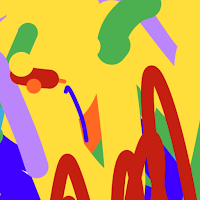
Easy Paint
APPY Tools Contains ads
Painting and Drawing for kids any age, even babies.
- Downloads
- 102+
- on Google Play
- Price
- Free
- No in-app purchases
- Updated
- Aug 17
- 2026 · v14.0
Screenshots


About Easy Paint
It is easy because you don't need to choose colors or sizes. The app changes the brushes at every touch. You have to watch one ad to have 3 minutes of drawing.
The baby has the entire screen to paint. The tool bars of the phone are hidden. Any time the kid touches the screen the color and brush width is changed and a musical note is played. The musical instrument and the song can be changed.
To finish the drawing, parents can pull the tool bar on the bottom of the screen and touch the back button. Then the drawing can be saved.
The colors can also be changed.
The baby has the entire screen to paint. The tool bars of the phone are hidden. Any time the kid touches the screen the color and brush width is changed and a musical note is played. The musical instrument and the song can be changed.
To finish the drawing, parents can pull the tool bar on the bottom of the screen and touch the back button. Then the drawing can be saved.
The colors can also be changed.
What’s new
Version 14.0 · Updated August 17, 2026
Now, you can choose: 1 - Colors : a) original version: colors auto and width trace auto or b) select colors and trace width 2 - background white or with a model like bear, dog, cat, house. Also, you can zoom the frame to paint details.
Alternatives to Easy Paint
Looking for apps like Easy Paint? Here are 5 similar Android apps on Google Play. 4 of the 5 are free to download.


| App | Rating | Price | Installs | Last updated | Compare |
|---|---|---|---|---|---|
| Easy Paint | – | Free | 100+ | Aug 17, 2026 | |
| OBDeco | – | Free | 1,000+ | – | Compare |
| Baby Paint | – | 5.49 USD | 10+ | Aug 17, 2026 | Compare |
| Square Me | – | Free | 50+ | Aug 11, 2026 | Compare |
| Lumens Lux Lighting | – | Free | 10,000+ | Aug 24, 2026 | Compare |
| One-Click Finance Interest | – | Free | 10,000+ | Aug 26, 2026 | Compare |
Compare Easy Paint with the top alternatives: ratings, updates, ASO score and keyword gaps →