
Square Photo Editor No Crop
Photography Contains ads
Never crop important part of your photo. Make it square without cropping.
- Downloads
- 1K+
- on Google Play
- Price
- Free
- No in-app purchases
- Updated
- Dec 19
- 2015 · v1.0
Screenshots
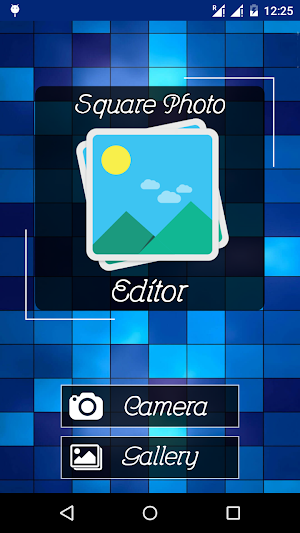
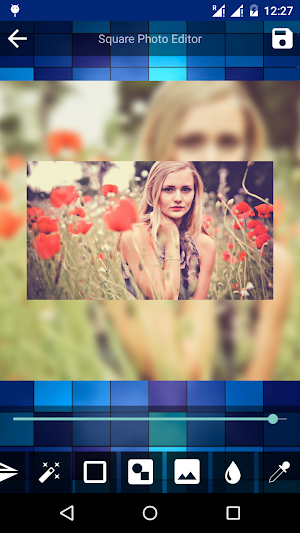
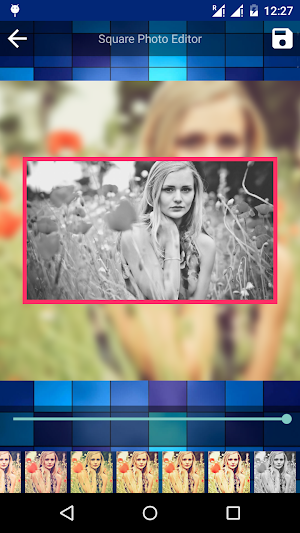
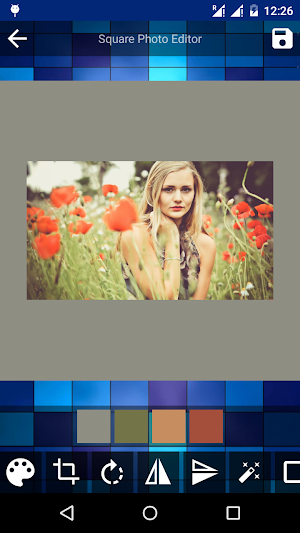


About Square Photo Editor No Crop
With the help of Square Photo Editor post entire photo and make entire photo your profile pic on Instagram. Make Square photo without cropping and post it in your social networking accounts.
Features:-
** Post Entire Photo
You can easily create square pic without cropping it and post it on your social networking profiles.
**Colored Background
Pick your favorite and best suitable color as background for your photo.
**Mirror and Rotate
Make a mirror copy of your photo and your can rotate it with your finger tips at 360 degrees.
**Photo Effects
There are 12 beautiful photo effects to make your photo more beautiful. You can directly apply effects on photo within the application.
**Border
Add colored border to your photo. You can set border width and color.
**Background Images
There are 20+ background images. You can add it to your photos.
**Blur Background
Make background with the blurred sample of your picture. It make the pic most beautiful. you can set the blur effect to be applied on your photo background.
**Color Picker Eyedropper
Make your background color by picking it yourself to match it at best level possible.
**Easy, Efficient and Small
Very simple and efficient interface to give you an ease to beautify your pics.
Features:-
** Post Entire Photo
You can easily create square pic without cropping it and post it on your social networking profiles.
**Colored Background
Pick your favorite and best suitable color as background for your photo.
**Mirror and Rotate
Make a mirror copy of your photo and your can rotate it with your finger tips at 360 degrees.
**Photo Effects
There are 12 beautiful photo effects to make your photo more beautiful. You can directly apply effects on photo within the application.
**Border
Add colored border to your photo. You can set border width and color.
**Background Images
There are 20+ background images. You can add it to your photos.
**Blur Background
Make background with the blurred sample of your picture. It make the pic most beautiful. you can set the blur effect to be applied on your photo background.
**Color Picker Eyedropper
Make your background color by picking it yourself to match it at best level possible.
**Easy, Efficient and Small
Very simple and efficient interface to give you an ease to beautify your pics.
User reviews

Has to be one of the finest photo editing apps available on Google Play. Feature rich, beautiful UI, very intuitive. Bravo developer. This will be my default photo editor from now.
Alternatives to Square Photo Editor No Crop
Looking for apps like Square Photo Editor No Crop? Here are 6 similar Android apps on Google Play. The highest rated is LogoLicious Add Your Logo App (4.7/5), and 5 of the 6 are free to download.
-
Shape me - Festival Post Maker
-
Smoke Effect Photo Editor Pro
-
LogoLicious Add Your Logo App 4.7
-
Watermarkly: Photos & PDF 4.3
-
Add Text Watermark to Photos 4.2
-
KaCha
| App | Rating | Price | Installs | Last updated | Compare |
|---|---|---|---|---|---|
| Square Photo Editor No Crop | – | Free | 1,000+ | Dec 19, 2015 | |
| Shape me - Festival Post Maker | – | Free | 50+ | Oct 30, 2021 | Compare |
| Smoke Effect Photo Editor Pro | – | 2.99 USD | 50+ | – | Compare |
| LogoLicious Add Your Logo App | 4.7 / 5 | Free | 1,000,000+ | – | Compare |
| Watermarkly: Photos & PDF | 4.3 / 5 | Free | 500,000+ | Aug 28, 2026 | Compare |
| Add Text Watermark to Photos | 4.2 / 5 | Free | 100,000+ | Jun 23, 2026 | Compare |
| KaCha | – | Free | 1,000+ | Jun 29, 2023 | Compare |