
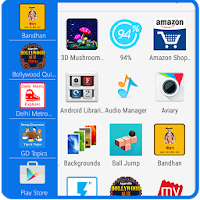
Side Bar - Multi Window
Personalization Contains ads
Switch from one task to another with a single touch with the help of Side Bar.
- Rating
- 3.8
- 1K ratings
- Downloads
- 100K+
- on Google Play
- Price
- Free
- No in-app purchases
- Updated
- Nov 16
- 2015 · v1.2
Screenshots
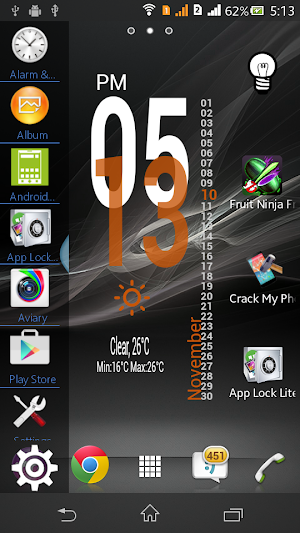
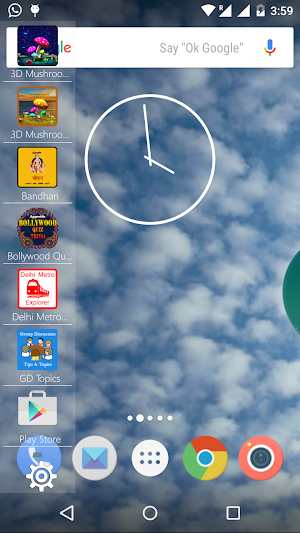
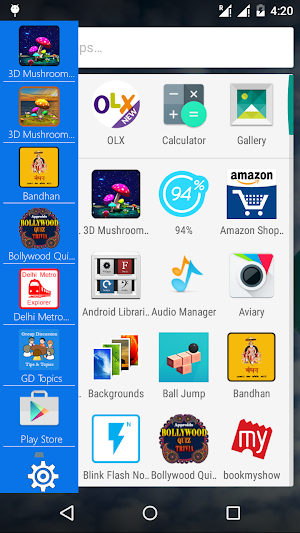


About Side Bar - Multi Window
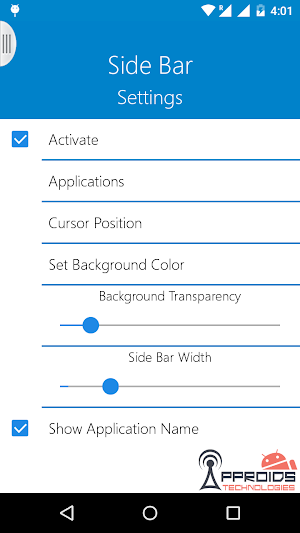
Side Bar Multi Window is a free application to provide you the ease of accessing your applications from anywhere. It is just a side launcher with your favorite applications. Shortcuts of your selected favorite applications will be created on the left of the screen and it will always be there at top for giving you the access for these applications anywhere anytime.
Features:-
** Activate/Deactivate side bar.
** Select Applications from the list of all applications.
** Set position of side bar button as top, center and bottom.
** Select background color among million of colors provided via color picker.
** Set Background opacity as per your choice.
** Set Text Color.
** Show/Hide Application Name
** Set Side Bar Width
** Set Divider color.
Features:-
** Activate/Deactivate side bar.
** Select Applications from the list of all applications.
** Set position of side bar button as top, center and bottom.
** Select background color among million of colors provided via color picker.
** Set Background opacity as per your choice.
** Set Text Color.
** Show/Hide Application Name
** Set Side Bar Width
** Set Divider color.
What’s new
Version 1.2 · Updated November 16, 2015
** New Settings Added ** User interface improvements. ** Minor Bugs Fixed. ** Crash Fixed in some phones
User reviews

good.. easy.. useful... tks Guys... i love it... but... can you make a setting menu for icon size..? btw... tks a lot Guys.. SenoARi℠

nice

att

very very bad bad app not downlode. this app

Excellent you do get a few ads but it is free so i did expect them, you can add upto 20 apps to the side bar which is plenty, all in all i like it and its easy to use!!.

keeep stoppingin my 10.or...cant open it...
Alternatives to Side Bar - Multi Window
Looking for apps like Side Bar - Multi Window? Here are 6 similar Android apps on Google Play. The highest rated is Swipe Back (4.6/5), and 5 of the 6 are free to download.
-
Notification Bar Launcher 3.6
-
Swipe Back 4.6
-
Assistant Shortcuts 3.2
-
AppBar 4.4
-
Navigation Bar - Anywhere 4.0
-
Taskbar 4.2
| App | Rating | Price | Installs | Last updated | Compare |
|---|---|---|---|---|---|
| Side Bar - Multi Window | 3.8 / 5 | Free | 100,000+ | Nov 16, 2015 | |
| Notification Bar Launcher | 3.6 / 5 | Free | 10,000+ | Mar 9, 2017 | Compare |
| Swipe Back | 4.6 / 5 | Free | 100,000+ | Apr 2, 2023 | Compare |
| Assistant Shortcuts | 3.2 / 5 | Free | 100,000+ | Apr 3, 2021 | Compare |
| AppBar | 4.4 / 5 | 1.99 USD | 10,000+ | Oct 29, 2023 | Compare |
| Navigation Bar - Anywhere | 4.0 / 5 | Free | 1,000,000+ | Jun 3, 2024 | Compare |
| Taskbar | 4.2 / 5 | Free | 5,000,000+ | Oct 2, 2024 | Compare |