Wireless Mouse & Keypad
Turn device into a Bluetooth Keyboard and Mouse - no additional software needed!
About Wireless Mouse & Keypad
Wireless Mouse And Keypad
================================
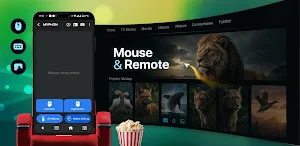
Use your Android device as a remote Keyboard and Mouse for your smartphone, tablet, computer or Android TV.
This app turns your phone into a fully functional remote keyboard and mouse with advanced multimedia controls without needing any additional software on your computer.
✨ Features ✨
================================
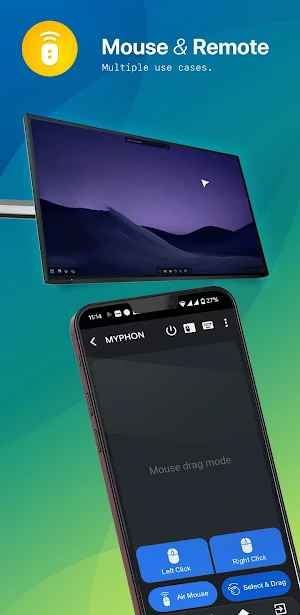
🚀 Keyboard, mouse and touchpad with scrolling support
🚀 Presenter control mode to navigate through the slides of your presentation, while moving around freely and engaging your audience
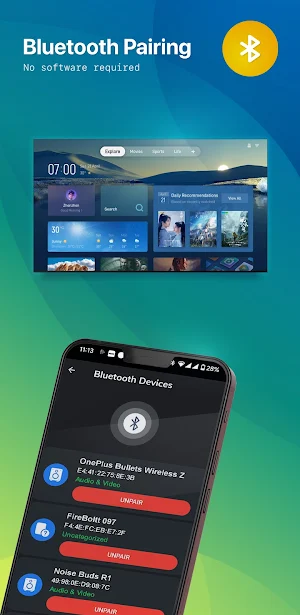
🚀 Paired Device List
--------------------------------
• Displays all Paired Bluetooth Devices with it's name
• Displays all nearby Bluetooth Devices list
• And You Can also Pair and Unpair those Devices
🚀 Available Device Discovery
--------------------------------
• Explore nearby Bluetooth devices and pair new connections.
• Connect to compatible PCs, Smartphones, Laptops, Android TV, etc.
🚀 Cursor Control
--------------------------------
• Smooth cursor control, left and right-click functionality and scroll gestures, all from your device's touchscreen.
• Movement based air mouse to interact with your PC or laptop from a distance
🚀 Keyboard
--------------------------------
• Use your phone system's keyboard to type in your Bluetooth-connected devices.
🚀 Number Pad
--------------------------------
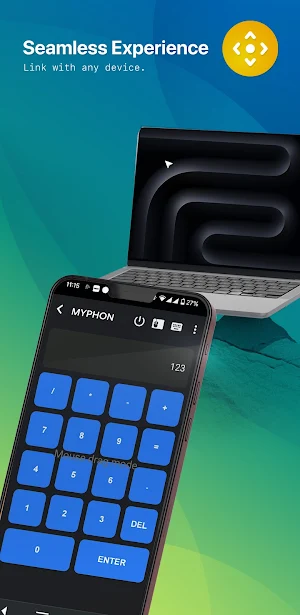
• Use the Numpad feature to type or write numbers in your connected Bluetooth PC or Laptops.
• Numpad layout to do calculations and send the results to your connected device
🚀 Media controller
--------------------------------
• Multimedia mode to control playback, volume and navigation on media players
• Control the media like play, pause, volume up/down, forward, backward, etc. functionality using the Wireless media controller feature.
🚀 Voice Input
--------------------------------
• Speech input with the possibility to send copied text to your connected device
• Enter text inputs in your pc, and laptops using voice Input features.
📱 Supported Devices 📱
================================
The receiving device must have Bluetooth.
The following operating systems have been successfully tested:
➤ Android and Android TV
➤ Apple iOS and iPad OS
➤ Windows 8.1 and higher
➤ Chromebook Chrome OS
Similar Apps
Trace Sketch & Draw On Paper
Trace Sketches is a drawing app designed for anyone looking to improve...
Satellite Finder & GPS Tools
This app helps you to find the right angle in which you...
QR & Barcode : Scanner Maker
➤ Scan any QR code or barcode to get additional information by...

Hindi English Translate-Learn
This app can quickly translate from Hindi to English and English to...
5G SpeedTest WiFi-Network Info
This App show information about your all Networks, WiFi, Sim Details.App continuously...
