Status Save - Video Downloader
Save & download video statuses instantly! Repost, manage & share with ease

About Status Save - Video Downloader
Status Save - Video Downloader – Fast & Easy save Status
Looking for the best way to save status, download status, and repost status with ease? 🚀 Status Save - Video Downloader is the ultimate app to help you instantly download and save video & image statuses from your favorite chat app.
🔥 Key Features:
✅ Save Status – Quickly save image and video statuses in high quality.
✅ Download Status – One-tap status downloader for hassle-free saving.
✅ Repost Status – Share saved statuses directly without downloading again.
✅ Built-in Video Player – Watch saved videos without any external app.
✅ Fast & Lightweight – Save and manage statuses without taking up space.
✅ Offline Access – View saved statuses anytime, even without the internet.
✅ Easy to Use – Simple and user-friendly design for a smooth experience.
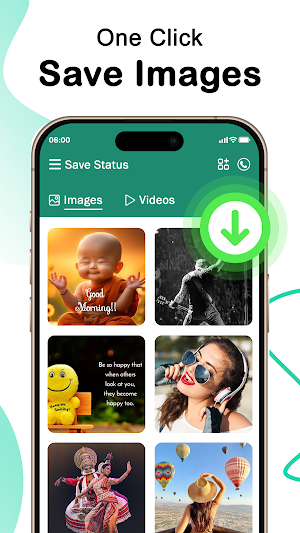
📥 Save & Download Status in One Click
With Status Save - Video Downloader, you don’t have to take screenshots or ask friends to send you the images or videos. Simply open the app, tap to download, and the status is saved instantly.
🎥 Download High-Quality Videos & Images
Enjoy downloading statuses in their original resolution without any quality loss. Whether it's a funny video, a heartfelt quote, or a stunning image, save it with just one click.
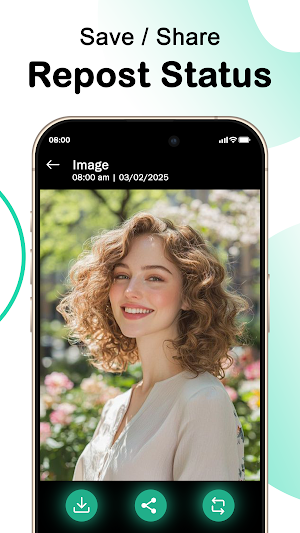
🔄 Repost Status Without Any Effort
Want to share an amazing status with your contacts? No need to download it again! Use the built-in repost feature to instantly share videos and images directly from the app.
🖥️ Built-in Media Player & Image Viewer
Watch downloaded videos and view images directly within the app without needing a separate media player. This feature makes it easy to rewatch and manage your saved statuses.
📂 Organize & Manage Saved Statuses
All your downloaded statuses are stored in one place, making it super convenient to view or share them anytime.
📲 How to Use Status Save - Video Downloader?
1) Open the chat app and view the status you want to save.
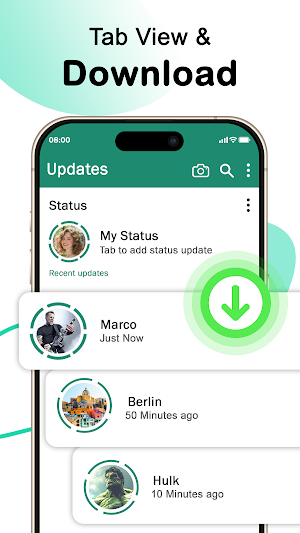
2) Open Status Save - Video Downloader and let it detect the status.
3) Tap Download to save the status instantly.
4) View, share, or repost your saved statuses anytime!
💡 Why Choose Status Save - Video Downloader?
✔️ Super Fast – Save statuses in seconds.
✔️ 100% Free – No hidden fees or in-app purchases.
✔️ No Login Required – Start saving statuses right away.
📥 Download Now & Start Saving Your Favorite Statuses! 🎉
Similar Apps

INFORM
Stay informed

Карьерный навигатор «Горизонт»
Find an internship and start a career in priority industries

Loosli App
Central app for all employees of Loosli companies

Bigdata.com: Finance Insights
Your financial research assistant, delivering real-time and quality insights.

QR code scan&generator
This is a lightweight QR code scanning tool that can also be used offline

Amigotor: Expert AI Friend
Create your AI friends. Chat with chatbots, characters, guides and experts.