
Protect a Phone
Technostacks Infotech Private Limited Tools In-app purchases Contains ads
Keeping your phone secured from theft.
- Downloads
- 100+
- on Google Play
- Price
- Free
- In-app purchases
- Updated
- Dec 5
- 2020 · v1.0.3
Screenshots

About Protect a Phone
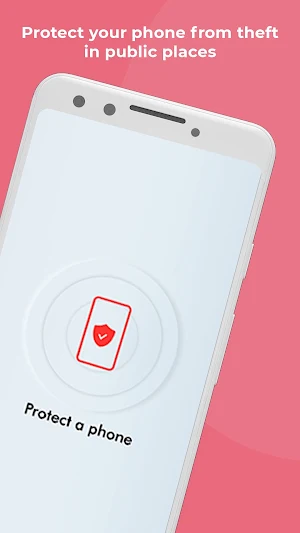
In this digital age, your phone holds almost everything about you. And hence keeping it secure is very important.
There are multiple instances where you have to charge your phones at public places like airports, subways, railway stations, shopping malls etc.
To alert you in case of any mobile theft attempts, the app has 3 simple features for protection and assistance:
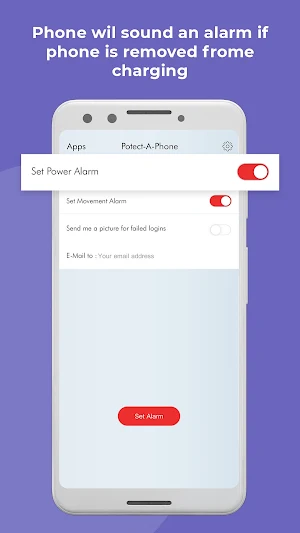
• App allows you activate the alarm after you plug it in for charging. Once activated, if the phone is unplugged, it would trigger the alarm.
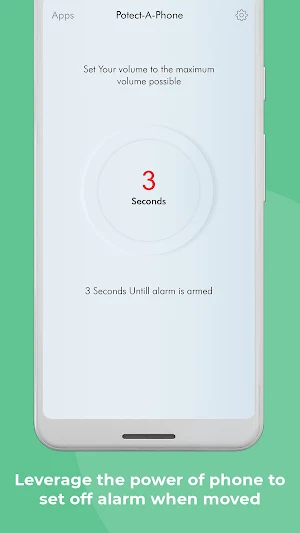
• App can also identify motion of the phone. When armed, any movement of the phone would trigger an alarm. You can calibrate the sensitivity of motion.
• The final feature is to take a snap of the user with 3 consecutive failed passcode attempts and mailing it to you.
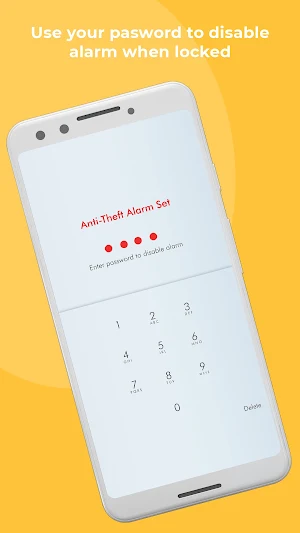
The only way to deactivate the alarm is by entering the correct passcode.*
So, go on and make the best use of the app wherever you are without worrying about your phone anymore.
* Your phone must always be locked as terminating the app will turn off the alarm.
There are multiple instances where you have to charge your phones at public places like airports, subways, railway stations, shopping malls etc.
To alert you in case of any mobile theft attempts, the app has 3 simple features for protection and assistance:
• App allows you activate the alarm after you plug it in for charging. Once activated, if the phone is unplugged, it would trigger the alarm.
• App can also identify motion of the phone. When armed, any movement of the phone would trigger an alarm. You can calibrate the sensitivity of motion.
• The final feature is to take a snap of the user with 3 consecutive failed passcode attempts and mailing it to you.
The only way to deactivate the alarm is by entering the correct passcode.*
So, go on and make the best use of the app wherever you are without worrying about your phone anymore.
* Your phone must always be locked as terminating the app will turn off the alarm.
What’s new
Version 1.0.3 · Updated December 5, 2020
- Added Alarm Ringtone option in settings screen now user can switch Alarm tone.
Alternatives to Protect a Phone
Looking for apps like Protect a Phone? Here are 6 similar Android apps on Google Play. The highest rated is QuickScan: Document Scanner (4.1/5), and all 6 are free to download.
-
QuickScan: Document Scanner 4.0
-
Jain Sidhhant
-
Time-Card
-
GymClock Trainer App
-
GymClock
-
GymClock Owner App
| App | Rating | Price | Installs | Last updated | Compare |
|---|---|---|---|---|---|
| Protect a Phone | – | Free | 100+ | Dec 5, 2020 | |
| QuickScan: Document Scanner | 4.1 / 5 | Free | 100,000+ | Jun 12, 2026 | Compare |
| Jain Sidhhant | – | Free | 1,000+ | Oct 6, 2025 | Compare |
| Time-Card | – | Free | 100+ | Mar 19, 2020 | Compare |
| GymClock Trainer App | – | Free | 10+ | – | Compare |
| GymClock | – | Free | – | – | Compare |
| GymClock Owner App | – | Free | 50+ | Apr 8, 2020 | Compare |
Compare Protect a Phone with the top alternatives: ratings, updates, ASO score and keyword gaps →