

BeGuard : Security Manager
A demain Tools
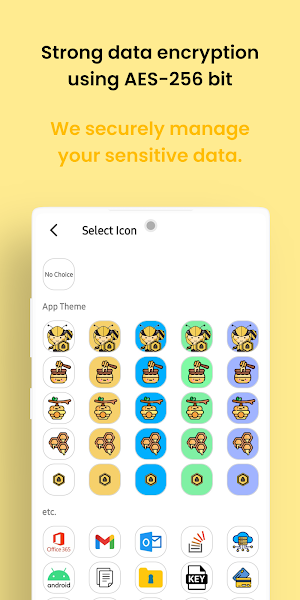
Offline app securely stores personal info using strong encryption algorithms.
- Downloads
- 93+
- on Google Play
- Price
- Free
- No in-app purchases
- Updated
- Jun 22
- 2026 · v2.5.3
Screenshots


About BeGuard : Security Manager
Manage easily forgotten passwords, serial numbers, website link you want to revisit, and personal memos securely and effortlessly now.
*We promise to provide these features for free for the rest of our lives.
Key features:
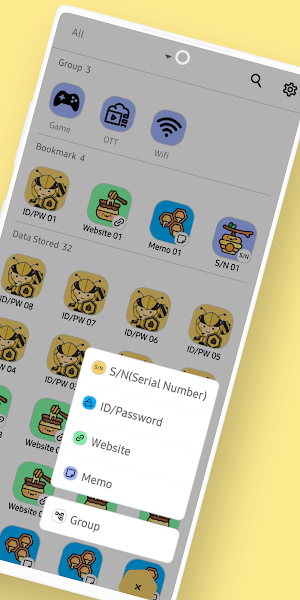
-Secure storage of data (IDs/passwords, serial numbers, website links, notes)
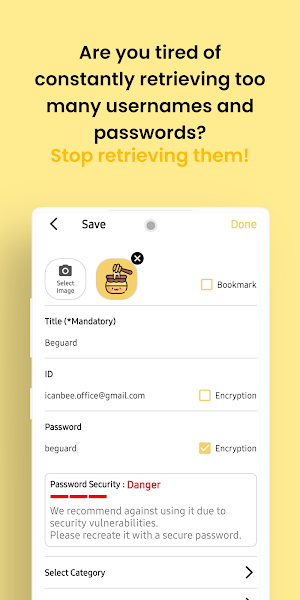
-Password strength verification
-Data grouping, categorization, and bookmarking
-Various user settings provided
-Default icons for over 100 users
-Account creation and login
-Create backup data file
-Upload backup data to the server
-Restore App with Uploaded Data
-User authentication (PIN authentication/biometric authentication)
-Multilingual support (Korean, English)
-App guide (app introduction)
-Search data by initial consonants
-App initialization
-Check for the latest version
=====
※ Permission Usage
[Required Permissions]
Vibration control: Vibrates device upon PIN input error
External storage access: Access for creating backup files and data restoration
Internet: Used to check for the latest app version
[Optional Permissions]
Access gallery: Used for setting profile pictures for logged-in accounts
Notifications: Used to notify users upon completion of data backup file creation and data restoration
Biometric hardware usage
*Declining optional permissions does not affect app usage.
=====
Developer contact: [email protected]
Follow me at https://github.com/HYUNJUNEPARK
*We promise to provide these features for free for the rest of our lives.
Key features:
-Secure storage of data (IDs/passwords, serial numbers, website links, notes)
-Password strength verification
-Data grouping, categorization, and bookmarking
-Various user settings provided
-Default icons for over 100 users
-Account creation and login
-Create backup data file
-Upload backup data to the server
-Restore App with Uploaded Data
-User authentication (PIN authentication/biometric authentication)
-Multilingual support (Korean, English)
-App guide (app introduction)
-Search data by initial consonants
-App initialization
-Check for the latest version
=====
※ Permission Usage
[Required Permissions]
Vibration control: Vibrates device upon PIN input error
External storage access: Access for creating backup files and data restoration
Internet: Used to check for the latest app version
[Optional Permissions]
Access gallery: Used for setting profile pictures for logged-in accounts
Notifications: Used to notify users upon completion of data backup file creation and data restoration
Biometric hardware usage
*Declining optional permissions does not affect app usage.
=====
Developer contact: [email protected]
Follow me at https://github.com/HYUNJUNEPARK
What’s new
Version 2.5.3 · Updated June 22, 2026
[v2.5.3] - You can now save Wi-Fi information and share it easily with a QR code.
Alternatives to BeGuard : Security Manager
Looking for apps like BeGuard : Security Manager? Here are 4 similar Android apps on Google Play. The highest rated is Guardium: Antivirus & Security (4.5/5), and all 4 are free to download.
-
Guardium: Antivirus & Security 4.5
-
Resecurity: ID Protection 3.6
-
UrSafe: Safety & Security App 4.0
-
REVE Antivirus Mobile Security 3.0
| App | Rating | Price | Installs | Last updated | Compare |
|---|---|---|---|---|---|
| BeGuard : Security Manager | – | Free | 50+ | Jun 22, 2026 | |
| Guardium: Antivirus & Security | 4.5 / 5 | Free | 100+ | Apr 27, 2023 | Compare |
| Resecurity: ID Protection | 3.6 / 5 | Free | 10,000+ | Apr 24, 2026 | Compare |
| UrSafe: Safety & Security App | 4.0 / 5 | Free | 100,000+ | Aug 23, 2026 | Compare |
| REVE Antivirus Mobile Security | 3.0 / 5 | Free | 50,000+ | Aug 27, 2020 | Compare |