
Blur Video Editor
Ambition Technologies Video Players & Editors Contains ads
Record & edit video with pixel, square & black blur editor with screen adjust.
- Price
- Free
- No in-app purchases
- Updated
- Mar 22
- 2023 · v1.0
Screenshots


About Blur Video Editor
Blur Video Editor application helps to apply blurry pixel effect on certain parts of video.
You can select a selected part of blur video which provides a blurring effects.
Blur Video Editor helps to edit & adjust blurring part on video with auto move on video.
Select desired area of video & blur entire video also.
Easy to set blurring effects on video with move on screen with zoom in zoom out.
Features :-
* Blur video editor on selected part of videos.
* Now blur faces on video.
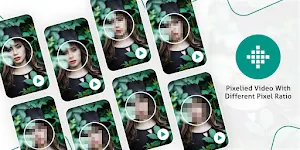
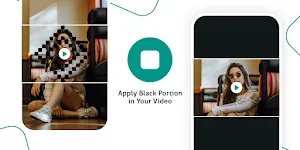
* Find different blurring effects like pixel blur, square blur & black blur.
* Blur objects in videos easily.
* Touch & move with zoom blur on selected blur part of video.
* Save blurred videos for share.
* Blur unwanted part from video.
* Quickly blur your video background.
* Set opacity of blurring effects.
* Adjust hardness of blur.
You can select a selected part of blur video which provides a blurring effects.
Blur Video Editor helps to edit & adjust blurring part on video with auto move on video.
Select desired area of video & blur entire video also.
Easy to set blurring effects on video with move on screen with zoom in zoom out.
Features :-
* Blur video editor on selected part of videos.
* Now blur faces on video.
* Find different blurring effects like pixel blur, square blur & black blur.
* Blur objects in videos easily.
* Touch & move with zoom blur on selected blur part of video.
* Save blurred videos for share.
* Blur unwanted part from video.
* Quickly blur your video background.
* Set opacity of blurring effects.
* Adjust hardness of blur.
Alternatives to Blur Video Editor
Looking for apps like Blur Video Editor? Here are 6 similar Android apps on Google Play. All of them are free to download.
-
Night Mode Camera Photo Filter
-
Neon LED Keyboard RGB Lighting
-
GPS Timestamp Video Camera
-
World Time Clock And Weather
-
Bluetooth Device Equalizer
-
GPS Map Camera Geotag Photos
| App | Rating | Price | Installs | Last updated | Compare |
|---|---|---|---|---|---|
| Blur Video Editor | – | Free | 0+ | Mar 22, 2023 | |
| Night Mode Camera Photo Filter | – | Free | 1,000+ | – | Compare |
| Neon LED Keyboard RGB Lighting | – | Free | 10+ | – | Compare |
| GPS Timestamp Video Camera | – | Free | 10+ | May 5, 2023 | Compare |
| World Time Clock And Weather | – | Free | 500+ | – | Compare |
| Bluetooth Device Equalizer | – | Free | 100+ | Aug 25, 2023 | Compare |
| GPS Map Camera Geotag Photos | – | Free | 500+ | Aug 5, 2025 | Compare |
Compare Blur Video Editor with the top alternatives: ratings, updates, ASO score and keyword gaps →
Similar apps on Google Play
- Night Mode Camera Photo Filter
- Neon LED Keyboard RGB Lighting
- GPS Timestamp Video Camera
- World Time Clock And Weather
- Bluetooth Device Equalizer
- GPS Map Camera Geotag Photos
- Tiki-toki Video Player HD
- Multiple Photo Merger Combiner
- Health Checkup Blood Pressure
- Unlimited MP3 Audio Merger
- GPS Field Area Calculator Land
- Compass - Live Location On Map
- Photo Widget On Home Screen
- Passport Size Photo Editor App
- Profile Photo Border With Edge
- File Transfer to TV