
LockBox - Password manager
Cleverguy_softwaredev Tools In-app purchases
Offline password vault with AES-256 encryption. No cloud, ever.
- Downloads
- 153+
- on Google Play
- Price
- Free
- In-app purchases
- Updated
- Jul 27
- 2026 · v1.7.4
Screenshots


About LockBox - Password manager
Your passwords, your device, your control.
LockBox is a fully offline password manager. No cloud, no servers, no account to create. Your credentials stay on your device, encrypted with the same standard used by banks: AES-256.
After the LastPass data breaches and other cloud service leaks, millions of users lost trust in online password managers. LockBox was built for those who want security without compromise: your data never leaves your phone.
🔐 DUAL-KEY SECURITY
The app uses two independent passwords:
• Access password — to enter the app
• Encryption password — to protect the database (AES-256)
Even if someone guesses the access password, without the encryption key your data remains unreadable.
🛡️ MILITARY-GRADE ENCRYPTION
The database is encrypted with SQLCipher (AES-256-CBC), the same standard used by governments and financial institutions. The key is never stored on the device or transmitted over the network.
📱 FEATURES
• Secure password generator (8-64 characters, letters, numbers, symbols)
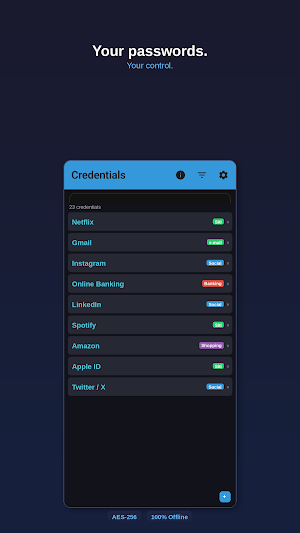
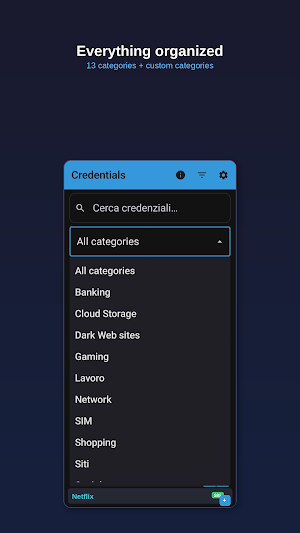
• 13 preset categories + custom categories
• Instant search across all fields
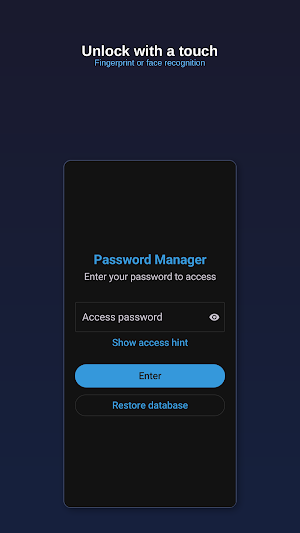
• Fingerprint and face unlock
• Clipboard auto-clear (30 seconds)
• Configurable session timeout (1-30 minutes)
• Encrypted backup exportable to Drive, email, or any destination
• Database import and restore
• Light and dark theme (follows system settings)
• English and Italian support
🆓 FREE TRIAL
Try LockBox free for 7 days with all features. After the trial, go Premium:
• Monthly: €1.29/month
• Yearly: €10.49/year (save 32%)
Cancel anytime directly from Google Play.
⭐ PREMIUM INCLUDES
• Unlimited credentials
• Backup and restore
• Custom categories
• CSV export
• Biometric authentication
• All future updates
🔒 TOTAL PRIVACY
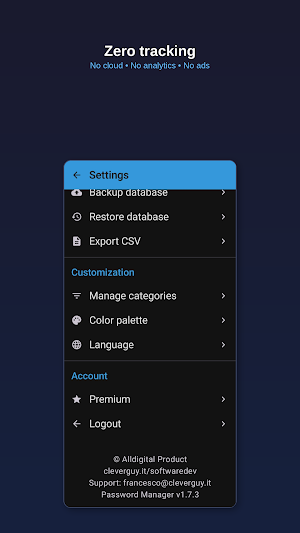
• Zero data collected — no telemetry, no analytics
• Zero tracking — no third-party SDKs
• Zero ads — never, in any version
• Works 100% offline — no internet connection needed
• Open architecture — verifiable standard encryption
LockBox: your passwords, under your control. Always.
LockBox is a fully offline password manager. No cloud, no servers, no account to create. Your credentials stay on your device, encrypted with the same standard used by banks: AES-256.
After the LastPass data breaches and other cloud service leaks, millions of users lost trust in online password managers. LockBox was built for those who want security without compromise: your data never leaves your phone.
🔐 DUAL-KEY SECURITY
The app uses two independent passwords:
• Access password — to enter the app
• Encryption password — to protect the database (AES-256)
Even if someone guesses the access password, without the encryption key your data remains unreadable.
🛡️ MILITARY-GRADE ENCRYPTION
The database is encrypted with SQLCipher (AES-256-CBC), the same standard used by governments and financial institutions. The key is never stored on the device or transmitted over the network.
📱 FEATURES
• Secure password generator (8-64 characters, letters, numbers, symbols)
• 13 preset categories + custom categories
• Instant search across all fields
• Fingerprint and face unlock
• Clipboard auto-clear (30 seconds)
• Configurable session timeout (1-30 minutes)
• Encrypted backup exportable to Drive, email, or any destination
• Database import and restore
• Light and dark theme (follows system settings)
• English and Italian support
🆓 FREE TRIAL
Try LockBox free for 7 days with all features. After the trial, go Premium:
• Monthly: €1.29/month
• Yearly: €10.49/year (save 32%)
Cancel anytime directly from Google Play.
⭐ PREMIUM INCLUDES
• Unlimited credentials
• Backup and restore
• Custom categories
• CSV export
• Biometric authentication
• All future updates
🔒 TOTAL PRIVACY
• Zero data collected — no telemetry, no analytics
• Zero tracking — no third-party SDKs
• Zero ads — never, in any version
• Works 100% offline — no internet connection needed
• Open architecture — verifiable standard encryption
LockBox: your passwords, under your control. Always.
What’s new
Version 1.7.4 · Updated July 27, 2026
Technical compliance update for Google Play policies: • Updated Android target system (Android 16). • Payment system updated to the latest Google Play Billing version. • No action required.
Alternatives to LockBox - Password manager
Looking for apps like LockBox - Password manager? Here are 6 similar Android apps on Google Play. All of them are free to download.
-
NoisyRoom
-
MedKit - Registro medicinali
-
GMP - Get My Position
-
HemPro - Home Management
-
CryptoChat - Secure Messaging
-
FaunaLogix: Animal PET Manager
| App | Rating | Price | Installs | Last updated | Compare |
|---|---|---|---|---|---|
| LockBox - Password manager | – | Free | 100+ | Jul 27, 2026 | |
| NoisyRoom | – | Free | 10+ | – | Compare |
| MedKit - Registro medicinali | – | Free | 10+ | – | Compare |
| GMP - Get My Position | – | Free | 10+ | Aug 6, 2026 | Compare |
| HemPro - Home Management | – | Free | 1+ | – | Compare |
| CryptoChat - Secure Messaging | – | Free | 10+ | – | Compare |
| FaunaLogix: Animal PET Manager | – | Free | 10+ | – | Compare |