
Insta360 Control
Tools In-app purchases
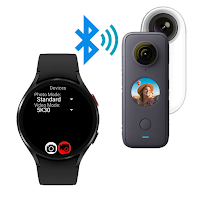
Remote control Insta360 Camera over Bluetooth with GPS data (watch & phone)
- Rating
- 2.5
- 153 ratings
- Downloads
- 38.4K+
- on Google Play
- Price
- Free
- In-app purchases
- Updated
- Jul 25
- 2025
Screenshots
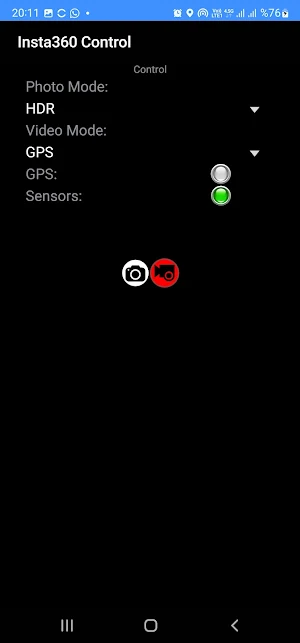


About Insta360 Control
either from your Wear OS watch or from your Android phone.
This application connects to your Insta 360 camera through bluetooth connection and lets you capture photos or videos using your Wear OS watch as a remote control.
It also supports sending GPS data (location, elevation, speed, heading) to the camera for stats recording.
Features:
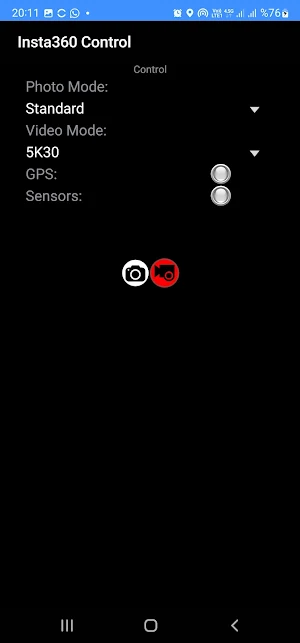
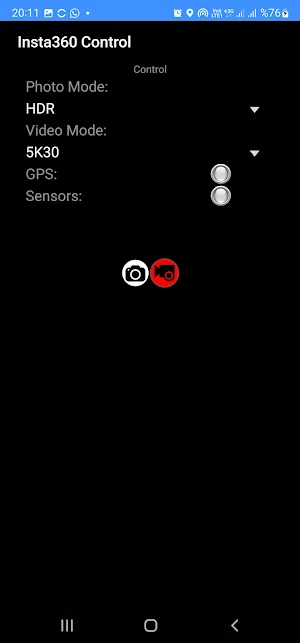
- Photo Capture (Standard / HDR)
- Video Capture (5K/4K/Bullet Time/HDR/GPS)
- GPS Stats feeding to camera for video recording
Comparison with my other Insta 360 remote control app:
Insta 360 Control (this app):
+ Controls over Bluetooth , easy & quick
+ GPS (Stats) data feeding to video recording
+ Various recording modes (4K, 5K, HDR, Bullet Time, GPS)
+ Runs both on watch (standalone) or phone
- No Liveview
Watch Control Pro for Insta360 (other app):
- Controls over wifi, not as easy as bluetooth and disables internet connection while using
- incompatibility issues coming from different watch/camera pairs
+ Liveview while recording/capturing
Insta360 models supported:
- Insta360 ONE
- Insta360 One2
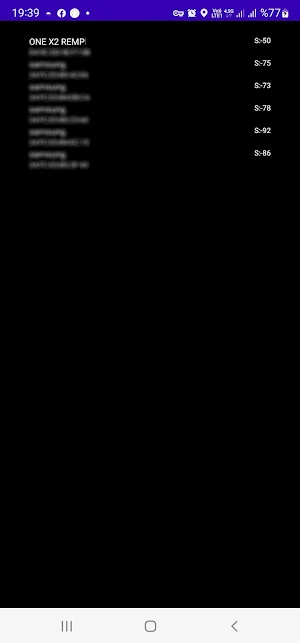
- Insta360 ONE X2
- Insta360 EVO
- Insta360 OneR
- Insta360 OneRS
- Insta360 Go
- Insta360 GO 2
- Insta360 Nano S
- Insta360 Sphere
App is tested on following Wear OS watches:
- Samsung Galaxy Watch 4
- Oppo Watch 46mm
- Tag Heuer Connected 2021
- Suunto 7
- Huawei Watch 2
- Fossil Gen 5 fossil Q Explorist HR
- Ticwatch Watch Pro 3
IMPORTANT: It is only useful with a Wear OS watches. (not compatible with other watches using Tizen or other operating systems)
Here are videos showing full functionality this app:
https://www.youtube.com/watch?v=ntjqfpKJ4sM
IMPORTANT:
You can use the app on your phone and/or on your watch. The app itself is free but for full access you have to make a payment. If you pay on your phone, it will be detected after a few minutes when you reopen the app on your watch. You don't have to pay twice for using on both phone and watch.
What’s new
Updated July 25, 2025
New features: CamSelected video mode: uses the mode selected on camera (8K on X4 possible) Highlight button: Marks the video section Track button: starts GPS and stats recording on CamSelected mode X3/X4 support: Just select either video or photo mode on the camera before taking a photo or starting video capture. GPS Recording requires the app to be open on screen or have permission to do background activity.
Alternatives to Insta360 Control
Looking for apps like Insta360 Control? Here are 5 similar Android apps on Google Play. The highest rated is Roundme (4.2/5), and all 5 are free to download.
-
Roundme 4.2
-
Collect - 360° Video OverCaptu 4.0
-
Insta360 ONE X - Simple, snapp 2.4
-
LIVE4 GoPro 3.0
-
Framelapse: Timelapse Camera 3.6
| App | Rating | Price | Installs | Last updated | Compare |
|---|---|---|---|---|---|
| Insta360 Control | 2.5 / 5 | Free | 10,000+ | Jul 25, 2025 | |
| Roundme | 4.2 / 5 | Free | 100,000+ | Mar 24, 2017 | Compare |
| Collect - 360° Video OverCaptu | 4.0 / 5 | Free | 100,000+ | Jan 9, 2020 | Compare |
| Insta360 ONE X - Simple, snapp | 2.4 / 5 | Free | 100,000+ | Oct 27, 2020 | Compare |
| LIVE4 GoPro | 3.0 / 5 | Free | 100,000+ | Jan 21, 2020 | Compare |
| Framelapse: Timelapse Camera | 3.6 / 5 | Free | 5,000,000+ | Jan 12, 2025 | Compare |
Compare Insta360 Control with the top alternatives: ratings, updates, ASO score and keyword gaps →