About Dasistan
Digital Assistant
Calendar Planning and Management
You will be able to control and track your events 24/7 via web and mobile, thanks to the calendar management panel, where you can plan your events and create quick offers or contracts. Thanks to its anti-collision feature, the calendar prevents you from adding events to the same day or time. It offers easy and fast access thanks to its Annual - Monthly or Sailor calendar modes.
Quick Quote Creation
Thanks to the quick offer creation feature for your events or invitations, you have the opportunity to quickly make offers to your customers thanks to the molds we have specially designed for you. This data will be stored in the cloud system without any fees or time restrictions. You can access your offers whenever and wherever you want.
Creating a Contract
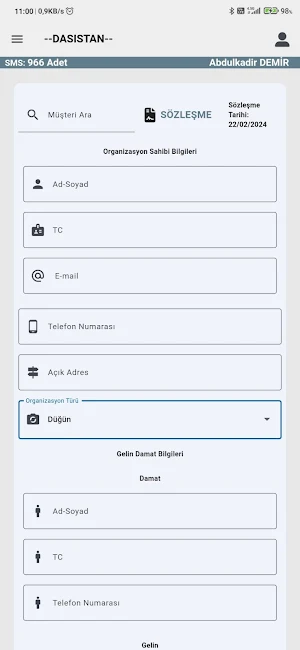
Thanks to the contract creation feature that works integrated with the Quick Quote menu, you can create contracts designed to suit your corporate identity from anywhere you want and automatically add them to the calendar section. You will have the opportunity to access your Agreements whenever you want, download them as pdf, or forward them via WhatsApp or e-mail.
Customers Panel
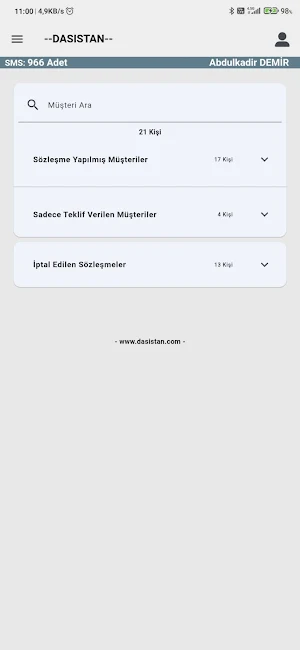
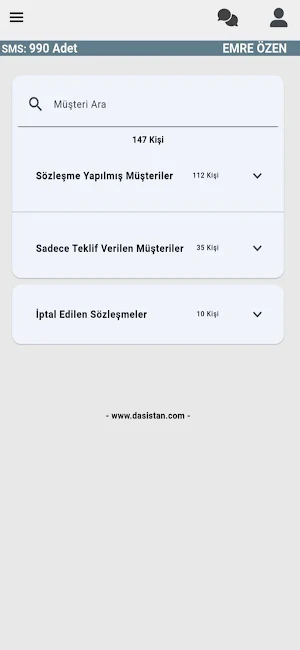
It is easier to keep track of your work with the customers panel, where you can edit, delete and add all your documents such as previously processed - Quick offer - Contracts - Cancellation Contracts from the panel!
Create Organization Planning
Thanks to the panel we have developed for you to plan the events of your contracted customers, it allows you to record all the planning of your organizations regularly and easily share them with your staff.
Accounting
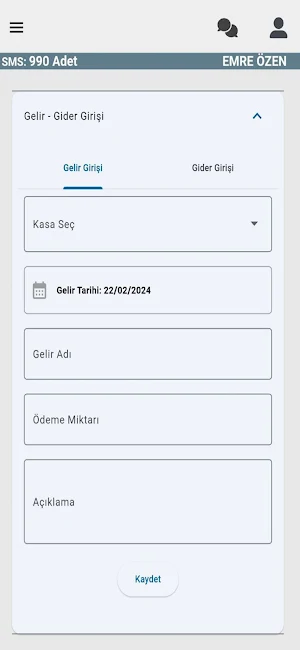
The accounting department, which works integrated with all transactions within the panel, automatically writes income and expense tracking to the system for purchases such as deposit, prepayment or interim payment, without the need for secondary transactions. If you wish, you will be able to control and follow the profit and loss ratios of cash allocation transactions from the accounting department.
Settings
From the settings section
Content Settings is a section where you can repeat new update, delete or add operations on the screen where you first installed. Thanks to the information in this section, you will be able to create quick drafts and carry out your transactions faster.
The other section is user settings, in this section you can add personnel and perform all authorization settings.
Similar Apps

Oras
Basically a Stopwatch, Timer and Alarm Application

Auto Minutes: AI Meeting Note
Transcribe & Summarize Audio

Dio for Teachers
Effortlessly manage your day, students, and driving lessons all in one app

Bookly – Appointment Manager
Simplify Your Bookings. Grow Your Business

LifeLearn Sofie
Your AI-powered veterinary decision support tool

BS Motoboy
Delivery app
