
Amharic Voice to Text Keyboard – Type by Voice
AppsCaps Productivity Contains ads
Simple and user-friendly Amharic speak to text keyboard with emojis and smiles.
- Rating
- 3.9
- 353 ratings
- Downloads
- 97.1K+
- on Google Play
- Price
- Free
- No in-app purchases
- Updated
- Aug 11
- 2025 · v2.9
Screenshots
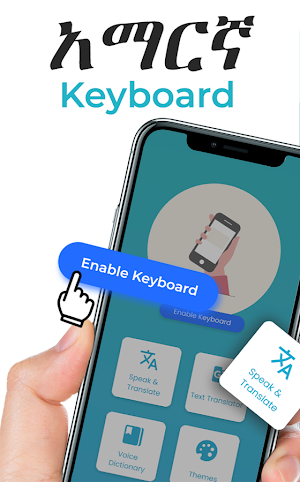
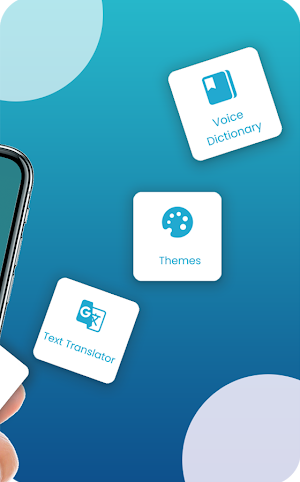
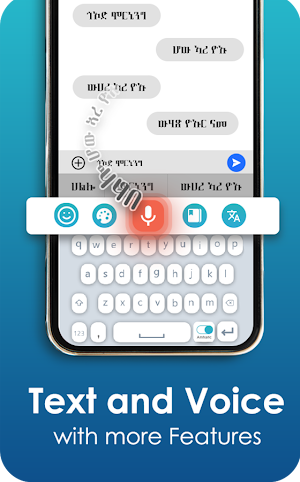
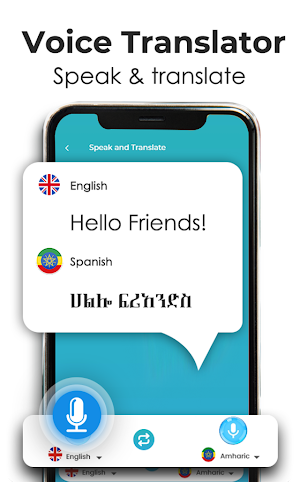


About Amharic Voice to Text Keyboard – Type by Voice
Amharic speech to text keyboard contains Amharic keyboard too. Where you can write text by voice in Amharic language. You can write text very fast by speaking as compared to typing in this Amharic voice keyboard.
Voice to text online Amharic keyboard- Speech to text is a simple app and user friendly interface. The text will appear when you done speaking text in Amharic. Once you get practice of Voice to text Amharic keyboard app, you can use speak to text Amharic keyboard app very easily and send quickly long texts, messages, essays and articles in any social media and all messaging applications existed in your device.
Steps to enable Speech to text Amharic keyboard :
-Open the Amharic voice to text keyboard app.
-Click on settings button
-Select Amharic voice keyboard as your default android keyboard
-Click on Enable button and then Click Amharic voice keyboard
-Then Click Done
-Now go to any app that supports keyboard and start typing by voice as well as with fingers in this Amharic voice to text keyboard
Speak to text Amharic keyboard uses Speech to text recognition and text by voice functionality of device. Audio to text converter also supports speak to text feature which provides an easy and simplest way for voice to text conversion in Amharic language.
How Amharic speech to text keyboard actually works :
- After enabling go to messaging or any social media app where your default Amharic
voice keyboard appears
- You can see a microphone icon above your keyboard
- Click on that microphone and microphone changes it color
- When it’s color changes you can start speaking in Amharic
- In return keyboard will type your voice in Amharic language
- Click again on microphone when you have done speaking
- You can also type by fingers instead of speaking.
Unique and advanced Voice to text Amharic keyboard and Speech to text Amharic keyboard recognition app has been designed for you.
Voice to text Amharic keyboard is a simple app and user-friendly interface. The text will appear after you done speaking text. Once you get rid of Voice to text Amharic keyboard app, you can use speak to text app easily and send long texts and articles in any social media and all messaging applications in your device.
Just use this application, speak in Amharic language and get your desired text automatically typed in Amharic. The app will recognize your voice once you speak and convert it to Amharic language text.
Voice to text Amharic keyboard uses Speech recognition and text by voice functionality of device. Audio to text converter also supports speak to text feature which provides an easy way for voice to text converting in Amharic language app. This voice recognition app has been made for you.
Download this Voice to text Amharic keyboard app and do give us your feedback so that we can improve our application for your best use.
Voice to text online Amharic keyboard- Speech to text is a simple app and user friendly interface. The text will appear when you done speaking text in Amharic. Once you get practice of Voice to text Amharic keyboard app, you can use speak to text Amharic keyboard app very easily and send quickly long texts, messages, essays and articles in any social media and all messaging applications existed in your device.
Steps to enable Speech to text Amharic keyboard :
-Open the Amharic voice to text keyboard app.
-Click on settings button
-Select Amharic voice keyboard as your default android keyboard
-Click on Enable button and then Click Amharic voice keyboard
-Then Click Done
-Now go to any app that supports keyboard and start typing by voice as well as with fingers in this Amharic voice to text keyboard
Speak to text Amharic keyboard uses Speech to text recognition and text by voice functionality of device. Audio to text converter also supports speak to text feature which provides an easy and simplest way for voice to text conversion in Amharic language.
How Amharic speech to text keyboard actually works :
- After enabling go to messaging or any social media app where your default Amharic
voice keyboard appears
- You can see a microphone icon above your keyboard
- Click on that microphone and microphone changes it color
- When it’s color changes you can start speaking in Amharic
- In return keyboard will type your voice in Amharic language
- Click again on microphone when you have done speaking
- You can also type by fingers instead of speaking.
Unique and advanced Voice to text Amharic keyboard and Speech to text Amharic keyboard recognition app has been designed for you.
Voice to text Amharic keyboard is a simple app and user-friendly interface. The text will appear after you done speaking text. Once you get rid of Voice to text Amharic keyboard app, you can use speak to text app easily and send long texts and articles in any social media and all messaging applications in your device.
Just use this application, speak in Amharic language and get your desired text automatically typed in Amharic. The app will recognize your voice once you speak and convert it to Amharic language text.
Voice to text Amharic keyboard uses Speech recognition and text by voice functionality of device. Audio to text converter also supports speak to text feature which provides an easy way for voice to text converting in Amharic language app. This voice recognition app has been made for you.
Download this Voice to text Amharic keyboard app and do give us your feedback so that we can improve our application for your best use.
User reviews

Akkam jirtaa

I like application for help me

Nice
I love it the best app I have ever used, I am not good at typing amharic but this ishelping me so much thank you

Baddd

Dont know yet
Alternatives to Amharic Voice to Text Keyboard – Type by Voice
Looking for apps like Amharic Voice to Text Keyboard – Type by Voice? Here are 6 similar Android apps on Google Play. The highest rated is Time Warp Scan - Face Scanner (4.5/5), and all 6 are free to download.
-
Spell and Pronounce it Right 4.2
-
Time Warp Scan - Face Scanner 4.5
-
English Spell Checker Keyboard 4.5
-
Magnifying Glass - Magnifier 4.2
-
Speak and Translate 4.2
-
Video To Audio MP3 Converter 3.7
| App | Rating | Price | Installs | Last updated | Compare |
|---|---|---|---|---|---|
| Amharic Voice to Text Keyboard – Type by Voice | 3.9 / 5 | Free | 50,000+ | Aug 11, 2025 | |
| Spell and Pronounce it Right | 4.2 / 5 | Free | 1,000,000+ | – | Compare |
| Time Warp Scan - Face Scanner | 4.5 / 5 | Free | 10,000+ | – | Compare |
| English Spell Checker Keyboard | 4.5 / 5 | Free | 500,000+ | – | Compare |
| Magnifying Glass - Magnifier | 4.2 / 5 | Free | 100,000+ | Oct 13, 2024 | Compare |
| Speak and Translate | 4.2 / 5 | Free | 500,000+ | – | Compare |
| Video To Audio MP3 Converter | 3.7 / 5 | Free | 1,000,000+ | Apr 2, 2026 | Compare |
Similar apps on Google Play
- Spell and Pronounce it Right
- Time Warp Scan - Face Scanner
- English Spell Checker Keyboard
- Magnifying Glass - Magnifier
- Speak and Translate
- Video To Audio MP3 Converter
- English Voice typing Keyboard
- PDF Reader and Converter
- Fake Chat Maker - Text Prank
- Video Player- HD Media Player
- Haircut Prank, Fart & Airhorn
- Text Scanner – Image to Text
- Video Splitter – Story Cutter
- Telugu Voice Typing Keyboard
- Big Keyboard-Big Keys Keyboard
- Tamil Voice Typing Keyboard
- Islamic Stickers for WA
- Video Downloader - Video Saver
- Sticker Maker for WA
- Speak Urdu Language Translator
- Fast Kannada Speech to Text
- Malayalam Voice Keyboard
- Hindi Voice Keyboard
- Music Player - Mp3 Player