

Twinkl 100 Square
Twinkl Educational Publishing Education
Interactive Hundred Square
- Downloads
- 500+
- on Google Play
- Price
- Free
- No in-app purchases
- Updated
- Sep 30
- 2021 · v4.0.2
Screenshots


About Twinkl 100 Square
Featuring four fantastic modes, Twinkl 100 Square is now available on Android and designed to support both classroom and home use.
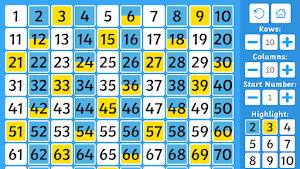
- 100 Square mode offers users a classic 100 square grid, customisable to your specific needs and with vibrant new highlighting options; a powerful and flexible tool to assist learning.
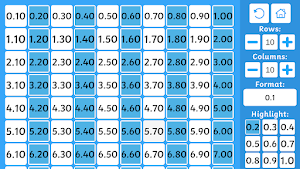
- Decimals mode helps users to count in both tenths and hundredths.
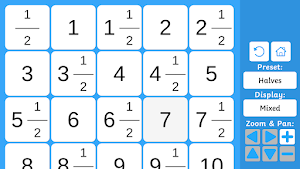
- Fractions mode aids with counting in halves, quarters, fifths and eighths and features two display modes.
- Fill-in-the-blanks mode challenges users to fill in the empty squares across multiple square types (standard, odds, evens and square numbers) with customisation options that can be configured according to your preference.
Privacy Policy: https://www.twinkl.com/legal#privacy-policy
Terms and Conditions: https://www.twinkl.com/legal#terms-and-conditions
- 100 Square mode offers users a classic 100 square grid, customisable to your specific needs and with vibrant new highlighting options; a powerful and flexible tool to assist learning.
- Decimals mode helps users to count in both tenths and hundredths.
- Fractions mode aids with counting in halves, quarters, fifths and eighths and features two display modes.
- Fill-in-the-blanks mode challenges users to fill in the empty squares across multiple square types (standard, odds, evens and square numbers) with customisation options that can be configured according to your preference.
Privacy Policy: https://www.twinkl.com/legal#privacy-policy
Terms and Conditions: https://www.twinkl.com/legal#terms-and-conditions
What’s new
Version 4.0.2 · Updated September 30, 2021
Bug fixes + improvements.
Frequently asked questions
What modes are available in Twinkl 100 Square?
Twinkl 100 Square features four modes: 100 Square mode, Decimals mode, Fractions mode, and Fill-in-the-blanks mode.
What is the purpose of the 100 Square mode?
The 100 Square mode offers a classic 100 square grid that can be customized to meet specific needs. It provides vibrant new highlighting options and serves as a powerful and flexible tool to assist learning.
What does the Decimals mode in Twinkl 100 Square help with?
The Decimals mode helps users count in both tenths and hundredths.
How does the Fractions mode in Twinkl 100 Square support learning?
The Fractions mode aids with counting in halves, quarters, fifths, and eighths. It also features two display modes to enhance understanding.
What is the purpose of the Fill-in-the-blanks mode in Twinkl 100 Square?
The Fill-in-the-blanks mode challenges users to fill in empty squares across multiple square types, such as standard, odds, evens, and square numbers. It offers customization options according to user preference.
Where can I find the Privacy Policy for Twinkl 100 Square?
The Privacy Policy for Twinkl 100 Square can be found at https://www.twinkl.com/legal#privacy-policy.
Are there any Terms and Conditions for using Twinkl 100 Square?
Yes, there are Terms and Conditions for using Twinkl 100 Square, which can be found at https://www.twinkl.com/legal#terms-and-conditions.
Alternatives to Twinkl 100 Square
Looking for apps like Twinkl 100 Square? Here are 6 similar Android apps on Google Play. The highest rated is Twinkl (4.7/5), and all 6 are free to download.
-
Twinkl Symbols 4.1
-
Twinkl 4.7
-
Twinkl Originals
-
Twinkl Rapid Math Practice
-
Twinkl Monster Island
-
Twinkl MTC Practice
| App | Rating | Price | Installs | Last updated | Compare |
|---|---|---|---|---|---|
| Twinkl 100 Square | – | Free | 500+ | Sep 30, 2021 | |
| Twinkl Symbols | 4.1 / 5 | Free | 50,000+ | – | Compare |
| Twinkl | 4.7 / 5 | Free | 500,000+ | Oct 28, 2026 | Compare |
| Twinkl Originals | – | Free | 50,000+ | Jul 27, 2026 | Compare |
| Twinkl Rapid Math Practice | – | Free | 1,000+ | Sep 21, 2021 | Compare |
| Twinkl Monster Island | – | Free | 100+ | Dec 3, 2021 | Compare |
| Twinkl MTC Practice | – | Free | 1,000+ | Mar 4, 2021 | Compare |
Compare Twinkl 100 Square with the top alternatives: ratings, updates, ASO score and keyword gaps →