About CAD Viewer Editor
CAD Viewer Editor — View, Measure & Edit CAD Drawings on Android
CAD Viewer Editor is a fast, privacy-friendly CAD app for architects, engineers, contractors, and students who work with technical drawings on the go. Open drawings from Files, email, or cloud apps, then zoom, pan, inspect layers, and export results for sharing or reporting.
KEY FEATURES
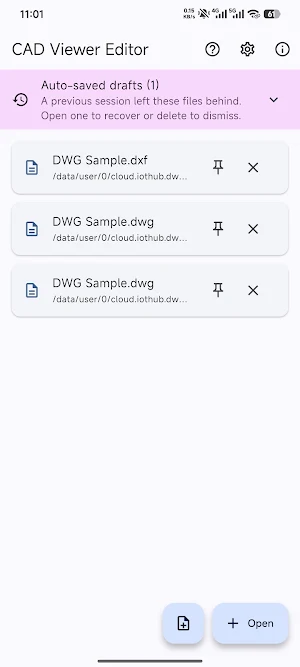
• Multi-tab workflow — work across several drawings without losing context
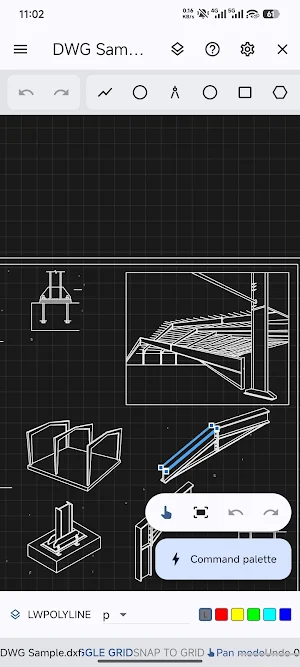
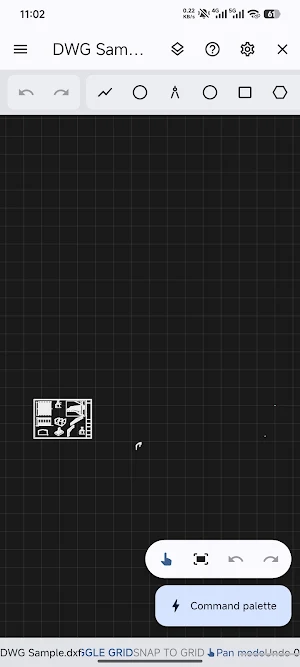
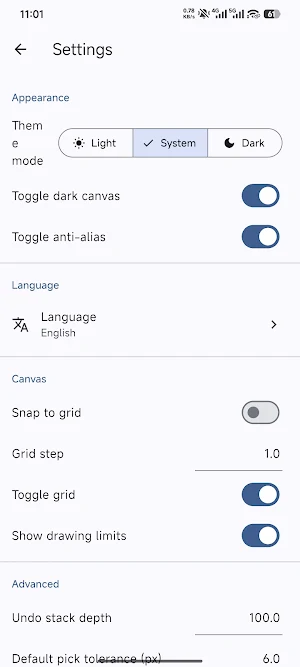
• Powerful viewing — zoom in/out, zoom extents, grid, anti-alias, dark canvas
• Lightweight editing — draw and modify geometry with undo/redo and grip-style editing
• Measurements — distance, angle, and area tools for site checks and quantity takeoffs
• Exports — save or share as PNG, PDF, DXF, CSV (great for reports and collaboration)
• Block browser & object properties — understand structure faster on complex drawings
• Offline-first — core viewing and editing work without forcing sign-in or cloud upload
FILE FORMATS
• DXF (ASCII): read/write supported for a smooth drafting workflow
• DWG: open and work with binary DWG where supported; DWG coverage continues to improve with the optional native bridge—ideal if you receive AutoCAD-style .dwg files from partners
WHO IT’S FOR
• Construction & field teams reviewing plans and markups
• Mechanical, electrical, and HVAC professionals checking layouts
• Students and makers learning CAD basics on a phone or tablet
WHY CHOOSE CAD VIEWER EDITOR
If you search for a “DWG viewer”, “DXF viewer”, or “CAD editor Android”, you want accuracy, speed, and control of your files. CAD Viewer Editor focuses on local processing, clear navigation, and practical export options—so your drawings stay with you.
Note: Feature availability can depend on file version/complexity and device configuration. For best DWG results, use builds that include the LibreDWG-powered native bridge when available.
Keywords users often search: CAD viewer, DWG viewer, DXF viewer, CAD editor, drawing viewer, AutoCAD DWG, technical drawing, PDF from CAD, offline CAD app, architecture drawing, engineering drawing.
CAD Viewer Editor details
CAD Viewer Editor is a free Productivity app for Android with 1,000+ installs on Google Play and a 5.0/5 average rating from 1 rating. It was released on May 12, 2026 and last updated on August 21, 2026. It requires Android 7.0 or later.
- Category
- Productivity
- Rating
- 5.0 / 5 (1 rating)
- Installs
- 1,000+
- Price
- Free
- In-app purchases
- No
- Ads
- No ads
- Current version
- 1.0.5
- Requires Android
- 7.0
- Content rating
- Everyone
- Released
- May 12, 2026
- Last updated
- August 21, 2026
What’s new in CAD Viewer Editor
fix some bugs
Version 1.0.5 · Updated August 21, 2026
Similar Apps
ZWCAD Mobile - DWG Viewer
View, edit, measure, and annotate your DWG files in an easy and quick way.

ConstructionOnline
The complete power of ConstructionOnline, with you wherever you go.
AutoCAD - DWG Viewer & Editor
The official AutoCAD app. View & edit CAD drawings anytime, anywhere!

NEC Electrician Exam Prep 2026
Helps you prepare for Journeyman Electrician test and boosts confidence!

