

AAC Control
b-tech automotive Auto & Vehicles In-app purchases
Configure your AAC module via Bluetooth and unlock features.
- Downloads
- 88+
- on Google Play
- Price
- Free
- In-app purchases
- Updated
- Sep 19
- 2026 · v2.0.22
Screenshots


About AAC Control
AAC Control – the official app for your Adaptive Assistant Control module from b-tech.
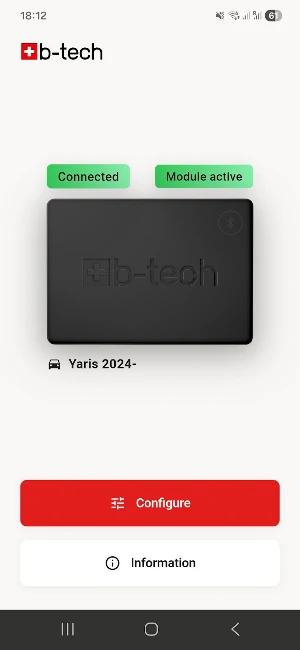
Connect your AAC module to your smartphone via Bluetooth and configure all settings directly in the app. With AAC Control, you have full control of your module at all times.
CONNECT & CONFIGURE
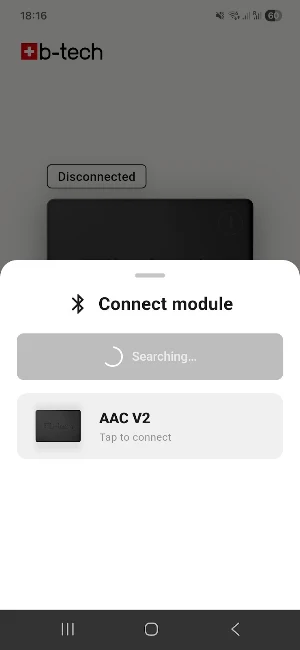
• Find and connect your AAC module via Bluetooth
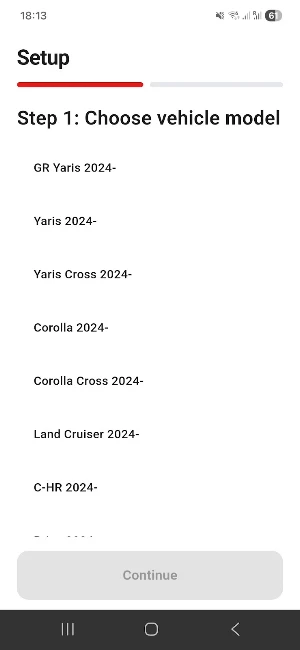
• Select your vehicle model
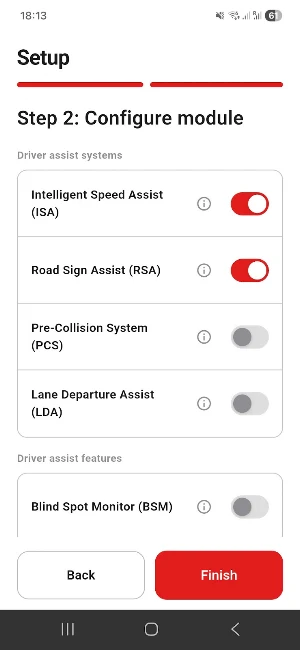
• Easily adjust settings
• Step-by-step setup for initial configuration
UNLOCK FEATURES
• AutoPreset: Automatically activates the module
UPDATES (coming soon)
• Over-the-air updates: Update your AAC module directly via the app
REQUIREMENTS
• b-tech AAC module (V2) installed in the vehicle
• Bluetooth-enabled Android smartphone
• Android 8.0 or higher
ABOUT B-TECH
b-tech develops high-quality vehicle add-ons in Switzerland. The AAC module provides full control over the assistance systems in your Toyota vehicle.
Connect your AAC module to your smartphone via Bluetooth and configure all settings directly in the app. With AAC Control, you have full control of your module at all times.
CONNECT & CONFIGURE
• Find and connect your AAC module via Bluetooth
• Select your vehicle model
• Easily adjust settings
• Step-by-step setup for initial configuration
UNLOCK FEATURES
• AutoPreset: Automatically activates the module
UPDATES (coming soon)
• Over-the-air updates: Update your AAC module directly via the app
REQUIREMENTS
• b-tech AAC module (V2) installed in the vehicle
• Bluetooth-enabled Android smartphone
• Android 8.0 or higher
ABOUT B-TECH
b-tech develops high-quality vehicle add-ons in Switzerland. The AAC module provides full control over the assistance systems in your Toyota vehicle.
What’s new
Version 2.0.22 · Updated September 19, 2026
- Added support for C-HR Plug-in 2024- - Added support for Hilux 2026- and Hilux EV 2026- - Fixed a bug that showed a firmware update even when the latest version was already installed - Raised the Deep Sleep threshold from 12.0 V to 12.2 V
Alternatives to AAC Control
Looking for apps like AAC Control? Here are 3 similar Android apps on Google Play. The highest rated is Auto Agent (4.8/5), and all 3 are free to download.



| App | Rating | Price | Installs | Last updated | Compare |
|---|---|---|---|---|---|
| AAC Control | – | Free | 50+ | Sep 19, 2026 | |
| Sesame Search & Shortcuts | 3.8 / 5 | Free | 1,000,000+ | – | Compare |
| Auto Agent | 4.8 / 5 | Free | 100,000+ | Oct 8, 2026 | Compare |
| ExpertVoice | 4.6 / 5 | Free | 100,000+ | Sep 18, 2026 | Compare |
Compare AAC Control with the top alternatives: ratings, updates, ASO score and keyword gaps →