

VCCode
Vox Solu%C3%A7%C3%B5es em TI Productivity
Your AI agent for programming: create, edit, and run code from anywhere.
- Downloads
- 7+
- on Google Play
- Price
- Free
- No in-app purchases
- Updated
- Oct 26
- 2026 · v1.0.1
Screenshots


About VCCode
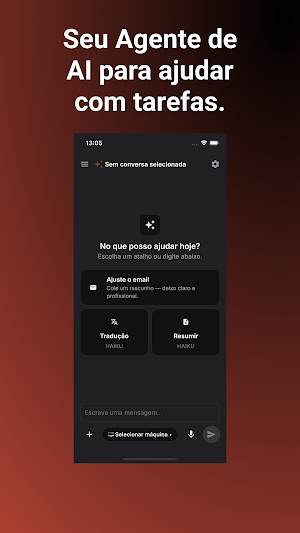
VCCode is your AI agent for programming — right from your phone.
Talk to a code-savvy AI to create, review, fix, and run real projects, without needing to be in front of your computer. VCCode understands context, reads and edits files, executes commands, and delivers ready-to-use results — like having a senior developer available anytime.
WHAT YOU CAN DO
• Talk to AI about code: ask it to create a function, fix a bug, explain a section, or review an entire project.
• Create and edit real files: the AI generates and modifies files within your conversation, ready to download or continue where you left off.
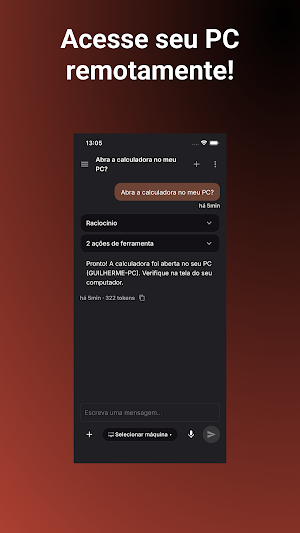
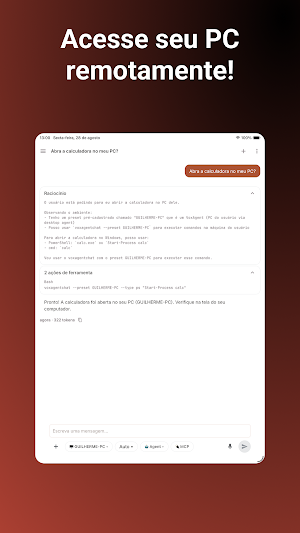
• Connect to your computer or server: access local or remote machines (Windows, shared folders) so the AI can work directly in your real environment, with your permission.
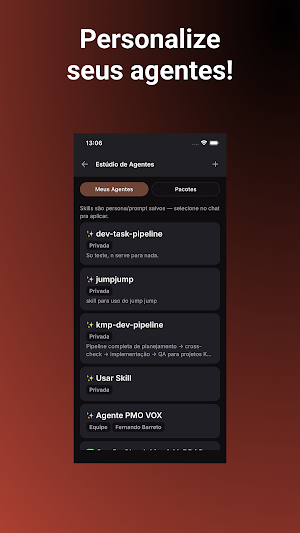
• Use skills and specialized agents: choose from different modes and AI specialists trained for specific tasks in your workflow.
• Dictate by voice: no time to type? Speak your request and the app will transcribe it for you.
• Attach images, screenshots, and files: show an error, a design, or a code snippet directly in the conversation.
• Track your usage: see how much of your plan you've used, directly on the settings screen.
WHO IT'S FOR
Made for developers, tech teams, and anyone who needs to solve code problems quickly, even away from the keyboard—on the bus, in a meeting, or in the middle of an urgent call.
HOW IT WORKS
Each conversation is an isolated workspace. You define what the AI can access, track what's being done in real time, and can review each file created or changed before using it.
Download VCCode and take your development environment with you everywhere.
Talk to a code-savvy AI to create, review, fix, and run real projects, without needing to be in front of your computer. VCCode understands context, reads and edits files, executes commands, and delivers ready-to-use results — like having a senior developer available anytime.
WHAT YOU CAN DO
• Talk to AI about code: ask it to create a function, fix a bug, explain a section, or review an entire project.
• Create and edit real files: the AI generates and modifies files within your conversation, ready to download or continue where you left off.
• Connect to your computer or server: access local or remote machines (Windows, shared folders) so the AI can work directly in your real environment, with your permission.
• Use skills and specialized agents: choose from different modes and AI specialists trained for specific tasks in your workflow.
• Dictate by voice: no time to type? Speak your request and the app will transcribe it for you.
• Attach images, screenshots, and files: show an error, a design, or a code snippet directly in the conversation.
• Track your usage: see how much of your plan you've used, directly on the settings screen.
WHO IT'S FOR
Made for developers, tech teams, and anyone who needs to solve code problems quickly, even away from the keyboard—on the bus, in a meeting, or in the middle of an urgent call.
HOW IT WORKS
Each conversation is an isolated workspace. You define what the AI can access, track what's being done in real time, and can review each file created or changed before using it.
Download VCCode and take your development environment with you everywhere.
What’s new
Version 1.0.1 · Updated October 26, 2026
- Primeira versão do VCCodeAgent para Android e iPad - Chat com a IA da plataforma VCCode, com Modo Auto e seleção de máquina, modelo, agente e MCP - Agentes e pacotes de habilidades (skills) integrados - Layout otimizado para celular e tablet - Disponível em português, inglês e espanhol
Alternatives to VCCode
Looking for apps like VCCode? Here are 4 similar Android apps on Google Play. All of them are free to download.




| App | Rating | Price | Installs | Last updated | Compare |
|---|---|---|---|---|---|
| VCCode | – | Free | 5+ | Oct 26, 2026 | |
| VoxAINote | – | Free | 1+ | – | Compare |
| Vox Softphone Mobile | – | Free | 10+ | May 13, 2026 | Compare |
| VoxChat | – | Free | 10+ | – | Compare |
| VoxDialer Gravador de Chamadas | – | Free | 10+ | – | Compare |
Compare VCCode with the top alternatives: ratings, updates, ASO score and keyword gaps →