
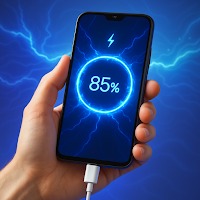
Full Battery Charge Alarm
Insert Line Studios Personalization Contains ads
The ultimate battery tool to maintain good battery health for longer run.
- Downloads
- 3.2K+
- on Google Play
- Price
- Free
- No in-app purchases
- Updated
- Jun 9
- 2026 · v7.0
Screenshots


About Full Battery Charge Alarm
Full Battery Charge Alarm is a simple and easy-to-use tool for an all-in-one battery stats monitor. This is the common practice of many smartphone users, who forget to disconnect the phone from charging even when the battery is fully charged. The solution has arrived you need to set the desired percentage and you will be notified through an alarm to disconnect your smartphone from the charger, this can save your device from overcharging and you can maintain good battery health.
Full Battery Charge Alarm also reminds you to charge your phone when the battery level drops below the percentage you have set. By following appropriate practices, you can maintain good battery health for a longer period with this powerful tool.
You can monitor the device's current battery temperature from this tool if your phone is warm then the battery temperature will be higher. Using the device at a higher temperature is not recommended.
Application Features
✔️ Simple & Easy to use.
✔️ Watch the current Ampere consumption status
✔️ Temperature monitor of battery
✔️ Know your Battery mAH Capacity
✔️ Check the status of your battery
✔️ Current battery percentage status
✔️ Set Alarm for below %
✔️ Set Alarm for above %
✔️ Operate the app in light mode or dark mode.
✔️ Notification settings for charging connection and disconnection
How to use Full Battery Charge Alarm App
👉 Watch Current Battery Percentage
👉 Know your phone battery capacity
👉 Enable Notifications from settings for charger connected and disconnected status
👉 Set your desired Alarm percentage for notifying you of battery charged status
👉 Set lower-level limits of your alarm to notify you to charge your smartphone
👉 Get Information related to the current battery temperature
Tip 💡
Charge Wisely:- Avoid charging your phone to 100% or letting it drop to 0%. Aim to keep the battery level between 🔋20% and 🔋80%
Start Implementing these advanced techniques to optimize and preserve your smartphone's battery health.
Full Battery Charge Alarm also reminds you to charge your phone when the battery level drops below the percentage you have set. By following appropriate practices, you can maintain good battery health for a longer period with this powerful tool.
You can monitor the device's current battery temperature from this tool if your phone is warm then the battery temperature will be higher. Using the device at a higher temperature is not recommended.
Application Features
✔️ Simple & Easy to use.
✔️ Watch the current Ampere consumption status
✔️ Temperature monitor of battery
✔️ Know your Battery mAH Capacity
✔️ Check the status of your battery
✔️ Current battery percentage status
✔️ Set Alarm for below %
✔️ Set Alarm for above %
✔️ Operate the app in light mode or dark mode.
✔️ Notification settings for charging connection and disconnection
How to use Full Battery Charge Alarm App
👉 Watch Current Battery Percentage
👉 Know your phone battery capacity
👉 Enable Notifications from settings for charger connected and disconnected status
👉 Set your desired Alarm percentage for notifying you of battery charged status
👉 Set lower-level limits of your alarm to notify you to charge your smartphone
👉 Get Information related to the current battery temperature
Tip 💡
Charge Wisely:- Avoid charging your phone to 100% or letting it drop to 0%. Aim to keep the battery level between 🔋20% and 🔋80%
Start Implementing these advanced techniques to optimize and preserve your smartphone's battery health.
User reviews

good

Awesome!
Alternatives to Full Battery Charge Alarm
Looking for apps like Full Battery Charge Alarm? Here are 4 similar Android apps on Google Play. The highest rated is Lena Icon Pack Shapeless Icons (4.7/5), and 2 of the 4 are free to download.



| App | Rating | Price | Installs | Last updated | Compare |
|---|---|---|---|---|---|
| Full Battery Charge Alarm | – | Free | 1,000+ | Jun 9, 2026 | |
| Clock | 4.4 / 5 | Free | 1,000,000,000+ | Feb 15, 2025 | Compare |
| Asthma Diary | – | – | – | Jan 28, 2026 | Compare |
| Lena Icon Pack Shapeless Icons | 4.7 / 5 | 3.49 USD | 10,000+ | Oct 6, 2026 | Compare |
| Google Automotive Keyboard | 4.4 / 5 | Free | 5,000,000+ | Sep 21, 2026 | Compare |