

Audio Editor - Ringtone Maker
Özgür Gürbüz Music & Audio Contains ads
Audio Editor and Ringtone Maker
- Downloads
- 500+
- on Google Play
- Price
- Free
- No in-app purchases
- Updated
- Aug 7
- 2024 · v1.6
Screenshots
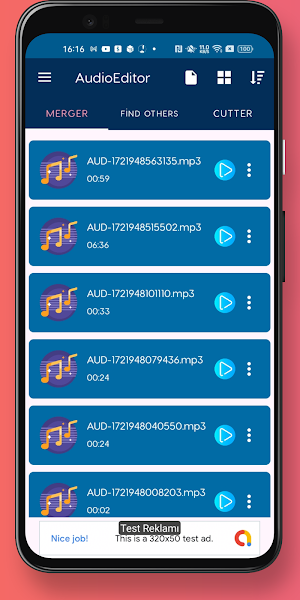
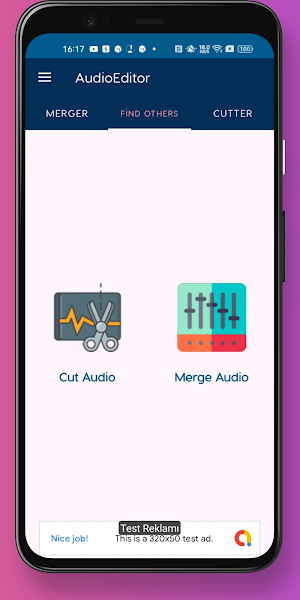
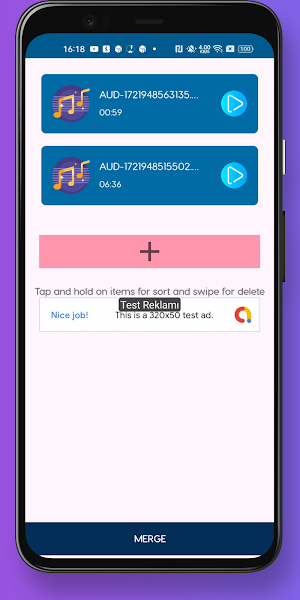
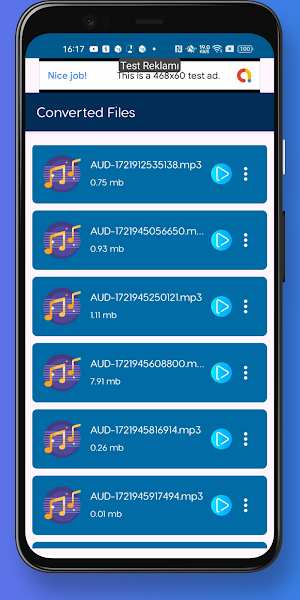


About Audio Editor - Ringtone Maker
🎵 Unleash Your Creativity with Audio Editor and Ringtone Maker! 🎵
Transform your audio files and create custom ringtones with our powerful and easy-to-use Audio Editor and Ringtone Maker. Whether you want to trim your favorite song, merge audio clips, or add cool effects, this app has got you covered. Perfect for music lovers, content creators, and anyone who wants to personalize their sound experience.
Key Features:
✨ Trim and Cut Audio:
Easily trim and cut your audio files to create the perfect snippet. Select the best part of your song to use as your ringtone, alarm, or notification sound.
🔄 Merge and Mix:
Combine multiple audio files into one. Mix different tracks to create unique sounds and musical masterpieces.
🎚️ Audio Effects:
Enhance your audio with a variety of effects like fade in/out, volume boost, and more. Customize your sound just the way you like it.
🔍 High Precision Editing:
Zoom in on the waveform to edit with high precision. Ensure your cuts are perfect and seamless.
📂 Wide Range of Formats:
Support for multiple audio formats including MP3, WAV, AAC, and more. Edit and save your files in the format that suits you best.
📱 User-Friendly Interface:
Designed for ease of use, the app’s intuitive interface allows you to edit audio files with just a few taps.
🔒 Privacy and Security:
We respect your privacy. Your audio files are processed locally on your device and are not uploaded to any servers.
How to Use:
Select an Audio File:
Choose any audio file from your device’s storage or record a new one directly within the app.
Edit Your Audio:
Use the editing tools to trim, merge, and apply effects. Preview your edits in real-time.
Save and Set:
Save your edited audio file and set it as your ringtone, alarm, or notification sound. Share your creations with friends and family!
Why Choose Audio Editor and Ringtone Maker?
Versatile and Feature-Rich: A comprehensive set of tools for all your audio editing needs.
Fast and Efficient: Quick processing ensures you can create and edit without delays.
Regular Updates: We continually improve the app with new features and enhancements based on user feedback.
Download Audio Editor and Ringtone Maker now and start creating your own custom ringtones and audio masterpieces today!
Transform your audio files and create custom ringtones with our powerful and easy-to-use Audio Editor and Ringtone Maker. Whether you want to trim your favorite song, merge audio clips, or add cool effects, this app has got you covered. Perfect for music lovers, content creators, and anyone who wants to personalize their sound experience.
Key Features:
✨ Trim and Cut Audio:
Easily trim and cut your audio files to create the perfect snippet. Select the best part of your song to use as your ringtone, alarm, or notification sound.
🔄 Merge and Mix:
Combine multiple audio files into one. Mix different tracks to create unique sounds and musical masterpieces.
🎚️ Audio Effects:
Enhance your audio with a variety of effects like fade in/out, volume boost, and more. Customize your sound just the way you like it.
🔍 High Precision Editing:
Zoom in on the waveform to edit with high precision. Ensure your cuts are perfect and seamless.
📂 Wide Range of Formats:
Support for multiple audio formats including MP3, WAV, AAC, and more. Edit and save your files in the format that suits you best.
📱 User-Friendly Interface:
Designed for ease of use, the app’s intuitive interface allows you to edit audio files with just a few taps.
🔒 Privacy and Security:
We respect your privacy. Your audio files are processed locally on your device and are not uploaded to any servers.
How to Use:
Select an Audio File:
Choose any audio file from your device’s storage or record a new one directly within the app.
Edit Your Audio:
Use the editing tools to trim, merge, and apply effects. Preview your edits in real-time.
Save and Set:
Save your edited audio file and set it as your ringtone, alarm, or notification sound. Share your creations with friends and family!
Why Choose Audio Editor and Ringtone Maker?
Versatile and Feature-Rich: A comprehensive set of tools for all your audio editing needs.
Fast and Efficient: Quick processing ensures you can create and edit without delays.
Regular Updates: We continually improve the app with new features and enhancements based on user feedback.
Download Audio Editor and Ringtone Maker now and start creating your own custom ringtones and audio masterpieces today!
What’s new
Version 1.6 · Updated August 7, 2024
Onboarding Screen errors have been fixed.
Alternatives to Audio Editor - Ringtone Maker
Looking for apps like Audio Editor - Ringtone Maker? Here are 4 similar Android apps on Google Play. All of them are free to download.
-
HEIF to JPG Converter
-
M3U Player: Edit, Test & Check
-
Crop Image - Crop Photo
-
Flip Image Mirror Image App
| App | Rating | Price | Installs | Last updated | Compare |
|---|---|---|---|---|---|
| Audio Editor - Ringtone Maker | – | Free | 500+ | Aug 7, 2024 | |
| HEIF to JPG Converter | – | Free | 5,000+ | Sep 12, 2026 | Compare |
| M3U Player: Edit, Test & Check | – | Free | 10,000+ | Jul 16, 2026 | Compare |
| Crop Image - Crop Photo | – | Free | 10+ | Apr 2, 2023 | Compare |
| Flip Image Mirror Image App | – | Free | 1,000+ | Mar 14, 2023 | Compare |