

Time and Track
Gondwana Software Lifestyle
A Wear OS watchface that highlights one main complication.
- Downloads
- 7.7K+
- on Google Play
- Price
- Free
- No in-app purchases
- Updated
- Apr 1
- 2025 · v2.0.0
Screenshots


About Time and Track
Time and Track is a Wear OS watchface that features an analog clock, one large complication slot, and two small complication slots. It is intended for those who like to focus on one main complication, such as step count or calories burned. It works best with ranged value complications, but it also supports short text, small image and icon types.
For consistency with ranged value complications, Time and Track displays seconds using an arc that moves around the perimeter of the clock. The colours of the arc match those of the large complication.
Complications normally display progress using a blue (low) to green (good) colour gradient. However, if a complication is set to a symmetrical ranged value type (ie, one with a negative minimum value and a positive maximum value of the same magnitude), a three-colour scheme will be used: blue (below), green (close) and orange (above). In this case, the zero position will be at the top of the complication.
A setting allows you to select whether ranged value complication progress arcs should always go fully around the complication, or whether they should stop at the current value of the complication.
Because Time and Track's complications are large, icons can only be shown in 'always-on' mode if the complication source provides tintable ambient-mode images.
For consistency with ranged value complications, Time and Track displays seconds using an arc that moves around the perimeter of the clock. The colours of the arc match those of the large complication.
Complications normally display progress using a blue (low) to green (good) colour gradient. However, if a complication is set to a symmetrical ranged value type (ie, one with a negative minimum value and a positive maximum value of the same magnitude), a three-colour scheme will be used: blue (below), green (close) and orange (above). In this case, the zero position will be at the top of the complication.
A setting allows you to select whether ranged value complication progress arcs should always go fully around the complication, or whether they should stop at the current value of the complication.
Because Time and Track's complications are large, icons can only be shown in 'always-on' mode if the complication source provides tintable ambient-mode images.
What’s new
Version 2.0.0 · Updated April 1, 2025
Hour hand and seconds are displayed correctly in Wear OS 5.1. Easier to read in 'always-on screen' mode.
User reviews

Yeah good options In Customisation . Plenty of space for the Complications .
Alternatives to Time and Track
Looking for apps like Time and Track? Here are 4 similar Android apps on Google Play. All of them are free to download.
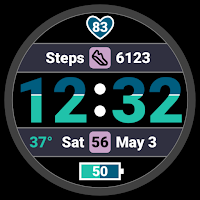
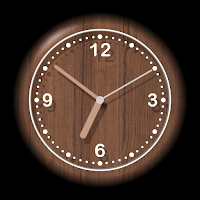
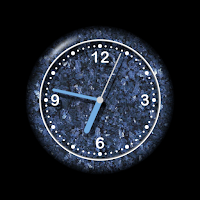
| App | Rating | Price | Installs | Last updated | Compare |
|---|---|---|---|---|---|
| Time and Track | – | Free | 5,000+ | Apr 1, 2025 | |
| Time Fill | – | Free | 10+ | May 8, 2025 | Compare |
| Wood | – | Free | 10,000+ | Jul 3, 2025 | Compare |
| Stonewear | – | Free | 10+ | – | Compare |
| On Track | – | Free | 100+ | Dec 1, 2024 | Compare |
Compare Time and Track with the top alternatives: ratings, updates, ASO score and keyword gaps →