

ProjectWorx
MByte Software Development GmbH Productivity
ProjectWorx is used to manage tasks and (project) time bookings
- Downloads
- 162+
- on Google Play
- Price
- Free
- No in-app purchases
- Updated
- Jul 27
- 2026 · v1.8.3
Screenshots


About ProjectWorx
With the mobile PROJECTWORX app you not only have your tasks at hand, but also your time bookings and can even clock in and clock out directly in the app.
Time tracking
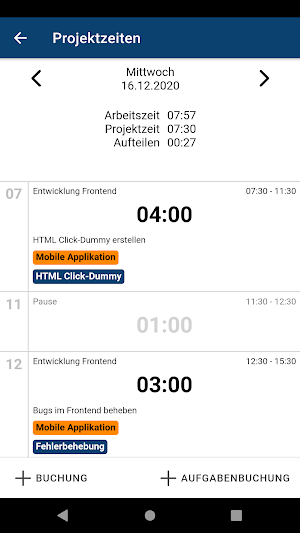
In addition to a clear day view, in which all project bookings for the selected day are displayed chronologically, there is of course also a practical dashboard that shows you the target and actual times of the current day, month and year at a glance.
But of course you don't just want to record your presence, but above all which tasks you have done for which project. The PROJECTWORX app makes creating and editing project bookings child's play. Thanks to the intuitive time booking form, projects can be selected in no time, work packages assigned and project times recorded.
Plan and manage tasks
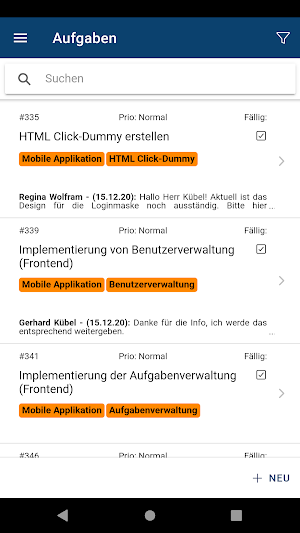
With intuitive operation, a search function and the ability to sort according to various criteria, you always have an overview of your open tasks. Settings can be used to switch between a list view and a reading view, which shows tasks including messages and notes and provides an immediate overview of the last actions.
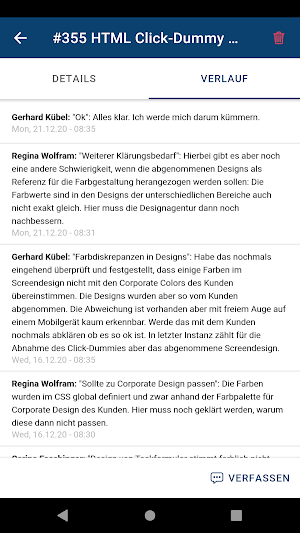
New entries can be created and the existing entries can be edited in a variety of ways, just as we already know from PROJECTWORX on the desktop. Adding notes and sending messages is also done with just a few clicks.
Make project management mobile - with the PROJECTWORX app!
Time tracking
In addition to a clear day view, in which all project bookings for the selected day are displayed chronologically, there is of course also a practical dashboard that shows you the target and actual times of the current day, month and year at a glance.
But of course you don't just want to record your presence, but above all which tasks you have done for which project. The PROJECTWORX app makes creating and editing project bookings child's play. Thanks to the intuitive time booking form, projects can be selected in no time, work packages assigned and project times recorded.
Plan and manage tasks
With intuitive operation, a search function and the ability to sort according to various criteria, you always have an overview of your open tasks. Settings can be used to switch between a list view and a reading view, which shows tasks including messages and notes and provides an immediate overview of the last actions.
New entries can be created and the existing entries can be edited in a variety of ways, just as we already know from PROJECTWORX on the desktop. Adding notes and sending messages is also done with just a few clicks.
Make project management mobile - with the PROJECTWORX app!
What’s new
Version 1.8.3 · Updated July 27, 2026
- Added new compact mode to the "My tasks" list - Fixed various bugs regarding task filtering (advanced task filters now require server version 1.1.44.0 or newer) - Protocol minutes now support the rich-text view including links - Fixed a bug that caused the rich-text view to be cut off
Alternatives to ProjectWorx
Looking for apps like ProjectWorx? Here are 3 similar Android apps on Google Play.



| App | Rating | Price | Installs | Last updated | Compare |
|---|---|---|---|---|---|
| ProjectWorx | – | Free | 100+ | Jul 27, 2026 | |
| RecruitAI | – | – | – | Nov 18, 2025 | Compare |
| Lunup – Dating & Social App | – | – | 10,000+ | Oct 7, 2026 | Compare |
| SocialHope | weniger Scrollen | – | – | 100+ | Jul 31, 2026 | Compare |
Compare ProjectWorx with the top alternatives: ratings, updates, ASO score and keyword gaps →