
VideoTimer
Enrico Appy Productivity
It mutually determines the duration or start and end times of TV programs.
- Downloads
- 8+
- on Google Play
- Price
- Free
- No in-app purchases
- Updated
- Jan 3
- 2026 · v1.06
Screenshots
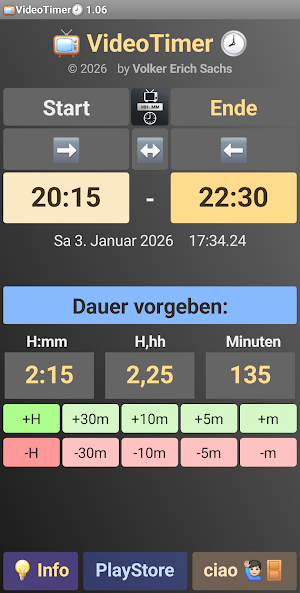


About VideoTimer
If the show starts late in the evening 🕦 but doesn't end 🕐 until the next day, it can be tricky 😞
The VideoTimer app 📺 can save you this tedious calculation.
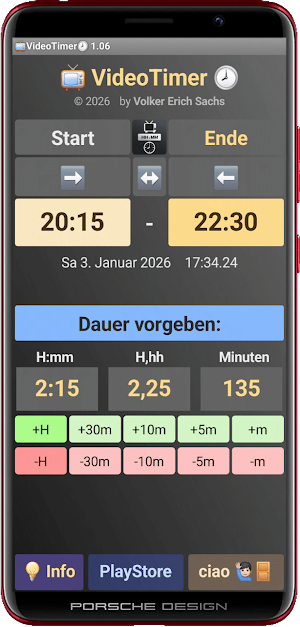
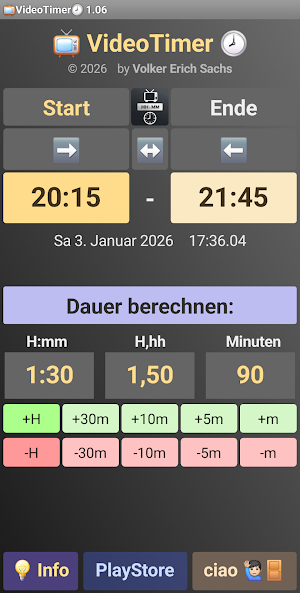
With just a few clicks, you can see the desired duration of the show.
🌟Highlights of the VideoTimer app 📺 🕗:
▪️Conveniently calculates the duration between two times (start and end) of TV programs.
Three display formats are available for the duration:
- H:mm Hours:Minutes with times from 0:00 to 23:59
- H:hh Decimal hours as a floating-point number
- min Minutes (0 to 1440 - 1 = 1439 minutes), which corresponds to a duration of 23:59
▪️Alternative specification: determine whether the duration should be calculated from the start and end times,
or whether one of the two times (start or end) should be calculated from the specified duration
▪️The duration or the time can be changed in fine increments using buttons:
- Adding hours ±H, ±30m, ±10m, ±5m, and ±m
where H represents 1 hour, 30m 30 minutes, and m 1 minute
- H:hh decimal hours as a floating-point number
▪️No collection of personal user data
▪️Minimal permissions to store app data
and access to the project page and Google Play Store:
- ACCESS_NETWORK_STATE
- INTERNET
- READ_EXTERNAL_STORAGE
▪️No annoying ads or video overlays 🙂
▪️Enjoy! Looking forward to future developments
with new features ⚙️🔧...
📺 VideoTimer 🕗 runs on smartphones and tablets 📱 from Android 7.0 to Android 15
(≙ Nougat = Android API 24 to API 35) with a recommended screen resolution of 1920*1080 (full HD).
Have fun with 📺 VideoTimer 🕗
😉👍🏼
What’s new
Version 1.06 · Updated January 3, 2026
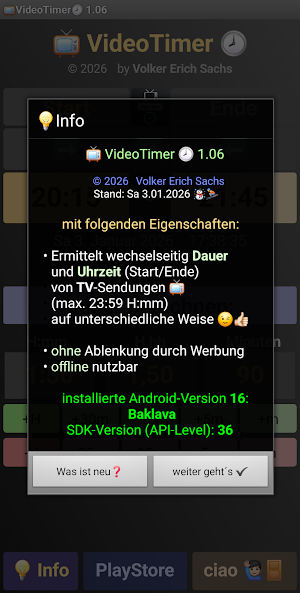
1.06: Zeiten für [Start] und [Ende] können vertauscht/umgedreht ↔️ werden Zur besseren Orientierung werden unterhalb von [Start] und [Ende] das aktuelle Datum und die laufende Uhrzeit angezeigt Startzeit [Start] kann in ➡️ [Ende] oder die Endzeit [Ende] in [Start] ⬅️ kopiert werden Neben den Buttons [PlayStore] und [ciao 🙋🏻♂️🚪] ist ein zusätzlicher Button [💡 Info], der Infos zur App [AppName] anzeigt 1.04: Dauer vorgeben 📺 VideoTimer 🕗 1.02: ErstVeröffentlichung 1.01.2026
Alternatives to VideoTimer
Looking for apps like VideoTimer? Here are 3 similar Android apps on Google Play. All of them are free to download.
| App | Rating | Price | Installs | Last updated | Compare |
|---|---|---|---|---|---|
| VideoTimer | – | Free | 5+ | Jan 3, 2026 | |
| FinCalc | – | Free | 10+ | Sep 24, 2023 | Compare |
| CashFlow-Designer Mini | – | Free | 5+ | May 9, 2021 | Compare |
| VerzugsZinsen | – | Free | 100+ | – | Compare |
Compare VideoTimer with the top alternatives: ratings, updates, ASO score and keyword gaps →