
NetCam: Camera Control
Science Soft Tools In-app purchases
Control your phone camera from any web browser on your local network. No cloud.
- Downloads
- 10+
- on Google Play
- Price
- Free
- In-app purchases
- Updated
- Sep 10
- 2026 · v1.0.13
Screenshots


About NetCam: Camera Control
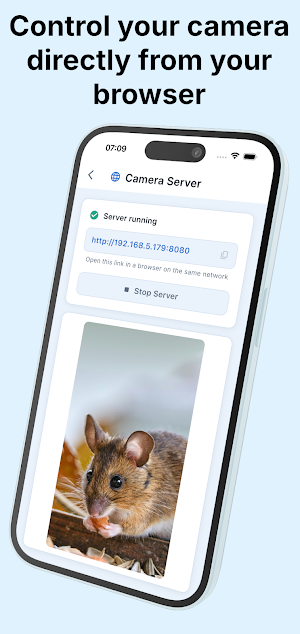
Use a computer, tablet, or another phone to preview and control your Android phone's camera from a modern web browser. NetCam hosts the control page directly on your phone and works over your local network—no account, desktop app, or cloud server is required.
📸 REMOTE STILL-PHOTO CAPTURE
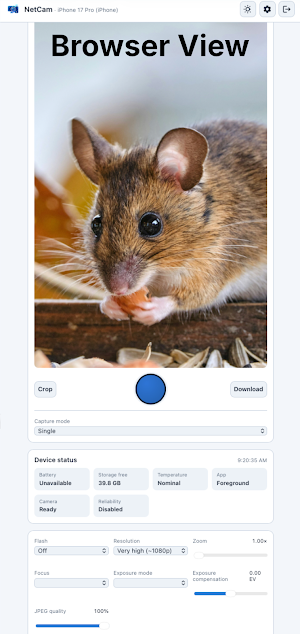
• View a live camera preview in your browser
• Take single, burst, delayed, interval, and time-lapse captures
• Select the camera, lens, and resolution
• Adjust zoom, focus, exposure, flash, torch, and JPEG quality where supported by your device
• Monitor battery, charging, storage, temperature, app state, and camera readiness
🗂️ LOCAL GALLERY AND DOWNLOADS
• Browse photos captured by NetCam
• Download original images or export selected photos as a ZIP archive
• Crop an image for download without changing the stored original
• Delete photos or use configurable automatic cleanup
🔀 PRIVATE LOCAL WORKFLOW
Camera controls and photos stay between your phone and the clients you connect on your local network. NetCam protects access with your password and supports optional local HTTPS. Local-network discovery helps compatible clients find the camera.
🔁 BUILT FOR REPEATABLE CAPTURE
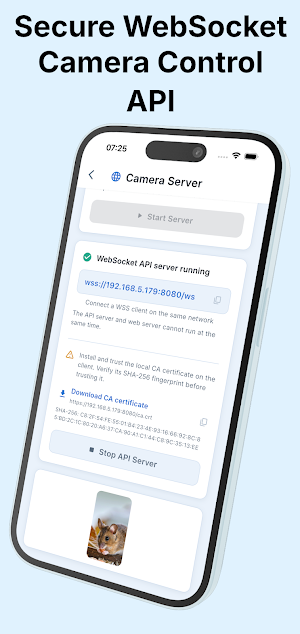
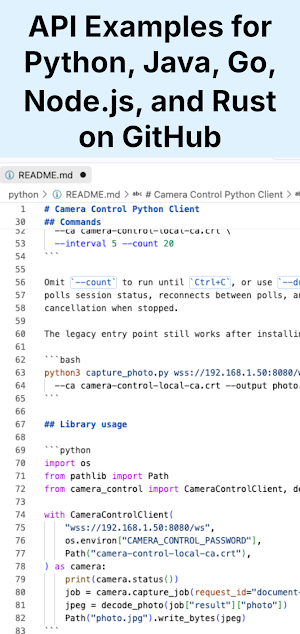
Use countdowns, scheduled sequences, interval capture, or time-lapse mode for product photography, document capture, experiments, progress shots, and other tripod-based workflows. Advanced users can also automate captures through the secure JSON-over-WebSocket API and companion Python command-line client.
📋 REQUIREMENTS
• A physical Android phone running NetCam
• A second device with a modern browser
• Both devices connected to the same reachable local network
• Camera and local-network access
• NetCam kept in the foreground during capture
🛒 PURCHASE INFORMATION
Core capture features are available without a purchase. Photo downloads include a NetCam logo watermark unless you unlock watermark-free downloads with the optional one-time purchase. No subscription.
📸 REMOTE STILL-PHOTO CAPTURE
• View a live camera preview in your browser
• Take single, burst, delayed, interval, and time-lapse captures
• Select the camera, lens, and resolution
• Adjust zoom, focus, exposure, flash, torch, and JPEG quality where supported by your device
• Monitor battery, charging, storage, temperature, app state, and camera readiness
🗂️ LOCAL GALLERY AND DOWNLOADS
• Browse photos captured by NetCam
• Download original images or export selected photos as a ZIP archive
• Crop an image for download without changing the stored original
• Delete photos or use configurable automatic cleanup
🔀 PRIVATE LOCAL WORKFLOW
Camera controls and photos stay between your phone and the clients you connect on your local network. NetCam protects access with your password and supports optional local HTTPS. Local-network discovery helps compatible clients find the camera.
🔁 BUILT FOR REPEATABLE CAPTURE
Use countdowns, scheduled sequences, interval capture, or time-lapse mode for product photography, document capture, experiments, progress shots, and other tripod-based workflows. Advanced users can also automate captures through the secure JSON-over-WebSocket API and companion Python command-line client.
📋 REQUIREMENTS
• A physical Android phone running NetCam
• A second device with a modern browser
• Both devices connected to the same reachable local network
• Camera and local-network access
• NetCam kept in the foreground during capture
🛒 PURCHASE INFORMATION
Core capture features are available without a purchase. Photo downloads include a NetCam logo watermark unless you unlock watermark-free downloads with the optional one-time purchase. No subscription.
What’s new
Version 1.0.13 · Updated September 10, 2026
Image rotation support added
Alternatives to NetCam: Camera Control
Looking for apps like NetCam: Camera Control? Here are 4 similar Android apps on Google Play. All of them are free to download.


| App | Rating | Price | Installs | Last updated | Compare |
|---|---|---|---|---|---|
| NetCam: Camera Control | – | Free | 10+ | Sep 10, 2026 | |
| Sensor Playground | – | Free | 10+ | – | Compare |
| DiashowDL Slideshow Player | – | Free | 100+ | Jun 23, 2026 | Compare |
| ESP32-Cam | – | Free | 1,000+ | Sep 15, 2026 | Compare |
| Stoichiometric equation | – | Free | 100+ | Sep 14, 2026 | Compare |