
cQnce: Control the flow
Tech s.r.l. Productivity
Secure authorization approvals via push notifications, biometrics & signatures.
- Downloads
- 5+
- on Google Play
- Price
- Free
- No in-app purchases
- Updated
- Aug 4
- 2026 · v1.1.1
Screenshots
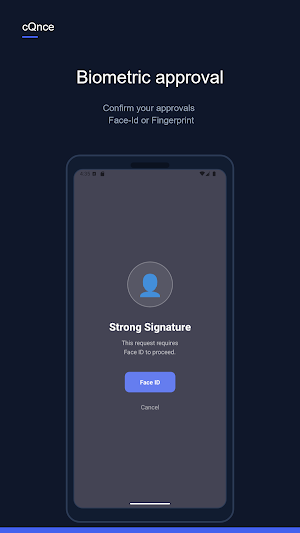


About cQnce: Control the flow
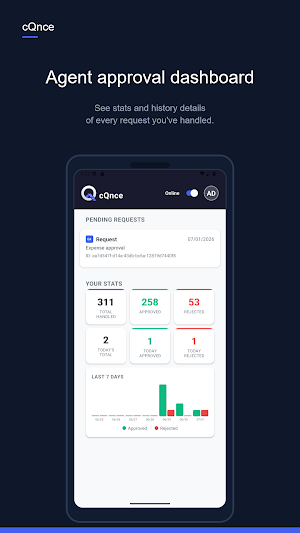
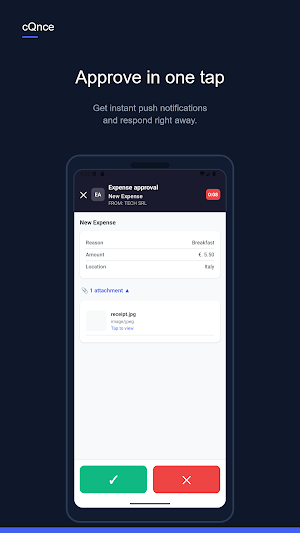
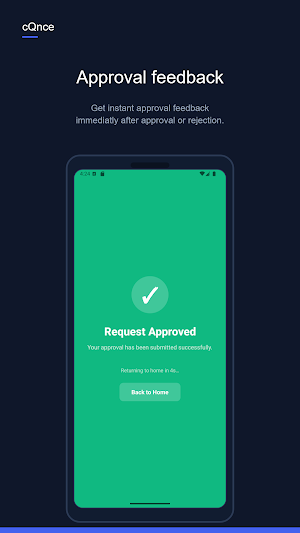
Check https://www.cqnce.app for more info on how to integrate the app in your business processes. cQnce turns your phone into a secure approval device for your organization. Instead of typing one-time codes, simply review the request and approve or reject it with a tap — protected by biometric authentication and on-device cryptographic signing. Built for teams that need fast, secure, human-in-the-loop authorization: IT access requests, financial transactions, admin actions, and any workflow that needs a real human to say "yes." KEY FEATURES • Push-based approvals — receive authorization requests instantly via real-time push notifications, no need to open the app and refresh. • Biometric security — confirm every decision with Face ID / fingerprint before it's sent. • Cryptographically signed responses — every approval or rejection is signed on-device (ECDSA P-256) so your organization can verify it came from you. • Two-factor & OTP login — sign in securely with one-time passcodes, no passwords to remember or leak. • QR code web linking — scan a QR code to securely link your account to the admin web dashboard, no extra login needed. • Team-based routing — requests can be routed to you individually or shared across a team, with priority and quorum rules configured by your admin. • Full request history — review the details, payload, and audit trail of every request you've handled. • Multi-tenant ready — built for organizations managing multiple projects, clients, and integrations from one platform. • Optional WhatsApp notifications — stay informed even when push notifications aren't available. WHY cQnce Traditional MFA apps only generate codes. cQnce goes further: it delivers the actual context of what you're approving — who's asking, what for, and when — so you can make an informed decision in seconds, not just tap a code into a form. Every response is signed on your device before it ever leaves your phone, giving your organization cryptographic proof of who approved what, and when. WHO IT'S FOR cQnce is used by agents, administrators, and approvers inside companies that need secure, auditable, real-time authorization for sensitive actions — access control, financial approvals, admin operations, and custom business workflows. Note: cQnce requires an active account provisioned by your organization's administrator. It is not a standalone consumer app. PRIVACY & SECURITY Your approval decisions are signed locally on your device using industry-standard cryptography. Biometric data never leaves your device. See our privacy policy for full details on data handling.
What’s new
Version 1.1.1 · Updated August 4, 2026
Hardware-backed security keys Approvals are now protected by cryptographic keys generated directly in device hardware (Secure Enclave on iPhone, Android Keystore with StrongBox on Android). Keys never leave the security chip. Requests requiring strong authentication must be approved with Face ID or fingerprint — unlocking the app alone is no longer sufficient. Stability improvements and minor bug fixes.
Alternatives to cQnce: Control the flow
Looking for apps like cQnce: Control the flow? Here are 6 similar Android apps on Google Play. All of them are free to download.




| App | Rating | Price | Installs | Last updated | Compare |
|---|---|---|---|---|---|
| cQnce: Control the flow | – | Free | 5+ | Aug 4, 2026 | |
| Neuro Access | – | Free | 100+ | Sep 28, 2026 | Compare |
| as.stock | – | Free | 10+ | Jul 20, 2026 | Compare |
| KK Carrier | – | Free | 5+ | Jul 11, 2026 | Compare |
| Symfonium | – | Free | 50+ | Jul 27, 2026 | Compare |
| Arch Member | – | Free | 10+ | Aug 17, 2026 | Compare |
| Door To Door Courier Services | – | Free | 50+ | – | Compare |
Similar apps on Google Play
- Neuro Access
- as.stock
- KK Carrier
- Symfonium
- Arch Member
- Door To Door Courier Services
- ELECORE
- Alo Komuna
- Docx Viewer
- ConnectsBlue
- BKGlobal PM
- Augure
- All Doc Reader: PDF Word Excel
- Energitrack
- Mi Buqipi
- paapp.ai
- Cybara
- CLSS ALMS
- Vandora Team
- صلاتي - مواقيت الصلاة كل الدول
- Docvoult
- Calendar 2026 - Daily Planner
- Santa Maria Urban Ministry
- YD Clean Request Manager
- Ditto Scan: Document Scanner