

Remove Background, AI Photo
FarSea.Studio Photography In-app purchases Contains ads
Simple yet powerful tool for instant processing of images
- Rating
- 4.1
- 3.6K ratings
- Downloads
- 954K+
- on Google Play
- Price
- Free
- In-app purchases
- Updated
- Aug 21
- 2026 · vV3.6.79
Screenshots
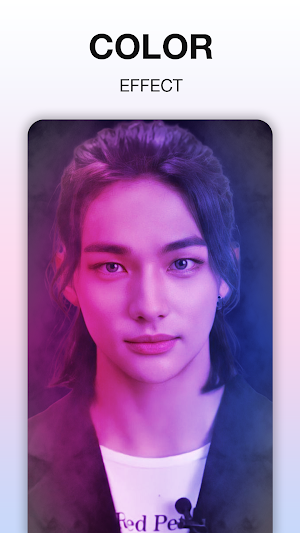
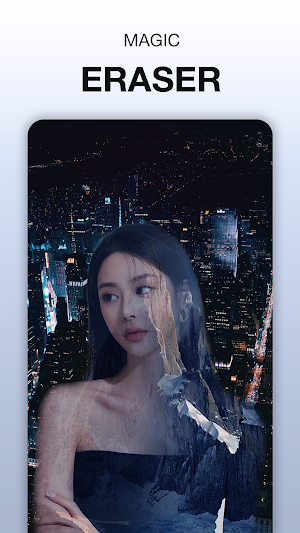
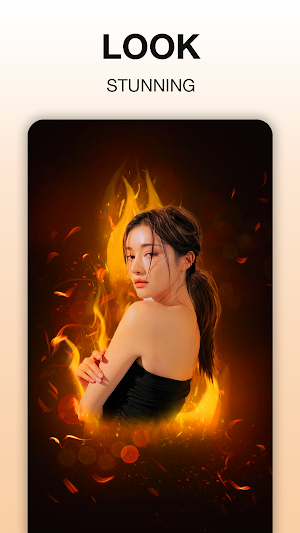


About Remove Background, AI Photo
Main function:
- 150 exclusive filter apps by category: "Lomo", "Classic", "Simple Tone", "Black & White", "Old Style", "Cool Tone", "Warm Tone" and " Art"
- 70 special effects: drop shadow, textile pattern, akvarel, rust, frame, scratch, light, fire, water, heart, color brush, noise and many more.
- The "Sketch" filter is a professional tool to help you become a pencil artist from your photos.
- Miracle Toolkit: Auto Balance, Sharpness, Auto Area Balance, Blur and Red-Eye Correction
- The framing function helps you combine multiple images into one impressive frame with over 100 customizable templates in the Art and Classic sets, customizing the outline, frame style, frame angle and background.
- Lens effects- apply lens effects to your images creating effects in straight lines (Tilt Shift lenses) and circles.
- Color blending function: create unique artistic images by changing the colors in the picture.
- Use digital frames for your photos. Available sets are: Holiday, Christmas, Summer and Valentine's Day.
- Edit the basic parameters: brightness, contrast, RGB color correction, hue, saturation, use masking in lines or circles to highlight an area of the image separately.
- Edit geometry parameters: resize, rotate and crop the image.
- Manipulator: collects favorite editing steps into a sequence of operations and allows applying to new images (no need to repeat each step individually).
- Perform several sequences of operations on a photo: you can edit an image and apply all effects and parameters to a photo at once.
- Use images from your gallery or from the camera itself.
- Save results in 3 formats: Small, Medium and Large, in JPEG and PNG.
- 150 exclusive filter apps by category: "Lomo", "Classic", "Simple Tone", "Black & White", "Old Style", "Cool Tone", "Warm Tone" and " Art"
- 70 special effects: drop shadow, textile pattern, akvarel, rust, frame, scratch, light, fire, water, heart, color brush, noise and many more.
- The "Sketch" filter is a professional tool to help you become a pencil artist from your photos.
- Miracle Toolkit: Auto Balance, Sharpness, Auto Area Balance, Blur and Red-Eye Correction
- The framing function helps you combine multiple images into one impressive frame with over 100 customizable templates in the Art and Classic sets, customizing the outline, frame style, frame angle and background.
- Lens effects- apply lens effects to your images creating effects in straight lines (Tilt Shift lenses) and circles.
- Color blending function: create unique artistic images by changing the colors in the picture.
- Use digital frames for your photos. Available sets are: Holiday, Christmas, Summer and Valentine's Day.
- Edit the basic parameters: brightness, contrast, RGB color correction, hue, saturation, use masking in lines or circles to highlight an area of the image separately.
- Edit geometry parameters: resize, rotate and crop the image.
- Manipulator: collects favorite editing steps into a sequence of operations and allows applying to new images (no need to repeat each step individually).
- Perform several sequences of operations on a photo: you can edit an image and apply all effects and parameters to a photo at once.
- Use images from your gallery or from the camera itself.
- Save results in 3 formats: Small, Medium and Large, in JPEG and PNG.
Alternatives to Remove Background, AI Photo
Looking for apps like Remove Background, AI Photo? Here are 6 similar Android apps on Google Play. All of them are free to download.
-
All Document Reader - Edit PDF
-
All Document Reader: Read PDF
-
PDF Scanner App, PDF Reader
-
Phone Finder by Clap & Flash
-
Collage Photo Maker, Piclayer
-
FToon: Cartoon Photo Editor
| App | Rating | Price | Installs | Last updated | Compare |
|---|---|---|---|---|---|
| Remove Background, AI Photo | 4.1 / 5 | Free | 500,000+ | Aug 21, 2026 | |
| All Document Reader - Edit PDF | – | Free | 100,000+ | Sep 29, 2026 | Compare |
| All Document Reader: Read PDF | – | Free | 50,000+ | Aug 21, 2026 | Compare |
| PDF Scanner App, PDF Reader | – | Free | 500,000+ | Aug 21, 2026 | Compare |
| Phone Finder by Clap & Flash | – | Free | 50,000+ | – | Compare |
| Collage Photo Maker, Piclayer | – | Free | 50,000+ | – | Compare |
| FToon: Cartoon Photo Editor | – | Free | 5,000+ | – | Compare |