
Buna Voice
Buna AI Productivity In-app purchases
AI voice typing, floating dictation, notes and live English-Amharic tools.
- Downloads
- 500+
- on Google Play
- Price
- Free
- In-app purchases
- Updated
- Sep 23
- 2026 · v2.1.0
Screenshots
About Buna Voice
VOICE TYPING ANYWHERE
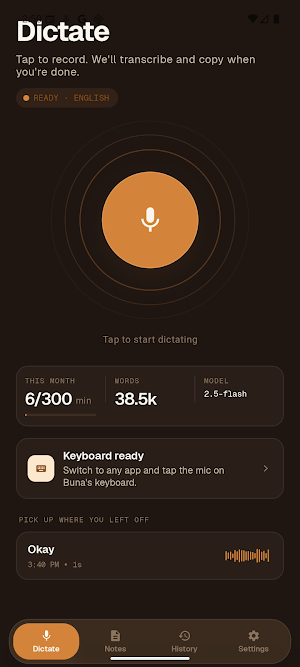
- Speak naturally and receive clean, ready-to-send text.
- Use the Buna keyboard or the optional floating assistant in editable fields.
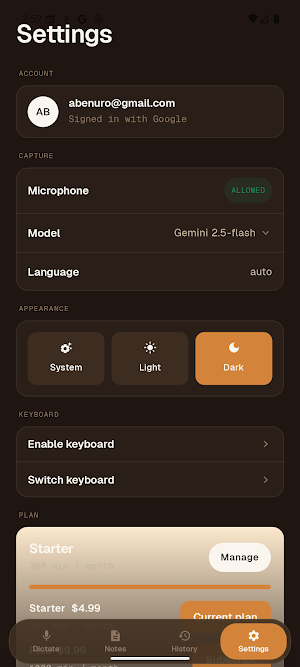
- Choose languages, writing styles, custom words, and reusable snippets.
NOTES AND TRANSLATION
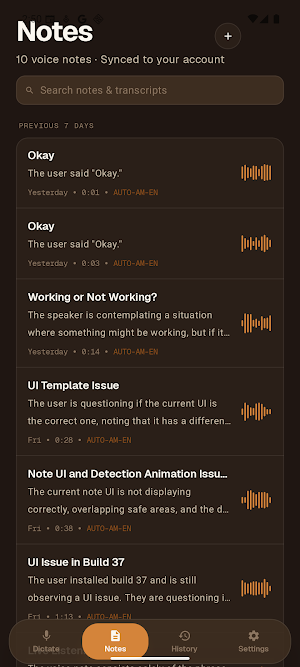
- Save private Quick Notes on your device.
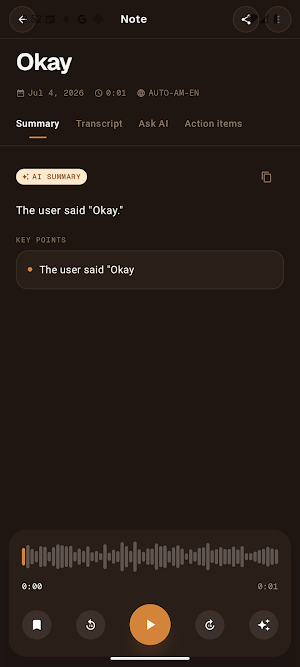
- Record Meeting Notes with transcripts, summaries, key points, and action items.
- Translate live between English and Amharic on supported plans.
HOW THE OPTIONAL ANDROID ACCESSIBILITY SERVICE WORKS
The floating assistant uses Android's AccessibilityService API to detect when a visible editable text field has focus, position the Buna bubble beside that field, and insert your finished dictation. When inserting, Buna reads the field's existing text on your device only so it can append your words without replacing what you already typed. Password, payment, and other sensitive fields are excluded. Existing field text, focused-app information, and screen content are not stored or shared by the Accessibility service. Buna shows a prominent in-app disclosure and asks for affirmative consent before opening Android's Accessibility settings. The Accessibility service is optional; you can dictate inside Buna or use the Buna keyboard without enabling the floating assistant.
PRIVACY AND CONTROL
- Buna records only after you start a dictation or note.
- Delete individual history and notes or delete your account in Settings.
- No advertising SDKs and no sale of transcripts.
- See the complete policy at https://bunavoice.com/privacy/
An internet connection and a Google account are required for cloud transcription. Some features require a paid plan.
What’s new
Version 2.1.0 · Updated September 23, 2026
What's new in 2.1.0 - New sign-in and onboarding: get set up faster, with Google or email. - Plus and Pro plans: upgrade directly in the app. - Fixed: the app could freeze right after signing in with Google. - Fixed: the "Continue with Google" button was unreadable on the sign-in screen. - Stability and performance improvements.
User reviews

thankyou!!!
Alternatives to Buna Voice
Looking for apps like Buna Voice? Here are 6 similar Android apps on Google Play. The highest rated is Jadens Printer (4.8/5), and all 6 are free to download.
-
FAX Desk: Send Fax from Phone 4.6
-
RepairSolutionsPRO 3.9
-
Health Answers by Pfizer 4.1
-
HiNotes by HiDock 3.8
-
Jadens Printer 4.8
-
Dig Local 3.9
| App | Rating | Price | Installs | Last updated | Compare |
|---|---|---|---|---|---|
| Buna Voice | – | Free | 500+ | Sep 23, 2026 | |
| FAX Desk: Send Fax from Phone | 4.6 / 5 | Free | 10,000+ | Dec 19, 2025 | Compare |
| RepairSolutionsPRO | 3.9 / 5 | Free | 50,000+ | Aug 18, 2026 | Compare |
| Health Answers by Pfizer | 4.1 / 5 | Free | 50,000+ | Sep 23, 2026 | Compare |
| HiNotes by HiDock | 3.8 / 5 | Free | 10,000+ | Sep 24, 2026 | Compare |
| Jadens Printer | 4.8 / 5 | Free | 100,000+ | Aug 28, 2026 | Compare |
| Dig Local | 3.9 / 5 | Free | 10,000+ | Aug 2, 2024 | Compare |
Compare Buna Voice with the top alternatives: ratings, updates, ASO score and keyword gaps →