
Smart AC Remote Control
SAT Soft Tools In-app purchases Contains ads
Turn your phone into a universal AC remote. Control any air conditioner easily!
- Downloads
- 50K+
- on Google Play
- Price
- Free
- In-app purchases
- Updated
- Aug 19
- 2026 · v10.32
Screenshots

About Smart AC Remote Control
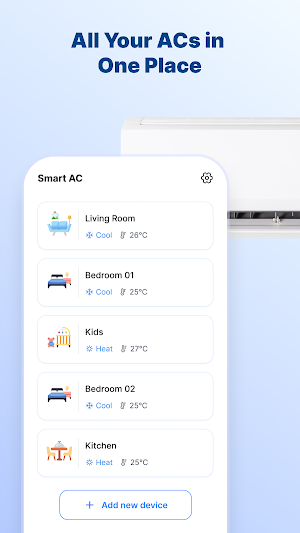
Smart AC Remote – Turn your smartphone into a universal AC remote control in seconds!
Did you accidentally lose your air conditioner remote? Or is your old remote broken or out of batteries just when you need it most? Don't worry, Smart AC Remote is designed to help you control your room temperature simply and efficiently, right from your phone.
🌟 Key Features of Smart AC Remote:
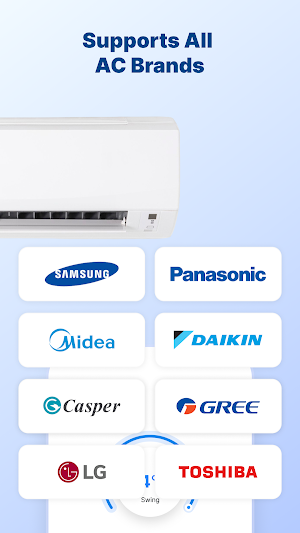
Wide Compatibility: Supports most popular air conditioner brands today, including Panasonic, Daikin, LG, Samsung, Mitsubishi, Gree, Casper, Midea, and many more.
Full-Featured Control:
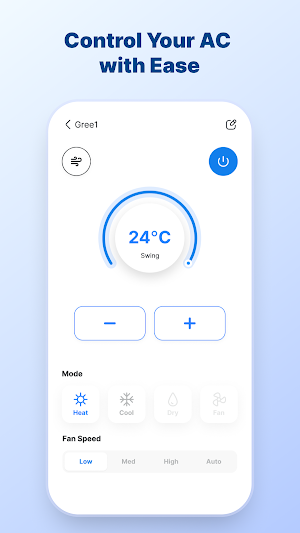
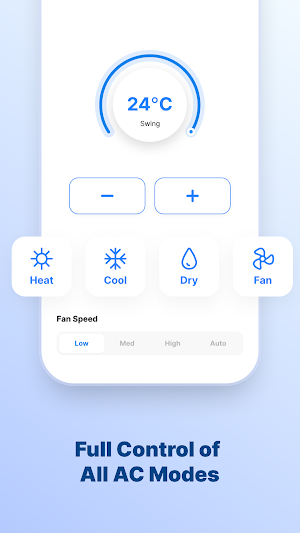
Precise temperature adjustment (up/down).
Flexible mode switching: Cool, Dry, Fan, Auto.
Adjustable Fan Speed.
Swing control (up/down, left/right).
User-Friendly Interface: Intuitive design that simulates real physical buttons, making it extremely easy to use, even for beginners.
🛠 Technical Requirements: For the app to function properly, please ensure:
Your phone is equipped with an Infrared (IR) Blaster.
Or your air conditioner supports smart connectivity (depending on the AC model).
💡 How to Use:
Open the Smart AC Remote app.
Find and select your air conditioner brand.
Test the buttons to ensure your AC responds.
Enjoy the convenience of controlling your AC without a physical remote!
Download Smart AC Remote now and experience the ultimate convenience in smart home climate control!
Did you accidentally lose your air conditioner remote? Or is your old remote broken or out of batteries just when you need it most? Don't worry, Smart AC Remote is designed to help you control your room temperature simply and efficiently, right from your phone.
🌟 Key Features of Smart AC Remote:
Wide Compatibility: Supports most popular air conditioner brands today, including Panasonic, Daikin, LG, Samsung, Mitsubishi, Gree, Casper, Midea, and many more.
Full-Featured Control:
Precise temperature adjustment (up/down).
Flexible mode switching: Cool, Dry, Fan, Auto.
Adjustable Fan Speed.
Swing control (up/down, left/right).
User-Friendly Interface: Intuitive design that simulates real physical buttons, making it extremely easy to use, even for beginners.
🛠 Technical Requirements: For the app to function properly, please ensure:
Your phone is equipped with an Infrared (IR) Blaster.
Or your air conditioner supports smart connectivity (depending on the AC model).
💡 How to Use:
Open the Smart AC Remote app.
Find and select your air conditioner brand.
Test the buttons to ensure your AC responds.
Enjoy the convenience of controlling your AC without a physical remote!
Download Smart AC Remote now and experience the ultimate convenience in smart home climate control!
What’s new
Version 10.32 · Updated August 19, 2026
Fix bugs
User reviews

Nice
Alternatives to Smart AC Remote Control
Looking for apps like Smart AC Remote Control? Here are 3 similar Android apps on Google Play. The highest rated is DREO (4.8/5), and all 3 are free to download.


| App | Rating | Price | Installs | Last updated | Compare |
|---|---|---|---|---|---|
| Smart AC Remote Control | – | Free | 50,000+ | Aug 19, 2026 | |
| Cinmoore | 3.3 / 5 | Free | 100,000+ | Aug 20, 2026 | Compare |
| btwb: WOD Tracking | 4.3 / 5 | Free | 100,000+ | Sep 18, 2026 | Compare |
| DREO | 4.8 / 5 | Free | 500,000+ | Sep 23, 2026 | Compare |