Darkly: Blue Light Filter
Warm color, blue light filter and night dimming for a softer, easier screen.
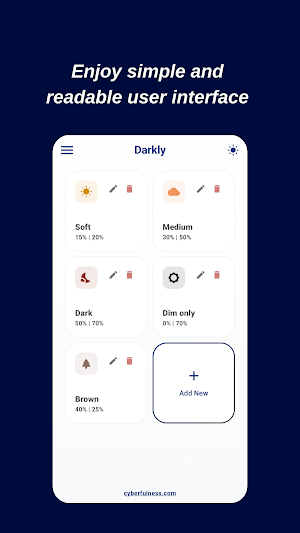
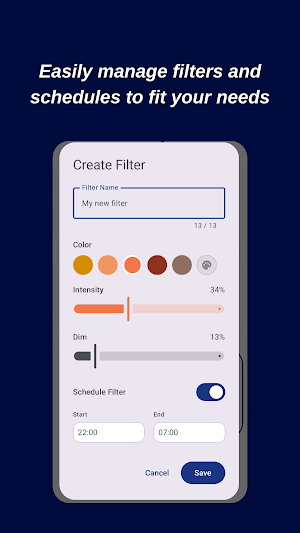
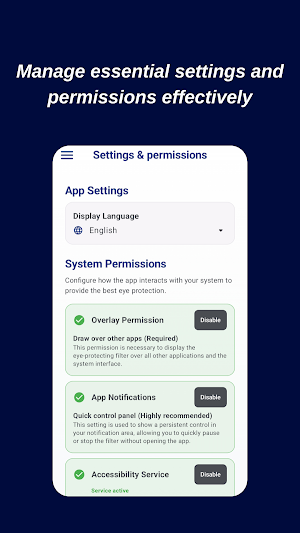
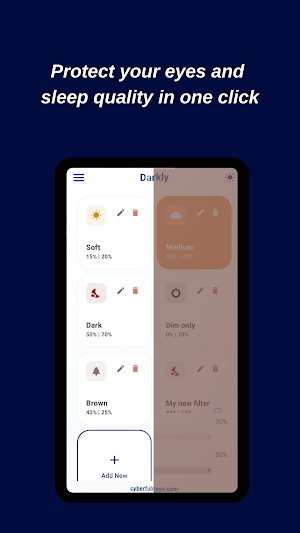
About Darkly: Blue Light Filter
Do you find your phone screen too bright, harsh, or hard on your eyes late at night?
In our modern digital world, "cyberfulness" - the practice of mindful technology use - is more important than ever. Darkly is designed to give you full control over how your screen looks at night, transforming a bright, cool display into a warmer, softer, more relaxing view - whenever you want it.
Why Darkly?
Most smartphone screens are tuned to look bright and cool, which can feel harsh in low light. Darkly acts as a customizable visual filter between your eyes and your screen, shifting your display toward a warm, amber tone and letting you dim well beyond your system's usual limits - going far beyond standard system night mode settings.
Key Features:
1. Warm Color Filter - Shift your screen's color temperature toward a soft, amber hue with a simple, adjustable slider - no guesswork, just drag to your preferred look.
2. Intelligent Night Mode Scheduling - Set Darkly to activate automatically at the times you choose. Transitions are smooth and gradual, never abrupt.
3. Deep Dimming Technology - Standard brightness controls often don't go low enough for pitch-black rooms. Darkly lets you dim your screen below the system minimum, ideal for late-night reading or browsing without a harsh glow.
4. Built for Comfort - A warmer, dimmer screen can feel a lot easier on the eyes during long stretches of reading or scrolling, especially in dark rooms.
5. Beautiful Jetpack Compose Interface - A sleek, modern Material 3 interface. Fast, lightweight, and built with a "dark-first" philosophy to help save battery on AMOLED screens.
6. Privacy-First & Lightweight - Darkly requires minimal permissions, does not collect or share your data, and uses modern DataStore technology so your settings save quickly without draining your battery.
Optional Accessibility Feature:
Darkly can optionally use Android's Accessibility service to extend your chosen filter over the lock screen and status bar for full-screen coverage. This is used only to draw the visual filter on screen - Darkly does not read on-screen content, collect data, or interact with other apps.
Who is Darkly for?
- Night Owls: If you use your phone in bed or in the dark, Darkly gives you a softer, more comfortable screen.
- Students & Professionals: A gentler screen for long stretches of reading or work.
- Families: An easy way to give every screen in the house a warmer, softer look at night.
- Mindfulness Seekers: Align how your device looks and feels with the rest of your wellness routine.
What People Like About Darkly:
- A warmer, easier-on-the-eyes screen tone
- Deeper dimming than standard system settings allow
- Smooth, gradual transitions with no jarring changes
- A calmer, more relaxing screen for late-night use
Darkly is a visual customization tool, not a medical device. It's built to give you a more comfortable, personalized screen experience - day or night.
Download Darkly today and give your screen a softer, more comfortable look.
Similar Apps

Nebula
Videos. Podcasts. Classes. Creator-built and creator-owned.

ecobee
Control your thermostat, comfort, and home monitoring from your phone
Nest
Your home in your hand

tado°
Smart home energy management

Envision
Envision, the fastest and most reliable OCR app for the Blind.

Sleep Tracker & Alarm - Moonap
Record snoring using bedtime reminders and nature sounds to track sleep cycles
