Smartberry Projector App
Connect compatible Smartberry projectors and access convenient features.
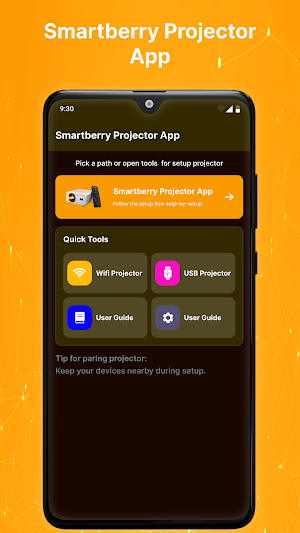
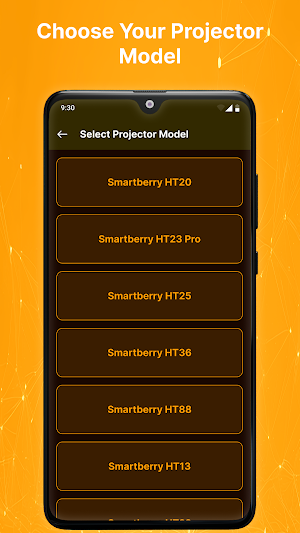
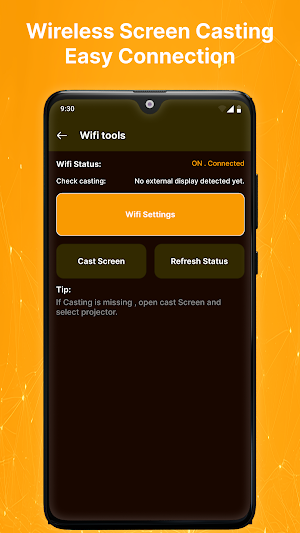
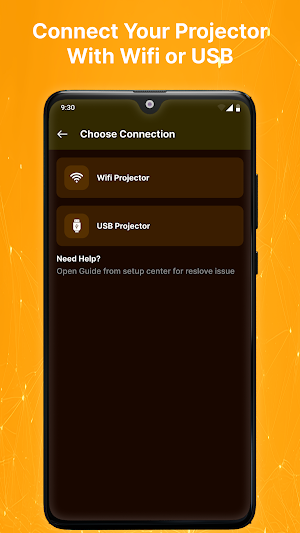
About Smartberry Projector App
Smartberry Projector App is an independent Android utility designed to help users connect and interact with compatible Smartberry projector devices. The app provides an organized interface for device discovery, supported screen sharing, connection management, and available projector controls.
Whether you're using a projector for entertainment, presentations, classroom activities, gaming, or photo sharing, the app makes compatible projector connectivity simple and convenient.
Easy Projector Connection
Connect your Android smartphone with supported Smartberry projector hardware using the connection methods available on your devices. Essential connection options are kept easy to find through a clean interface.
Supported Screen Sharing
When supported by your projector and Android device, access compatible wireless display and screen-sharing functions for displaying supported content on a larger screen.
Projector Control Tools
Use available projector controls supported by the connected hardware. Control options and functionality may vary depending on the projector model, firmware, and device compatibility.
Device Discovery & Reconnection
Find supported Smartberry projector devices and reconnect with compatible hardware when available. Connection details are presented through a simple and accessible layout.
Key Features
• Smartberry-compatible projector connectivity
• Projector device discovery
• Supported screen sharing
• Wireless display functionality
• Available projector controls
• Connection status information
• Reconnection support
• Simple Android interface
• Lightweight design
• Easy navigation
Suitable For Everyday Projection
Use compatible projector devices for:
• Movie nights
• Home entertainment
• Business presentations
• Classroom activities
• Gaming
• Photo sharing
• Office meetings
• Media display
Actual functionality depends on the connected projector.
Why Use Smartberry Projector App?
The app focuses on making compatible projector connections easier while keeping available casting and control options organized in one convenient place.
How To Get Started
Open Smartberry Projector App.
Prepare your compatible projector.
Enable the required connection feature.
Search for supported projector devices.
Select the available Smartberry projector.
Complete the connection process.
Use the casting and control features supported by your hardware.
Compatibility
Available functions depend on your projector model, Android device, firmware, operating system, and supported wireless display technology.
Some features may require compatible Smartberry hardware or additional device support.
Important Information
A compatible projector is required for projector-specific functions. This application does not turn an Android phone into a physical projector and cannot provide features that are not supported by the connected hardware.
Disclaimer
Smartberry Projector App is an independent third-party application. It is not affiliated with, endorsed by, sponsored by, or officially connected to Smartberry or any projector manufacturer.
“Smartberry” and related product names are trademarks of their respective owners and are referenced solely for identification and compatibility purposes.
Similar Apps

Series 10 Smart Watch App
Connect Series 10 smartwatch with fast pairing and easy device management.
Series 10 Watch App
Connect your Series 10 smartwatch with stable connectivity and device management

Series 8 Watch App
Connect your Series 8 smartwatch with easy setup and simple device management.
Ultra 3 Smartwatch App
Connect your Ultra 3 smartwatch with stable connectivity and device management.
Gen 9 Smart Watch App
Connect your Gen 9 smartwatch with smooth syncing and convenient wearable tools.
Smart Watch Bracelet App
Connect and manage your smart bracelet with wearable management tools.
