Zlink5 carplay Android
Smart Android car connectivity for compatible vehicles, with easy connection.
About Zlink5 carplay Android
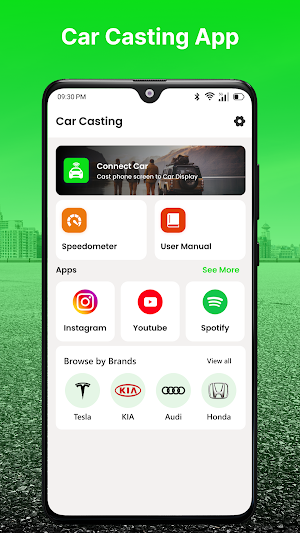
Zlink5 Carplay Android brings essential smartphone-to-car connectivity tools together in a simple Android interface. Designed for compatible devices and vehicle systems, the app makes it easier to find supported car displays, manage connections, and check your current connection status.
The streamlined design keeps the experience focused on the things that matter most when connecting your phone with a compatible infotainment system.
Connect Your Phone To Your Car
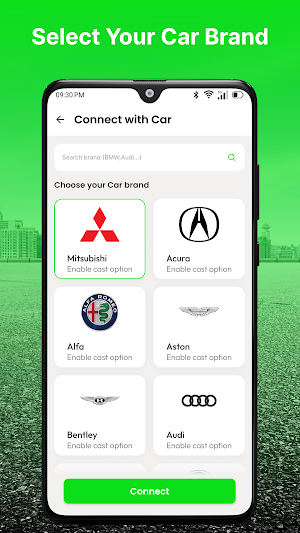
Discover supported vehicle systems and establish a connection using the technologies available on your Android device and car hardware.
Depending on compatibility, supported connection methods may include Bluetooth and other wireless communication features.
Quick Device Detection
The app provides an easy way to check for available compatible devices. Once your supported vehicle system is detected, connection options can be accessed from the main interface.
Manage Active Connections
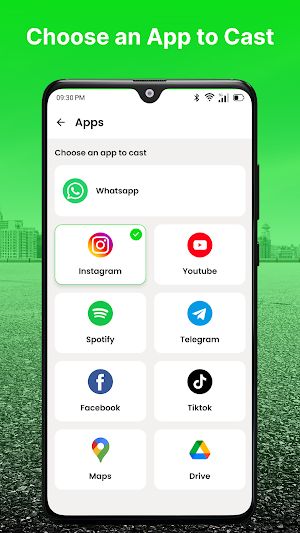
View available connection information and manage supported connections without navigating through complicated menus.
Reconnect to compatible systems when needed and keep your connected-device experience organized.
Key Features
• Easy smartphone-to-car connectivity
• Compatible device discovery
• Fast connection process
• Bluetooth support
• Supported wireless connectivity
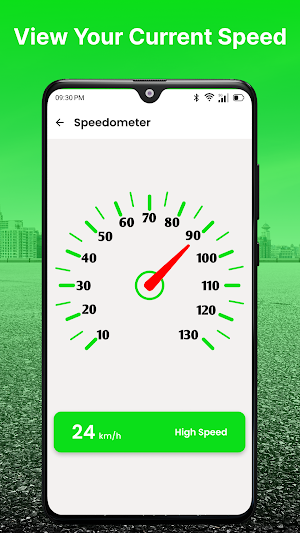
• Connection status display
• Simple reconnect options
• Clean Android interface
• Lightweight performance
• Convenient vehicle connectivity tools
A Cleaner In-Car Experience
From daily commutes to weekend journeys, the app provides a practical way to manage supported smartphone and vehicle connections.
Its organized interface helps keep connection-related functions accessible while minimizing unnecessary steps.
Getting Started
Open Zlink5 Carplay Android.
Turn on the required connectivity features on your phone.
Prepare your compatible vehicle infotainment system.
Search for supported devices.
Select the detected vehicle system.
Complete the connection process shown on screen.
Compatibility
Performance and available functions depend on your Android phone, vehicle infotainment system, Bluetooth capabilities, wireless hardware, and supported connection protocols.
Some vehicles may require additional manufacturer software or built-in system support for specific functions.
Please Note
This is an independent connectivity application. It does not replace the original software supplied with your vehicle or smartphone and cannot guarantee compatibility with every car or Android device.
Disclaimer
Zlink5 Carplay Android is an independent third-party application and is not affiliated with, endorsed by, sponsored by, or officially connected to ZLINK, Apple, Google, or any automobile manufacturer.
All trademarks, product names, and brand names belong to their respective owners and are referenced solely for identification and compatibility purposes.
Similar Apps
Series 10 Smart Watch App
Connect Series 10 smartwatch with fast pairing and easy device management.
Series 10 Watch App
Connect your Series 10 smartwatch with stable connectivity and device management
Series 8 Watch App
Connect your Series 8 smartwatch with easy setup and simple device management.
Ultra 3 Smartwatch App
Connect your Ultra 3 smartwatch with stable connectivity and device management.
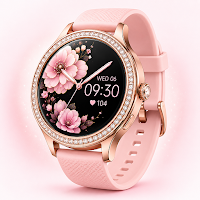
Gen 9 Smart Watch App
Connect your Gen 9 smartwatch with smooth syncing and convenient wearable tools.
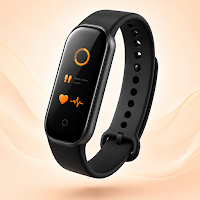
Smart Watch Bracelet App
Connect and manage your smart bracelet with wearable management tools.
