Huawei Freebuds SE 3 App
Connect compatible Freebuds SE 3 earbuds with convenient device management tools
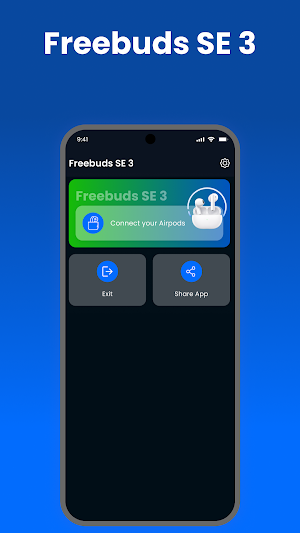
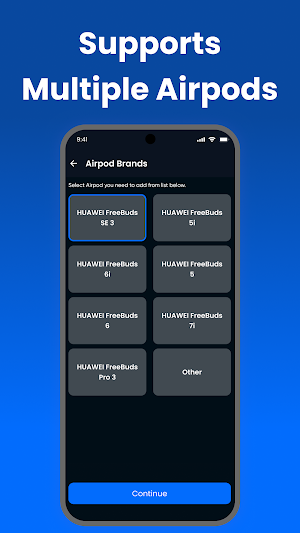
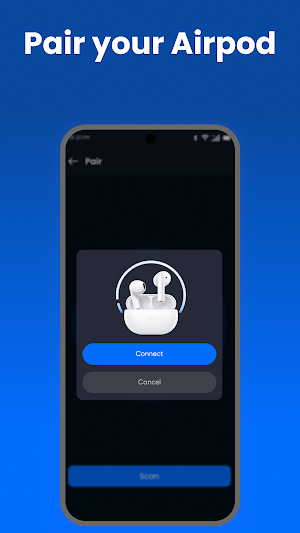
About Huawei Freebuds SE 3 App
Huawei Freebuds SE 3 App is an independent Android utility created to make connecting compatible wireless earbuds easier. The app provides a straightforward setup experience for pairing supported earbuds and accessing available connection information.
Its lightweight design keeps essential earbud tools organized, helping users get connected without complicated navigation.
Simple Bluetooth Pairing
Pair compatible earbuds with your Android phone using Bluetooth. The connection process is designed to be clear and easy to follow, whether you're connecting a new device or reconnecting a previously paired earbud.
Convenient Device Management
Access supported earbud information and available controls from one organized interface. Features can vary according to the connected model and Android device.
Reliable Wireless Connection
The app is designed around simple Bluetooth connectivity to help users maintain a convenient connection with compatible wireless earbuds during everyday use.
Key Features
• Easy Bluetooth earbud pairing
• Quick Freebuds SE 3 connection
• Simple device discovery
• Reconnection support
• Available earbud information
• Basic supported controls
• Clean and intuitive interface
• Lightweight Android experience
• Easy navigation
• Support for compatible wireless earbuds
Everyday Earbud Companion
Use the app when connecting compatible earbuds for music, calls, podcasts, entertainment, online meetings, and other everyday wireless audio activities.
The exact functionality available depends on your earbud model, Android phone, Bluetooth version, firmware, and system capabilities.
Why Use Huawei Freebuds SE 3 App?
The app focuses on essential connectivity rather than unnecessary complexity. Its simple layout helps users find pairing and device-related options quickly.
How to Get Started
Enable Bluetooth on your Android phone.
Place your compatible earbuds into pairing mode.
Open Huawei Freebuds SE 3 App.
Search for available devices.
Select your compatible earbuds.
Complete the connection process.
Use the supported device options.
Compatibility
The app is intended for compatible Huawei Freebuds SE 3 and supported wireless earbud devices. Available functions may differ according to hardware, firmware, Android version, and Bluetooth support.
Important Information
A compatible wireless earbud is required. The app cannot provide features that are unavailable on your connected hardware.
Disclaimer
Huawei Freebuds SE 3 App is an independent third-party utility and is not affiliated with, endorsed by, sponsored by, or officially connected to Huawei. “Huawei,” “Freebuds,” and related trademarks belong to their respective owners and are referenced solely for identification and compatibility purposes.
Similar Apps
Series 10 Smart Watch App
Connect Series 10 smartwatch with fast pairing and easy device management.
Series 10 Watch App
Connect your Series 10 smartwatch with stable connectivity and device management

Series 8 Watch App
Connect your Series 8 smartwatch with easy setup and simple device management.
Ultra 3 Smartwatch App
Connect your Ultra 3 smartwatch with stable connectivity and device management.
Gen 9 Smart Watch App
Connect your Gen 9 smartwatch with smooth syncing and convenient wearable tools.
Smart Watch Bracelet App
Connect and manage your smart bracelet with wearable management tools.
