Connect Airpods For Android
Connect and manage your Airpod with convenient wireless earbud controls.
About Connect Airpods For Android
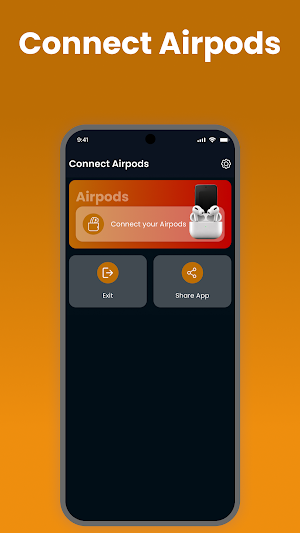
Connect Airpod For Android is a lightweight companion utility designed to make using compatible Airpod devices with Android phones more convenient. It provides an easy connection process along with useful information and supported controls in one simple interface.
Whether you're setting up your earbuds for the first time or reconnecting them for everyday use, the app keeps essential options easy to access.
Quick Airpod Pairing
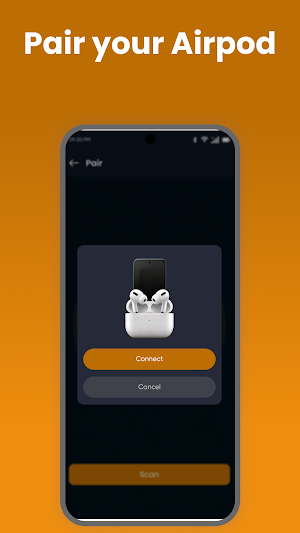
Connect compatible Airpod devices to your Android phone through Bluetooth with a straightforward pairing process. Quickly find supported earbuds and reconnect when needed.
Battery Information
Check available battery information for supported Airpod earbuds and charging cases. Battery details depend on the connected device and Android compatibility.
Smart Connection Tools
Access useful connection features from a clean and organized interface. Supported functions may include connection status, device information, and available earbud controls.
Key Features
• Quick Airpod Bluetooth pairing
• Easy Android earbud connection
• Battery status information
• Charging case battery support
• Connection status display
• Reconnection assistance
• Simple device discovery
• Clean and lightweight interface
• Easy-to-use earbud controls
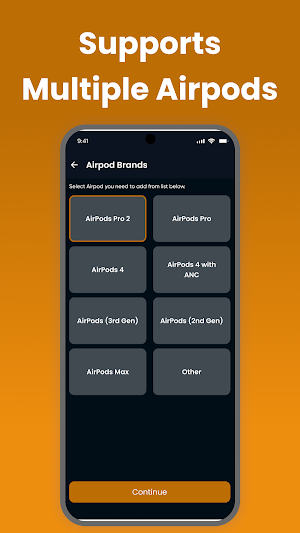
• Support for compatible Bluetooth earbuds
Designed for Everyday Listening
Use your connected Airpod for music, podcasts, calls, videos, online meetings, and other everyday audio activities. The app keeps the connection experience simple while providing access to available device information.
Compatible Devices
The app is designed for compatible Airpod models and other supported Bluetooth earbuds. Certain features may vary according to earbud model, Android version, Bluetooth capabilities, and device firmware.
Why Choose Connect Airpod For Android?
• Simple Bluetooth setup
• Convenient battery information
• Easy device reconnection
• Lightweight Android utility
• Clear and user-friendly interface
• Useful tools for compatible Airpod devices
How to Connect
Turn on Bluetooth on your Android phone.
Put your compatible Airpod into pairing mode.
Open Connect Airpod For Android.
Search for available devices.
Select your Airpod.
Complete the Bluetooth connection.
Access supported device information and controls.
Important Information
This application requires compatible Bluetooth hardware. Feature availability can vary between Airpod models, Android devices, operating-system versions, and firmware.
Disclaimer
Connect Airpod For Android is an independent third-party utility and is not affiliated with, endorsed by, sponsored by, or officially connected to Apple Inc. Airpod, Apple, and related trademarks belong to their respective owners and are used solely for identification and compatibility purposes.
Similar Apps

Five/Three/One - 531 Workouts
A Robust 5/3/1 Workout Planner

Ruuvi Station
Measure temperature, air humidity, air pressure and movements.
Garmin Clipboard™
Train Athletes From Anywhere.
