Airpods 4 App for Android
Connect your Airpod 4 with Android and enjoy convenient connection tools.
About Airpods 4 App for Android
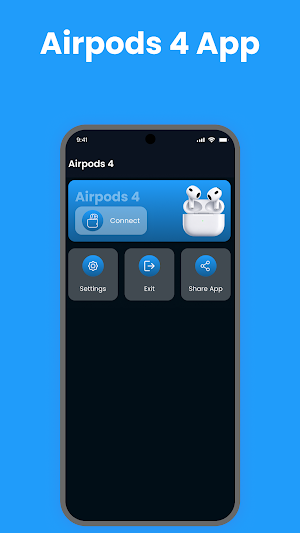
Airpods 4 App for Android is a simple companion utility for Android users who want an easier way to connect and manage compatible Airpod devices. The app provides clear connection guidance and an organized interface to make everyday Bluetooth setup more convenient.
Whether you're pairing your Airpod for the first time or reconnecting after switching phones, the app keeps the essential connection process straightforward.
Easy Bluetooth Setup
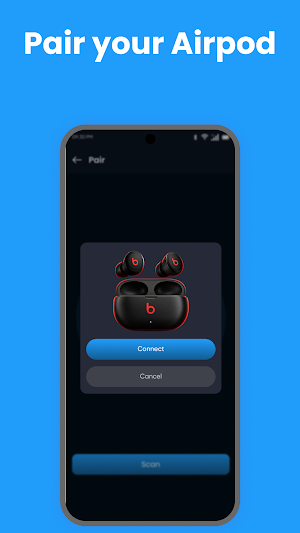
Connect compatible Airpod devices to your Android phone with simple pairing guidance. The app helps you understand the connection process and identify available Bluetooth devices.
Clear Connection Information
View useful connection details through a clean and easy-to-navigate interface. Available information and functionality can vary depending on your Android device and connected Airpod model.
Designed for Android
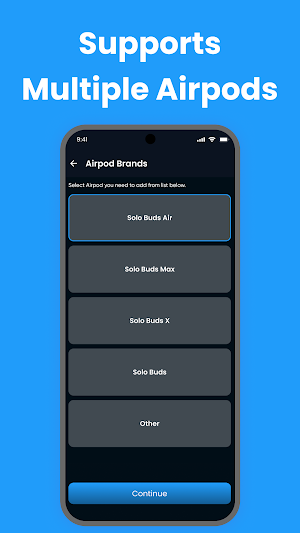
The app is built with Android users in mind, offering a lightweight experience without unnecessary complexity. It can be useful for users exploring Airpod 4, Airpod Pro, and other compatible Bluetooth earbud connections.
Key Features
• Airpod 4 connection guidance
• Simple Bluetooth pairing
• Easy device discovery
• Connection status information
• Reconnection assistance
• Clean and lightweight interface
• Straightforward setup instructions
• Android-friendly design
• Support for compatible Airpod devices
• Convenient everyday connection tools
Simple Airpod Experience
Using Airpod with an Android phone can involve different Bluetooth settings depending on the device. Airpods 4 App for Android brings the essential connection steps together in one convenient place, helping users get started without complicated instructions.
The app is suitable for everyday listening, calls, music, podcasts, and other Bluetooth audio activities supported by your connected hardware.
Compatible Devices
The app is intended for compatible Airpod 4 devices and other supported Bluetooth earbuds. Features may differ based on the earbud model, Android version, Bluetooth hardware, and firmware.
How to Connect
Turn on Bluetooth on your Android phone.
Place your Airpod into pairing mode.
Open the Airpods 4 App for Android.
Follow the connection guidance.
Select your available Airpod device.
Complete Bluetooth pairing.
Use your connected earbuds normally.
Why Use This App?
• Easy-to-follow connection process
• Simple Android interface
• Lightweight and convenient
• Helpful Bluetooth pairing guidance
• Easy reconnection support
• Designed around everyday Airpod use
Important Information
This app does not manufacture, modify, or replace Airpod hardware. Certain functions depend on Android system capabilities and the connected earbud model.
Disclaimer
Airpods 4 App for Android is an independent third-party utility and is not affiliated with, endorsed by, sponsored by, or officially connected with Apple Inc. “AirPods,” “Airpod,” Apple, and related trademarks belong to their respective owners and are used solely for identification and compatibility purposes.
Similar Apps

Series 10 Smart Watch App
Connect Series 10 smartwatch with fast pairing and easy device management.
Series 10 Watch App
Connect your Series 10 smartwatch with stable connectivity and device management

Series 8 Watch App
Connect your Series 8 smartwatch with easy setup and simple device management.
Ultra 3 Smartwatch App
Connect your Ultra 3 smartwatch with stable connectivity and device management.

Gen 9 Smart Watch App
Connect your Gen 9 smartwatch with smooth syncing and convenient wearable tools.

Smart Watch Bracelet App
Connect and manage your smart bracelet with wearable management tools.
