Digital Eclipse UCCW Skins
Clock skins. One is digital + Battery bar. Second is round minimal translucent.
About Digital Eclipse UCCW Skins
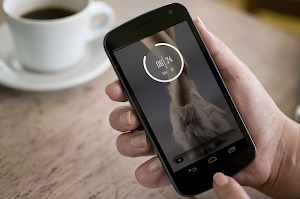
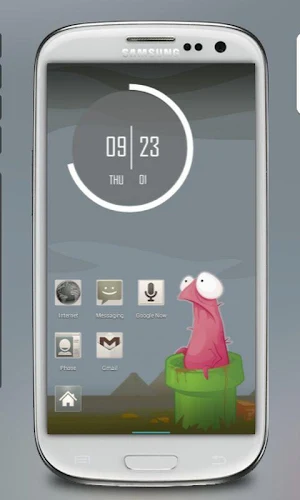
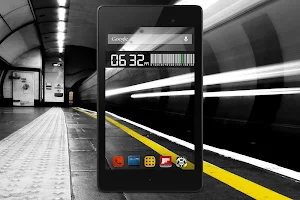
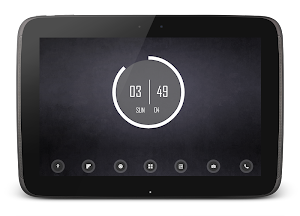
A pack of two minimal uccw widget skins. "Digital UCCW Skin" and "Eclipse UCCW" skin. Check them out in the screenshots.
== FEATURES ==
The skin shows / contains the following -
* Digital uccw skin has a clock which shows time and date in digital calculator type fonts.
* It also shows remaining battery percentage in barcode style.
* Eclipse uccw skin is circular translucent skin which shows current time and date.
* It has a cool looking battery rim encircling the central dial.
* You can change colors and format of certain parts of both skins.
* Assign your favorite apps to the hotspots.
== INSTRUCTIONS ==
To use this skin, you have to install, apply and optionally edit/assign hotspots to the skin.
Install -
* After downloading the skin app from play store, launch it.
* Tap "Install Skin" button in the app.
* Tap "Ok" when it asks you whether you want to replace app. This step is replacing the skin installer with the actual skin. OR
* If you are using a KitKat device, it'll ask whether you want to update the existing app.
* Tap "Install". When that finishes, tap "Done". Skin is now installed.
Apply -
* You must have latest version of Ultimate custom widget (UCCW) installed. http://goo.gl/eDQjG
* Place a UCCW widget of any size on the homescreen. You can do so by dragging the widget from app drawer or by long pressing homescreen to pull up widget menu.
* This will open the skins list. Skins installed from play store will show up ONLY HERE.
* Tap on the skin you want to apply and it'll be applied to the widget.
* Long press on the widget and resize it as & if necessary. Digital skin is best suited for 4x2 and Eclipse skin is best suited for 2x2.
Edit -
* After applying the skin as mentioned above, launch UCCW app itself. Tap Menu, tap "hotspot mode" and tap 'OFF'. UCCW will exit.
* Now tap anywhere on the uccw widget. It'll open in uccw edit window.
* Scroll through the components in the bottom half of the screen. Assign apps to hotspots in this window. This IS a MUST.
* You can change color, format etc too (optional) in this window.
* When done, no need to save. That won't work. Simply tap Menu, tap "hotspot mode" and tap 'ON'. UCCW will exit. Your changes will now be applied to the widget.
== TIPS / TROUBLESHOOT ==
* If the "Install" step fails; go to Android settings > Security and make sure "Unknown sources" is enabled. Reason explained here - http://wizardworkapps.blogspot.com/2013/12/ultimate-custom-widgets-uccw-tutorial.html
Mail me if you have ANY issues.
bagarwa
Similar Apps

Diagonal UCCW Skin
Tired of the same ol' clock widgets and skins? Give it a...

Ubu2 UCCW Theme
This is alternate version (version 2) of a UCCW skins pack with...

Ubu UCCW Theme
This is a UCCW skins pack with which you can theme your...
Wow UCCW Skins
Rounded edges, subtle colors, sleek fonts - screen-full of 'em. Pack of...

Trays UCCW Skin
I'm fascinated with different shapes coming together, I guess. This is my...

Texty UCCW Skin
Love minimal text only clock designs? Who says they need to be...

