
About Flips UCCW Theme
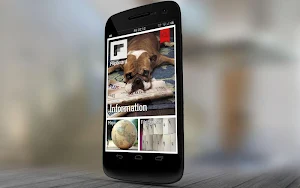
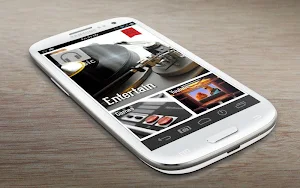
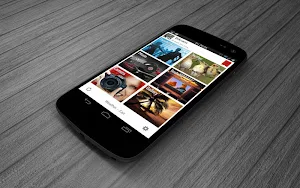
Make your device look like a popular newsreader. Presenting Flips UCCW theme. This is a pack of uccw skins, which together will change how your homescreens look.
== FEATURES ==
* This skins pack contains 4 big cover skins, 16 smaller square skins and 3 footer skins.
* Each skin has one or more hotspots. You can assign your favorite apps to each of them.
* The header skins (one with person's names in the screenshot) are not included in this pack, as images are not replaceable in skin apks. Mail me to get those.
== INSTRUCTIONS ==
To use this skin, you have to install, apply and optionally edit/assign hotspots to the skin.
Install -
* After downloading the skin app from play store, launch it.
* Tap "Install Skin" button in the app.
* Tap "Ok" when it asks you whether you want to replace app. This step is replacing the skin installer with the actual skin. OR
* If you are using a KitKat device, it'll ask whether you want to update the existing app.
* Tap "Install". When that finishes, tap "Done". Skin is now installed.
Apply and Edit -
The theme apply and edit instructions for each of your homescreens are here - http://iwiz-vicky.blogspot.com/2013/02/flipboard-theme-for-android-homescreens.html
== TIPS / TROUBLESHOOT ==
* If the "Install" step fails; go to Android settings > Security and make sure "Unknown sources" is enabled. Reason explained here - http://wizardworkapps.blogspot.com/2013/12/ultimate-custom-widgets-uccw-tutorial.html
* To change temperature unit between Celsius and Fahrenheit -> Launch UCCW app itself. Tap Menu, tap settings. Here, if "Celsius" is marked, temperature will display in Celsius. If unmarked, Fahrenheit.
* If weather info is not displayed/updated, Launch UCCW app itself. Tap Menu, tap settings, tap location. Make sure "Auto location" is checked and that the third row is correctly showing your location.
* You can also tap Menu, tap settings, tap 'weather provider' and change the selected provider.
Mail me if you have ANY issues.
Similar Apps

NoteFor - Diary Portal
The diary portal "NoteFor" can be used in three different ways.[1] Personal...

NoteFlow: Note Organizer
NoteFlow is an app that allows its users to organize their notes...

FiiNote, note everything
FiiNote is the most convenient note app for android.It is designed for...

Soulloop
Upcoming features: chat, my mood, my dreams and transits.Soulloop is your highly-personalized...

EverPlan - Planner Pro
EverPlan is a well-designed app for managing your daily life better. Tasks,...

Master Note - Handwriting
Key Features◽ Create handwritten notebooks◽ Organize notebooks inside libraries◽ Put hot accessed...
