

Camper Scenes Watch Face
BasilBase Personalization
Five hand-drawn landscapes for your wrist. 160 looks, one purchase.
- Price
- $1.49
- No in-app purchases
- Updated
- Aug 14
- 2026 · v1.0.1
Screenshots


About Camper Scenes Watch Face
Five hand-drawn landscapes. Twenty colourways. One watch face.
Camper Scenes is an illustrated outdoor watch face in the style of an
embroidered trail patch — mountains, forest, canyon river, campsite and coast,
each drawn from scratch and each with its own colour treatment.
Pick a scene, pick a palette, and the whole face follows: the artwork, the
badges and even the accent colour of the minutes are all derived from the
landscape you chose.
⚠️ WEATHER NEEDS ONE PERMISSION, ONCE
Wear OS does not give watch faces location access by default, so the
temperature shows until you allow it:
Settings › Security and privacy › Permission manager › Location ›
Watch faces › Allow while using the app
Everything else works the moment you install it — time, date, steps, heart
rate, battery and every scene need no setup and no companion app.
🏔️ FIVE SCENES, NOT ONE
● Mountain — snow-capped range under a low sun
● Forest — pine silhouettes and a crescent moon
● Canyon River — red rock walls and a winding river
● Campsite — tent, campfire and a night sky
● Coast — lighthouse, sea and drifting gulls
Every scene is a separate illustration, not a recolour of the same picture.
🎨 160 COMBINATIONS
● 5 scenes × 4 palettes = 20 complete looks
● Pine, Canyon, Dusk and Ember — warm morning through cool twilight
● 7 accent colours on top, or let each scene choose its own
● Two time sizes, 12 or 24 hour
Change one setting and the whole face re-tunes itself. Nothing looks
bolted on, because every colour is derived from the artwork.
📊 EVERYTHING AT A GLANCE
● Weekday arc — fills Monday through Sunday around the left rim
● Battery arc — full at the top, receding downward as it drains
● Live weather — the badge icon follows the sky, day and night
● Current temperature, in your phone's own units
● Heart rate — the badge fills and warms as your pulse climbs
● Step count, built in — no complication to configure
⚙️ MADE TO FIT YOU
● Scene, palette and accent colour, all changeable on the watch
● Regular or large time
● 12 or 24 hour
● Always-on display supported
● No ads, no tracking, no subscription — one purchase, yours forever
📱 COMPATIBILITY
Wear OS 5 and above (API 34+). Works on Galaxy Watch 4 through 8, Pixel Watch,
and other Wear OS 5 devices. Tested on Galaxy Watch6.
📌 HOW TO INSTALL
1. Make sure your watch is connected to your phone.
2. Buy here, then open the Play Store on your WATCH and install from your
library — or tap "Install on more devices" and pick your watch.
3. Long-press your current watch face, scroll to Camper Scenes, and select it.
4. Long-press again and tap Customize to change the scene, palette, accent
colour, time size and 12/24 hour setting.
The phone entry is a placeholder that makes the watch face easier to find and
install. The face itself runs entirely on the watch.
If a payment prompt appears twice, you are only charged once — wait a few
minutes or restart the watch. That is a Play Store sync delay, not a problem
with the watch face.
✉️ SUPPORT
Something not working, or an idea for the next scene? Write to
[email protected] and you will get a real reply.
Camper Scenes is an illustrated outdoor watch face in the style of an
embroidered trail patch — mountains, forest, canyon river, campsite and coast,
each drawn from scratch and each with its own colour treatment.
Pick a scene, pick a palette, and the whole face follows: the artwork, the
badges and even the accent colour of the minutes are all derived from the
landscape you chose.
⚠️ WEATHER NEEDS ONE PERMISSION, ONCE
Wear OS does not give watch faces location access by default, so the
temperature shows until you allow it:
Settings › Security and privacy › Permission manager › Location ›
Watch faces › Allow while using the app
Everything else works the moment you install it — time, date, steps, heart
rate, battery and every scene need no setup and no companion app.
🏔️ FIVE SCENES, NOT ONE
● Mountain — snow-capped range under a low sun
● Forest — pine silhouettes and a crescent moon
● Canyon River — red rock walls and a winding river
● Campsite — tent, campfire and a night sky
● Coast — lighthouse, sea and drifting gulls
Every scene is a separate illustration, not a recolour of the same picture.
🎨 160 COMBINATIONS
● 5 scenes × 4 palettes = 20 complete looks
● Pine, Canyon, Dusk and Ember — warm morning through cool twilight
● 7 accent colours on top, or let each scene choose its own
● Two time sizes, 12 or 24 hour
Change one setting and the whole face re-tunes itself. Nothing looks
bolted on, because every colour is derived from the artwork.
📊 EVERYTHING AT A GLANCE
● Weekday arc — fills Monday through Sunday around the left rim
● Battery arc — full at the top, receding downward as it drains
● Live weather — the badge icon follows the sky, day and night
● Current temperature, in your phone's own units
● Heart rate — the badge fills and warms as your pulse climbs
● Step count, built in — no complication to configure
⚙️ MADE TO FIT YOU
● Scene, palette and accent colour, all changeable on the watch
● Regular or large time
● 12 or 24 hour
● Always-on display supported
● No ads, no tracking, no subscription — one purchase, yours forever
📱 COMPATIBILITY
Wear OS 5 and above (API 34+). Works on Galaxy Watch 4 through 8, Pixel Watch,
and other Wear OS 5 devices. Tested on Galaxy Watch6.
📌 HOW TO INSTALL
1. Make sure your watch is connected to your phone.
2. Buy here, then open the Play Store on your WATCH and install from your
library — or tap "Install on more devices" and pick your watch.
3. Long-press your current watch face, scroll to Camper Scenes, and select it.
4. Long-press again and tap Customize to change the scene, palette, accent
colour, time size and 12/24 hour setting.
The phone entry is a placeholder that makes the watch face easier to find and
install. The face itself runs entirely on the watch.
If a payment prompt appears twice, you are only charged once — wait a few
minutes or restart the watch. That is a Play Store sync delay, not a problem
with the watch face.
✉️ SUPPORT
Something not working, or an idea for the next scene? Write to
[email protected] and you will get a real reply.
What’s new
Version 1.0.1 · Updated August 14, 2026
Compatibility update for newer Wear OS versions. No changes to the watch face itself.
Alternatives to Camper Scenes Watch Face
Looking for apps like Camper Scenes Watch Face? Here are 6 similar Android apps on Google Play. The highest rated is Retro Digital (3.2/5).


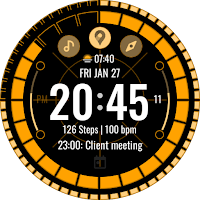
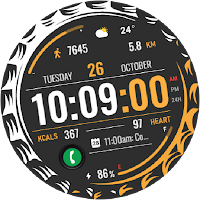
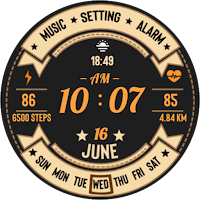
| App | Rating | Price | Installs | Last updated |
|---|---|---|---|---|
| Camper Scenes Watch Face | – | $1.49 | 0+ | Aug 14, 2026 |
| BFF4-Animated Weather Forecast | – | 1.39 USD | 5+ | Oct 29, 2024 |
| Retro Digital | 3.2 / 5 | 1.49 USD | 500+ | – |
| MJ106 Future Sport | – | 0.49 USD | 100+ | Aug 25, 2026 |
| ACD405 Agent | – | 1.49 USD | 0+ | – |
| HKR013 | – | 1.49 USD | 5+ | – |
| Vintage 3 | – | 1.49 USD | 100+ | – |
Similar apps on Google Play
- BFF4-Animated Weather Forecast
- Retro Digital
- MJ106 Future Sport
- ACD405 Agent
- HKR013
- Vintage 3
- Wonder Globe Watch Face
- Enso Japanese Watch Face
- Amber Ridge Watch Face
- Silk Fold Watch Face
- ZKin Watch Mountain Red Soil
- The Season Digital Watch face
- Vibrant Digital Palette
- STATION - Digital watch face
- Autumn Bloom
- Info Circle - Watch face
- Nature Landscape 3
- JJ-Digital017 Watch Face
- SP Digital 5
- Mountain Turntable ZKin Watch
- SEASONS - Digital Watch Face
- Digital Watch MB433
- JND0159
- Pixyfire - Watch Face
- Sports Dial 3 - Watch face