About Sound Tune
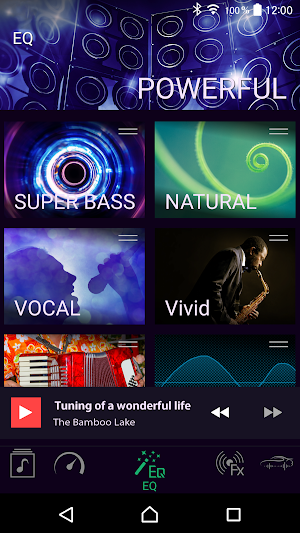
Pioneer’s Sound Tune app is a great way to bring the sound of high-end audio to a basic factory car stereo and speaker set.
All operations are performed easily through a smartphone and a wide range of settings are accessible.
For USB connections
- This function is compatible with a phone that runs Android 5.0 up to 7.1.2 and also supports AOA (Android Open Accessory) 2.0, but the compatibility depends on the smartphone.
- Some Android devices connected via AOA 2.0 may not work properly or emit sounds due to their own software design, regardless of the OS version.
Representative function
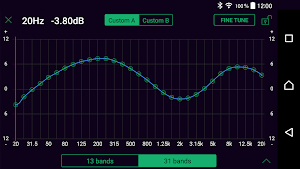
31BAND GEQ
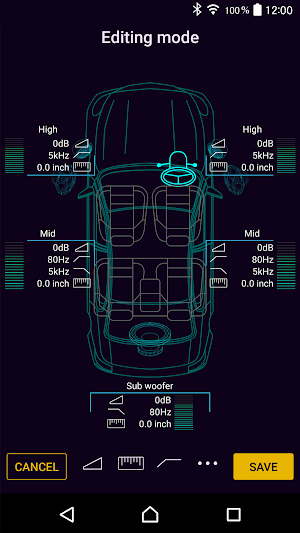
Time alignment
3-Way network mode
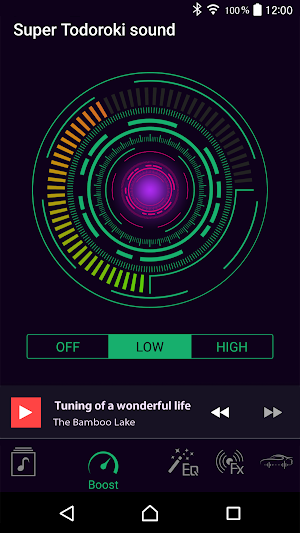
Super "Todoroki" Sound
Live simulation
Compatible models
DEQ-S1000A
DEQ-S1000A2
Compatible OS
android version 5.0 or higher
Similar Apps
nugs.net
nugs.net is the only streaming service dedicated to live music, with official...

Hark Audio
Hark is a new way to experience the best of podcasts. Hark...

Headphones Equalizer - Music &
With Headphones Equalizer and its set of tools, you will be able...

Bandcamp
Bandcamp is an online record store and music community where passionate fans...
faidr
Welcome to the faidr radio app – we’ve engineered a completely improved...

BluOS Controller
BluOS Controller is the universal remote control for all BluOS-enabled wireless hi-res...
Frequently Asked Questions (FAQ)
What is Pioneer's Sound Tune app?
How can I operate the Sound Tune app?
What settings can I access through the Sound Tune app?
Which phones are compatible with the USB connection function of the Sound Tune app?
Can all Android devices connected via AOA 2.0 work properly with the Sound Tune app?
What are the representative functions of the Sound Tune app?
Which models are compatible with the Sound Tune app?
What is the compatible OS for the Sound Tune app?