About iFruity Dynamic
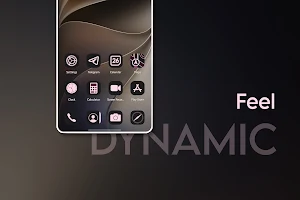
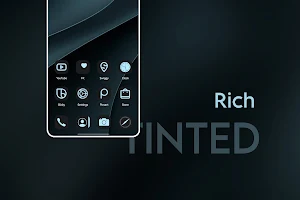
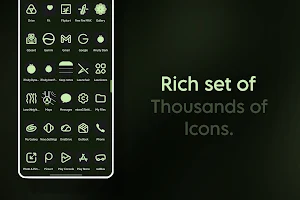
Transform your home screen with a massive collection of over 9,000 premium icons inspired by the modern iOS tinted aesthetic.
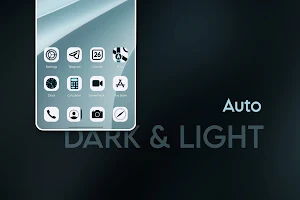
These aren't just static images. This icon pack features fully dynamic theming that automatically adapts to your current wallpaper's color palette, giving your device a perfectly cohesive, customized look. Whether your system is set to light mode or dark mode, the icons intelligently shift their contrast and hues to match your environment perfectly.
Key Features:
- Massive Library: Over 9,000+ meticulously crafted icons.
- Dynamic Wallpaper Theming: Colors automatically extract from your wallpaper (requires Android 12+ / Monet support).
- Day & Night Ready: Native support for both system Light Mode and Dark Mode.
- Modern iOS Aesthetic: Beautifully tinted, minimalist designs.
- High Resolution: Crisp, vector-based designs that look sharp on any display.
⚠️ CRUCIAL SETUP INSTRUCTION: CHOOSE THE SQUIRCLE SHAPE
To achieve the authentic iOS look this pack was designed for, you must select the Squircle icon shape when applying this pack. Using circles, teardrops, or harsh squares will break the intended design.
How to Apply the Icon Pack (Nova Launcher):
- Open Nova Settings.
- Tap on Look & feel.
- Tap on Icon style.
- Under Icon theme, select this icon pack.
- Under Icon shape, select Squircle (very important!).
- Ensure Reshape legacy icons is turned on for a uniform look.
How to Apply in Other Supported Launchers (Lawnchair, Action, Niagara, etc.):
- Open your specific launcher's settings.
- Locate the "Appearance," "Theme," or "Icon" settings menu.
- Select this icon pack as your active Icon Theme.
- Set the system/launcher icon shape to Squircle.
SVG icons grabbed from Lawnchair Open Source project.
Some icons and icon pack Crafted by A23 Studio.
Thank You!
iFruity Dynamic details
iFruity Dynamic is a paid Personalization app for Android with 5+ installs on Google Play. It was released on July 19, 2026 and last updated on July 20, 2026. It requires Android 8.0 or later.
- Category
- Personalization
- Installs
- 5+
- Price
- $1.19
- In-app purchases
- No
- Ads
- No ads
- Current version
- 1.2.1
- Requires Android
- 8.0
- Content rating
- Everyone
- Released
- July 19, 2026
- Last updated
- July 20, 2026
What’s new in iFruity Dynamic
Rich, minimal dynamic icons. More than 9000+ icons. Bug fixes and UI enhanced.
Version 1.2.1 · Updated July 20, 2026
Alternatives to iFruity Dynamic
Looking for apps like iFruity Dynamic? Here are 6 similar Android apps on Google Play.

Glossy Round - Icon Pack
Transform your home screen with 9000+ premium round glossy icons.

WallEasy Pro
Live 3D, fluid animations, dynamic gradients, and custom emoji/image wallpapers!

iFruity Dark - Icon Pack
Transform your home screen into a sleek, night-mode paradise with iFruity Dark.

iFruity Icon Pack
Transform your home screen with iFruity. Experience beautiful iOS style icons fo
HYPER for KLWP
HyperOS Style screens for KLWP

GlassOS - KLWP
Elegant GlassMorphism UI for your Android. KLWP theme with Dark Mode support!
| App | Rating | Price | Installs | Last updated |
|---|---|---|---|---|
| iFruity Dynamic | – | $1.19 | 5+ | Jul 20, 2026 |
| Glossy Round - Icon Pack | – | 0.99 USD | 1+ | – |
| WallEasy Pro | – | 0.49 USD | 5+ | Jul 8, 2026 |
| iFruity Dark - Icon Pack | – | 0.99 USD | 10+ | Jul 8, 2026 |
| iFruity Icon Pack | – | 0.99 USD | 5+ | Jul 8, 2026 |
| HYPER for KLWP | – | 0.99 USD | 1+ | Jun 26, 2026 |
| GlassOS - KLWP | – | 0.99 USD | 10+ | May 24, 2026 |
